
A travel itinerary organizes transport, accommodation and planned activities for a trip. The templates below include examples and layouts associated with Word or Excel. A static itinerary sample is a planning document rather than an interactive itinerary maker.
View the templates and existing download links below.
Choosing the right format
Use a compact day-by-day layout for a leisure trip or a more detailed schedule for business meetings and multiple destinations. Check the actual file format and editability before relying on a software label.
Details to include
- Travel dates, destinations and traveler details
- Transport times, accommodation and booking references
- Appointments, local addresses and useful contacts
How to use the template
- Enter confirmed bookings and note the local time zone where needed.
- Add travel time between locations and leave realistic buffers.
- Keep a current copy and avoid sharing private booking details publicly.
Worked example
A day plan could list an arrival time, travel to the hotel and an afternoon meeting address. Label unconfirmed activities separately so they are not mistaken for bookings.
Download and printing notes
Check the destination and file format of each existing download before using it. Some samples link to an external resource; its availability and terms are controlled by that provider.
What a travel itinerary template does for you
A trip has dozens of moving parts: flights, check-in times, train platforms, booking references, museum slots and dinner reservations. Spread across emails and apps, those details are easy to lose at the worst moment. A travel itinerary template gathers them into one document that you can print, save offline or share with fellow travellers.
The benefit is not only organization. Writing a day-by-day plan also exposes problems early. You might notice that a 7 a.m. flight leaves no time to return a rental car, or that two attractions you planned for the same afternoon are on opposite sides of the city. Fixing those conflicts at home is far easier than fixing them on the road, where every change costs time, money and patience.
Information to include in your itinerary
Trip overview
- Traveller names and an emergency contact at home
- Start and end dates, with destination cities in order
- Passport or ID numbers and expiry dates (store securely)
- Travel insurance provider and policy number
Transport details
- Flight, train or bus numbers, departure and arrival times with time zones
- Terminals, stations and baggage allowances
- Car rental pickup location, hours and confirmation code
Accommodation and daily plan
- Hotel or rental address, phone number, check-in and check-out times
- Each day’s activities with start times, addresses and ticket references
- Meal reservations and free time
- Notes on local transport, opening days and dress codes
How to build an itinerary step by step
- Fix the anchors first. Enter flights and hotel nights, since everything else fits around them.
- Add one row or block per day. Label each with the date, weekday and city.
- Place timed bookings next, such as tours and reservations, with confirmation numbers.
- Fill in flexible ideas as optional items, so you can drop them if the day runs long.
- Check travel times between each stop using a map, and add a buffer.
- Mark the time zone whenever it changes, especially on long-haul days.
- Share and save offline. Export to PDF, email it to companions and keep a printed copy.
There Are Travel Itinerary Templates For You
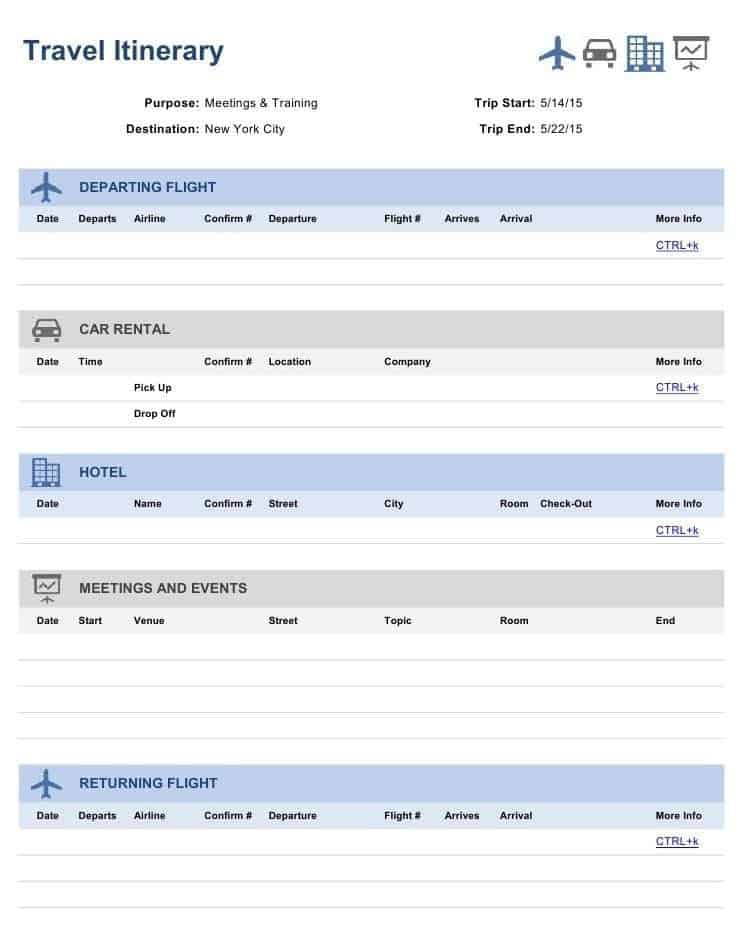

Travel Itinerary Blank Template

Sample Travel Itinerary

Travel Itinerary Maker

Travel Itinerary Word Format

Business trips versus leisure travel
The same template can serve very different journeys, but the emphasis changes. On a business trip, the itinerary is often a working document. It lists meeting times, client addresses, the names of people you will meet and the materials you must bring. It may also record per-diem limits and receipt requirements, so claiming expenses afterwards is straightforward. Because colleagues or assistants may rely on it, keep the layout formal and the entries precise.
A leisure itinerary is more personal. It can include restaurant ideas, viewpoints, photo spots and reminders such as “buy tickets online the night before”. It also benefits from a short packing checklist at the end, grouped by documents, clothing, chargers and medicines. Meanwhile, families travelling with children may add nap times, playgrounds and quieter backup activities for rainy days.
Multi-city and road trips
For journeys with many stops, add a column for distance and driving time between each overnight location. Note fuel or charging stops, toll roads and border crossings. A short daily summary at the top of each section, such as “Drive 280 km, arrive by 17:00”, helps everyone understand the shape of the day at a glance.
Word, Excel or PDF: which format suits your trip?
A Word itinerary reads like a booklet. It works well for family holidays or group tours where people want a friendly, printable guide with headings for each day. An Excel itinerary, on the other hand, is ideal for complex business travel. Columns for date, time, activity, location, cost and reference make it easy to sort and total expenses. Finally, a PDF is the best format for sharing, because it looks the same on every phone.
If you are tracking spending too, link your plan to a budget. The travel budget templates for Excel pair naturally with an itinerary.
Worked example: a three-day city break
Day 1, Friday – Arrival. Flight lands 10:40 local time, Terminal 2. Airport train to the centre, roughly 35 minutes. Hotel check-in from 14:00, so store luggage first and have lunch nearby. Late-afternoon walking tour at 16:30, booking reference in the notes column.
Day 2, Saturday – Museums and market. Timed museum entry at 09:30. Saturday market until 14:00, then free time. Dinner reservation for three at 19:30.
Day 3, Sunday – Departure. Check out by 11:00. Several sights close on Sundays, so the plan keeps the morning flexible. Leave for the airport at 13:30 for a 16:15 flight.
Notice how the example records why a decision was made, such as storing luggage before check-in. Those small notes save time when plans change.
Finally, review the finished plan the evening before you leave. Confirm that every booking reference is present, that times match your latest confirmations, and that the first day’s transport details are easy to find.
Tips for a stress-free itinerary
- Leave at least one unplanned block per day; travel rarely runs to the minute.
- Check opening days, as many attractions close on one weekday.
- Write addresses in the local language too, for taxi drivers.
- Keep sensitive data such as passport numbers out of shared copies.
- Store a copy offline in case you lose mobile data.
- Update the file after each booking change, not later.
Common itinerary mistakes
Overpacking the schedule is the classic error. Five attractions a day looks efficient on paper but becomes exhausting in practice. Another mistake is mixing time zones, for example writing a departure in home time and an arrival in local time without labels. People also forget check-in and check-out times, which leaves them stranded with luggage. Lastly, some travellers keep the only copy on a phone, which fails when the battery runs out.
Itineraries for groups, events and productions
Group organizers need a few extra fields: a headcount per activity, a meeting point and a lead contact for each day. A shared contact list template is useful alongside the itinerary. For hour-by-hour plans, a daily planner template gives more space, and film crews on location usually work from a dedicated shooting schedule. If you are promoting a tour, the travel flyer templates may help. Browse more planning layouts in Templates.
Frequently asked questions
How detailed should a travel itinerary be?
Detailed enough to travel without searching your inbox. Include times, addresses and booking codes, but keep descriptions short.
Do I need an itinerary for a visa application?
Some embassies ask for a travel plan. Requirements vary, so check the official guidance for your destination before submitting one.
Can I share an itinerary with my family?
Yes. Send a PDF with your accommodation and contact details, but leave out passport numbers and payment information.
What is the best way to handle time zones?
Always write local time for each event and add the zone abbreviation on travel days.
Can I edit the template on my phone?
Yes. Word and Excel files open in mobile Office apps and Google Docs, although desktop editing is easier for larger changes.
Should I include costs in my itinerary?
It helps. Add a cost column for prepaid and expected expenses, then total it. You will see at once whether the plan fits your budget, and you can mark which items are already paid.
Conclusion
A well-organized travel itinerary template keeps every booking, address and time in one reliable place. Choose a layout above, build your plan around fixed bookings, and leave room for spontaneity. Then you can spend your trip enjoying the destination instead of searching for confirmation emails.
Related templates
For related tasks, see Free Daily Planner Templates and Scheduling Example and Shooting Schedule Templates for Film Production.