
A wedding website should answer guests’ practical questions without making them search through a long message thread. These two wedding website templates provide a botanical invitation and a modern weekend layout. Each download contains editable HTML and CSS with original ring and botanical illustrations. The names, dates and venue information are examples. The templates use an email contact link and do not collect online RSVP submissions.
Choose the layout around a wedding invitation and guest information website. The two downloads use different visual arrangements, and the previews show the supplied artwork rather than a third-party design. Compare them with your actual content in mind: the amount of text, the images you can provide and the action you want the visitor or viewer to take. A suitable starting layout will need fewer compromises when you add the real information.
Compare the two template options
| Template | Files |
|---|---|
| Botanical Wedding Invitation | HTML and CSS source in ZIP |
| Modern Wedding Weekend | HTML and CSS source in ZIP |
Organize the information around the guest journey
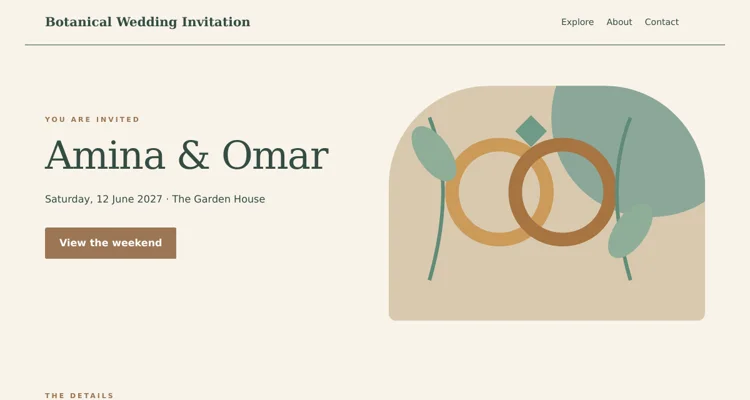
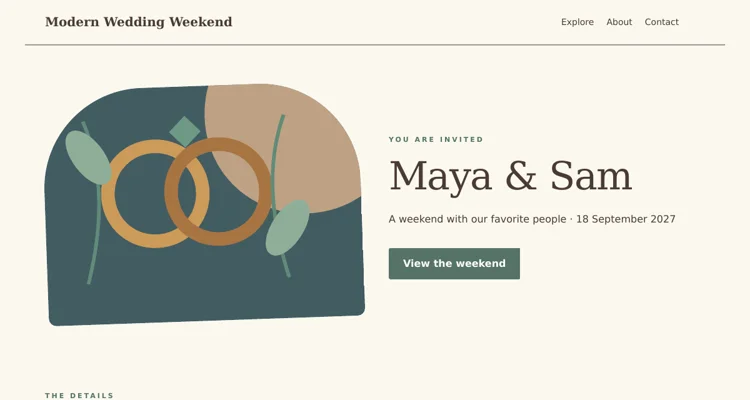
A guest usually needs to know who is getting married, when the celebration happens and where to go. Put those details before a long personal story. The botanical layout introduces the invitation beside its illustration. The modern version reverses the arrangement and is suited to a weekend schedule. Choose the one that fits the information you actually have. If plans are still being confirmed, identify what is provisional rather than filling the page with a complete-looking schedule that guests might rely on.
Separate the ceremony from the wider weekend
Some guests may attend only the ceremony and reception, while others also join a welcome gathering or breakfast. Make the invitation scope clear. State which events require a separate reply and whether transport is arranged. Use full venue names and dates, especially when activities take place on different days. If different groups are invited to different events, consider how you will share the information without implying that every visitor is invited to every gathering. Keep the public page limited to details you are comfortable sharing.
Choose an RSVP method deliberately
The templates provide a contact link that can open a guest’s email application. This does not create a guest database or send an automatic confirmation. Replace the example address and explain what information to include, such as names, attendance and a relevant dietary request. If you use a separate RSVP service, link directly to the correct form and test the process from beginning to end. Avoid displaying a form that appears to submit successfully when no destination or storage process has been connected.
Maintain one reliable source of updated details
Give one person responsibility for keeping the confirmed schedule current. When a venue time or travel arrangement changes, update the website and notify the affected guests through the agreed channel. Do not assume everyone will revisit the page. Keep a dated copy of the final information and check that printed invitations still direct guests to the correct address. An attractive design is useful, but accurate and accessible guest information is what makes the website dependable.
Download both options and view the previews
Botanical Wedding Invitation
The preview shows the desktop header and opening section. The ZIP contains the complete editable page and instructions. Save the download, keep an original copy and edit a separate version for your project. Review the finished wording and layout before use.
Modern Wedding Weekend
The preview shows the desktop header and opening section. The ZIP contains the complete editable page and instructions. Save the download, keep an original copy and edit a separate version for your project. Review the finished wording and layout before use.
Important details to customize
- Names and wedding date
-
Use the names as the couple wants them displayed and write the date unambiguously. A numeric date can mean different things to different readers, so spelling out the month is often clearer. Check every reference to the year and remove all example names from the page title and footer as well.
- Ceremony and reception
-
Give the confirmed start times and venues for the main events. Distinguish the time guests should arrive from the ceremony start when that matters. If the reception is elsewhere, explain the journey and any transport arrangements. Do not leave guests to infer that both events are held at the same location.
- Weekend schedule
-
List the additional gatherings that are genuinely part of the invitation. Keep the schedule brief enough to scan, with a date and location for each item. Mark optional activities clearly and explain any separate booking requirement. Review the page with someone who has not helped plan the wedding to catch unclear assumptions.
- Travel information
-
Provide practical directions, arrival guidance and any confirmed accommodation suggestions. A venue name alone may not identify the correct entrance or branch. If linking to a map, confirm the pin before sharing. Avoid promising transport or rooms that have not been arranged, and keep guests informed when availability changes.
- Guest response
-
State the reply deadline and the method guests should use. Ask for the information the hosts need to organize attendance, and keep private details out of publicly visible sections. The email address must be monitored by someone who can confirm receipt and answer practical questions about the invitation.
- Contact for questions
-
Give guests a suitable contact for the period around the wedding. The couple may not be able to answer every message on the day. Agree who handles arrival questions and how they can be reached. Publish only contact details that the person has agreed to share with the invited audience.
A practical example
A two-day celebration can show the ceremony and reception prominently, with a separate weekend section for a Friday welcome gathering. The response instructions can ask guests to email their names and attendance by a specific date. Travel guidance can identify the venue entrance and where guests should arrange their own accommodation. Every item should reflect confirmed plans; the template’s invented dates and venue are there only to demonstrate the layout.
Editing and preparation checklist
- Extract and open the template. Download the ZIP and extract it into a folder before opening the HTML file. The page includes its CSS and vector illustrations, so the supplied layout does not depend on a theme installation or an external image service. Keep an untouched copy of the download and make your changes in a separate working folder. Read the included instructions before moving files to hosting.
- Replace the example content. Update the sample brand, headings, descriptive text, dates and contact address for the actual project. Work through the topic-specific fields above rather than changing only the main heading. Search the source for the example name and address so they do not remain in the footer or page metadata. Keep factual details consistent across every section and any linked information.
- Adapt the visual material. Use your own authorized photographs or retain the original illustrations where they suit the project. Keep image proportions intact and check the crop beside the text. Update alternative text when an image changes meaning. Use the CSS color settings consistently instead of adding unrelated colors to individual elements. A restrained visual system makes the page easier to maintain and gives visitors a clearer hierarchy.
- Test the navigation and contact route. Open every navigation link and confirm it reaches the intended section. Replace the sample email address and inspect the contact link. For the coupon layouts, open the expandable detail sections and check their labels and contents. These static files do not provide a backend, so any booking, ordering, RSVP or submission service must be connected and tested separately before you describe it as operational.
- Review different screen sizes. Inspect the page in a browser at a desktop width and a narrow phone width after making changes. Long names, large photographs and added navigation items can alter wrapping. Check that the main message and action remain visible, text does not run off the edge and links can be reached with a keyboard. Review the page with the real content, not only the original sample text.
- Publish and keep an update process. Use suitable hosting for static HTML, or have a developer adapt the source to your chosen system. Confirm that the live page loads and that all contact destinations still work. Keep the editable source and approved content together so future updates are straightforward. Review time-sensitive information regularly and remove sample statements before sharing the address with customers or guests.
Why couples create a wedding website
A wedding website is the one place where guests can find everything about your celebration: the date, venues, timings, travel and accommodation, dress code, RSVP instructions and the story of how you met. It saves you from answering the same questions dozens of times, keeps information consistent when plans change, and gives guests a lovely preview of the day. These wedding website templates are built in HTML and CSS, so they are lightweight, fast and fully under your control, with no subscription platform required.
Each download pack contains the page files, stylesheet and preview images. You can personalize names, dates, photos and colors in a code editor, host the site on any basic web host, and keep it online as a keepsake after the wedding.
What to include on a wedding website
Welcome and couple story
Your names, wedding date, a favorite photo and a short story of how you met or got engaged.
Event details
Ceremony and reception times and venues, with addresses, maps and parking notes. Add any pre-wedding or after-party events.
Schedule of the day
A simple timeline: arrival, ceremony, drinks, dinner, speeches and dancing, with approximate times.
Travel and accommodation
Nearest airports or stations, suggested hotels, room blocks, shuttle buses and taxi numbers.
RSVP
Deadline, how to reply, meal choices, dietary requirements and plus-one rules. Link to an RSVP form or explain how to reply.
Dress code and practical notes
Attire guidance, weather expectations, children policy, accessibility and photography preferences.
Registry or gifts
Links or a gentle note about gifts or charitable donations, if you choose to include it.
Wedding party and FAQs
Introductions to the wedding party and answers to common questions.
How to personalize a wedding website template step by step
- Collect details and photos. Confirm dates, venues, times and accommodation before publishing.
- Pick a template. Compare the preview images and choose the style that suits your wedding theme.
- Unzip and preview. Keep the folders intact and open index.html in a browser.
- Edit text. Replace names, dates, venue details and your story in the HTML.
- Update colors and fonts in the CSS to match your invitations and theme.
- Add photos. Compress images and include alt text describing each picture.
- Set up RSVP. Link to an online form service or provide an email address for replies.
- Add maps and travel information.
- Test on phones, since many guests will check the site on mobile.
- Publish and share the link on save-the-dates or invitations.
When to launch the site
Many couples publish their wedding website when sending save-the-dates, then add details as plans are confirmed. At minimum, launch a basic page with the date and location, then update it with schedules, accommodation and RSVP details before invitations go out. Keep it updated until after the wedding, when you can add photos and thank-you messages.
Styles and themes
Classic and elegant
Serif typography, neutral colors and generous white space, suiting formal ceremonies.
Rustic and outdoor
Earthy tones, botanical accents and relaxed layouts for barn, garden and countryside weddings.
Modern and minimal
Clean lines, bold typography and limited colors for city venues and contemporary couples.
Destination
Travel-focused layouts with prominent itinerary and accommodation sections.
Cultural and multi-day celebrations
Sections for each event and ceremony, with dress codes and traditions explained for guests unfamiliar with them.
Tips for a guest-friendly wedding site
- Put the date, location and RSVP deadline near the top.
- Write times clearly and mention when guests should arrive, not just when the ceremony starts.
- Include a map link for every venue and any shuttle pickup point.
- Keep text short and friendly; guests mostly need practical details they can find quickly.
- Match the site’s look to your invitations for a consistent theme.
- Consider a simple password if you prefer to keep details private.
- Add a “last updated” note when you change information.
Common mistakes to avoid
- Missing RSVP deadline. Guests may reply late or not at all.
- Conflicting information between invitations and the website.
- Too many large photos slowing the site on mobile.
- No accommodation advice for out-of-town guests.
- Forgetting accessibility details such as step-free access and seating.
Worked example: a two-day countryside wedding
Aisha and Daniel are marrying at a country venue two hours from the city, with a welcome barbecue the night before. They choose the template that best suits a relaxed, rustic look and set its colors to sage and cream to match their invitations. The home page shows their names, date and a photo from their engagement walk. The details page lists both events, the venue address, a shuttle bus timetable from the nearest station and three nearby hotels with a booking code.
Their RSVP section links to a simple online form asking about meal choices and dietary needs, with a reply deadline six weeks before the wedding. A downloadable guest travel itinerary helps relatives traveling from abroad. The couple’s designer friend uses wedding background templates for the site header, and they prepare table cards from place setting templates. After the wedding they add a gallery and later create a printed book using photo album templates.
Privacy and security
Wedding websites often include dates, addresses and family names. Avoid publishing your home address, and consider password protection or unlisted pages for detailed information. Ask guests not to share the link publicly if you prefer a private celebration. Remember that announcing when you will be away from home can be a security concern, so keep personal details to what guests truly need.
Accessibility for all guests
Guests of every age and ability will use your site. Choose readable fonts and sizes, ensure good contrast between text and background, add alt text to photos, and describe venue accessibility clearly, including steps, parking, accessible toilets and seating. If older relatives are less comfortable online, provide a phone number or printed insert with key details.
After the wedding
Your site can become a keepsake. Add a thank-you note, a selection of photos, and links to professional galleries. If you celebrate anniversaries with friends and family, the site can be updated with new milestones, and you can send matching digital cards based on anniversary card templates. Keep a backup copy of the site files so the memories remain accessible even if hosting changes.
Collecting RSVPs smoothly
RSVPs are the part of wedding planning that most often causes stress. Make replying as easy as possible by placing a clear RSVP button on every page and keeping the form short: guest names, attendance for each event, meal choices, dietary requirements and a message box. Send a gentle reminder a week before the deadline to anyone who has not responded. Export responses into a spreadsheet so you can share final numbers with your caterer and venue, and keep a separate list of dietary needs for the kitchen.
Writing your story and welcome
The story section is where guests get to know you as a couple, especially those who have only met one of you. Keep it short and warm: where you met, a memorable moment, and how the proposal happened. A few specific details, such as the café where you had your first date or the hiking trail where you got engaged, make it feel personal without becoming a long essay. If you are both writing, consider short paragraphs from each of your perspectives.
Your welcome message can also set expectations gently. Mention whether the celebration is intimate or large, adults only or family friendly, and whether you would like guests to keep the ceremony unplugged. A friendly tone helps guests feel included while making your wishes clear. Review the text together before publishing, and ask a trusted friend to proofread names, dates and venue details, since small typos in times or addresses can cause real confusion on the day.
Wedding website template FAQs
Do I need coding skills to use these templates?
Basic HTML and CSS help, but editing names, dates and photos is straightforward in a code editor.
How do guests RSVP on a static site?
Link to an online form service, embed a form, or ask guests to reply by email or phone.
Can I password-protect the site?
Many web hosts offer simple password protection for folders or sites.
When should I share the website?
Commonly with save-the-dates or invitations, once basic details are confirmed.
Can I add a photo gallery after the wedding?
Yes. Add a gallery page or link to an online album.
Should the site match my invitations?
It is not required, but matching colors and fonts creates a cohesive experience.
Conclusion
A wedding website keeps guests informed, reduces last-minute questions and sets the tone for your celebration. Choose the template that suits your theme, add clear event details, travel information and RSVP instructions, and keep everything up to date. Download both HTML and CSS packs below and find more wedding and celebration resources in the category archive. Most of all, let the site reflect the two of you, so guests feel welcomed long before the big day arrives.
Related resources
For the work around this template, you may also find Free Contact List Templates and Organization Guide, Free Sign-In Sheet Templates for Visitors and Events, Free Daily Planner Templates and Scheduling Example useful. Choose the resource that matches the next step and keep names, contact details and project information consistent between documents.
Frequently asked questions
Does the template collect RSVPs?
No. It includes a sample email contact link. Replace that address or connect your chosen RSVP service and test the full response process.
Can I use my own photographs?
Yes. Replace the illustrations with photographs you have permission to publish, then check the crop and the readability of nearby text.
Can I keep the wedding information private?
A static page is not access-controlled by itself. Choose hosting or a separate service with the privacy features you require before publishing guest information.