
Travel flyer templates help a tour operator present a destination, a departure date and a clear reason to inquire. These two downloads cover a mountain adventure and a coastal weekend escape. Each pack contains editable SVG artwork and a PNG image, with space for the trip details and booking contact. Use them as promotional layouts, then replace every sample line with confirmed information about the tour you actually sell.
Choose the option that is closest to a guided tour, a short break or a seasonal travel package, then work through the editing guidance below. The previews show the supplied designs, including sample wording or field labels. They help you compare the layouts before downloading; the finished result will depend on the information and adjustments you add. Keep the original download as a starting copy and save your project under a separate name.
Compare the two downloads
| Download | Format | Starting point |
|---|---|---|
| Mountain Adventure Tour | Editable SVG and print PNG | Option 1: compare the preview and adapt the layout to your purpose. |
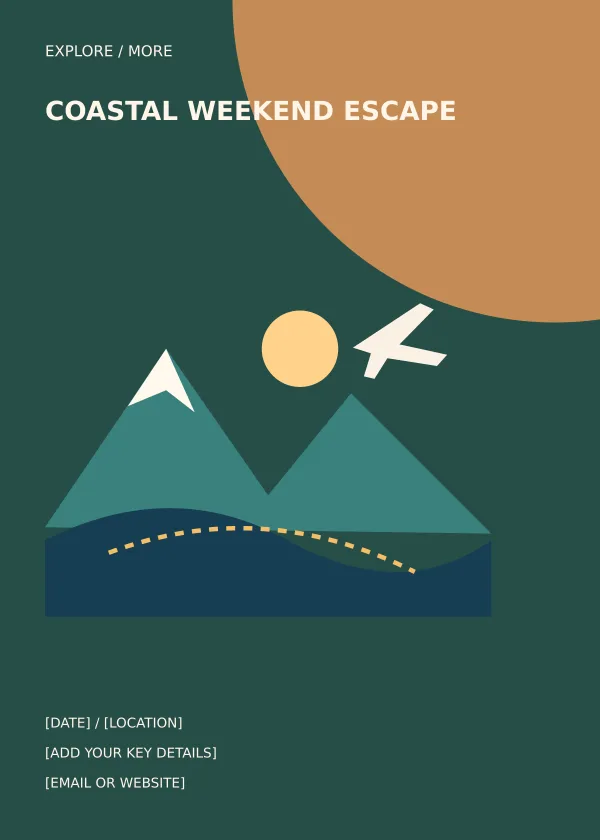
| Coastal Weekend Escape | Editable SVG and print PNG | Option 2: compare the preview and adapt the layout to your purpose. |
Sell a specific trip rather than a vague escape
A travel flyer needs more than a scenic visual. A potential traveler wants to know where the tour goes, when it leaves and whether the offer suits their time and budget. The mountain and coastal layouts offer different headline positions, but neither requires you to keep the sample destination. Write the actual trip name and a short route description first. If the promotion covers several departure dates, explain that clearly rather than displaying a single date that could be mistaken for the only available option.
Make the price understandable
A package price is useful only when its basis is clear. State whether it is per person, per room or for the whole group. Explain shared occupancy, compulsory fees and important exclusions in the booking information, with the key conditions visible on the flyer. Avoid a price that looks complete while leaving an unavoidable charge unexplained. If the trip is still being quoted, invite the reader to request a quote instead of inserting a figure that the business cannot honor. Confirm the final offer with the person responsible for bookings.
Connect the flyer to the itinerary
The flyer introduces the trip; the itinerary explains how it operates. Keep the two consistent on departure times, pickup points, overnight stops and inclusions. A mountain trip may need a note about walking demands or weather-dependent activities. A coastal break may need clarity on free time, optional excursions and transport. Put the complete details on the booking page or in the information sent to travelers. Review the promotional image whenever a material part of the trip changes, and remove outdated exports from distribution.
What to include and check
- Destination and route
-
Use an accurate destination name and a short route description. If the trip visits several places, highlight the main route rather than naming every stop in the headline. The visual should support the actual type of trip without implying facilities or experiences that are not included.
- Travel dates and duration
-
State the departure and return dates, the number of days and the number of nights when relevant. Check the dates against transport and accommodation arrangements. If several departures are available, direct readers to the current schedule and make the offer period clear.
- Package price basis
-
Give the price in the correct currency and explain its basis. Shared-room pricing, child rates and minimum group conditions can materially affect the total. Put the most important condition near the price and make the complete booking terms easy to access.
- Included services
-
Summarize the inclusions that determine value, such as transport, accommodation, meals and guide services. Use specific wording when a service is limited. For example, a meal allowance differs from all meals, and a transfer differs from continuous private transport.
- Exclusions and conditions
-
Explain major exclusions and restrictions before a traveler commits. Optional activities, admission fees and personal expenses should not be hidden behind a general promise. Keep cancellation and change information in the full booking terms, and direct readers there clearly.
- Booking contact
-
Use one primary booking contact and give a simple next step. State whether an inquiry, deposit or completed registration reserves a place. Make sure the person answering inquiries has the same itinerary and price information shown on the flyer.
A practical example
A three-day mountain tour flyer might show the destination, the departure city, the travel dates and a price per person based on shared accommodation. The practical details should explain transport, the number of nights and whether meals are included. A coastal weekend version may emphasize the beach destination and a different departure day. In both cases, link the promotion to a full itinerary and booking terms instead of trying to fit every route note into the image.
Avoid uncertainty in the route description
Travelers should be able to distinguish a guided package from a suggested independent itinerary. Say who organizes the transport and whether the group travels together. If the trip begins at a particular pickup point, make that available in the booking information before payment. A route name may be familiar to local customers but unclear to someone visiting from another city. Add a short explanation of the departure area and main destination. Keep the flyer concise, while ensuring the linked itinerary answers the practical questions the image raises.
Use destination images responsibly
The supplied mountain and travel illustrations communicate a general trip theme. If you replace them with photographs, select images that represent the actual destination and season. A distant landmark or luxury hotel can imply an experience that the package does not include. Identify illustrative imagery when necessary and keep descriptions factual. Do not use a photograph of a different destination merely because the colors fit the design. A traveler who recognizes the scene should see the same place in the itinerary and the booking information.
Keep changing information under control
Departure dates, accommodation and availability may change during a campaign. Decide who approves those changes and where the current details are maintained. Update the booking page first, then revise the flyer and any social versions. Keep a copy of the offer that a customer accepted, including its price basis and inclusions. This helps the organizer answer questions consistently. When a departure sells out, stop distributing the version that invites people to reserve it and provide a clear alternative rather than leaving an expired promotion active.
How to customize and finish the file
- Start with the source file. Download the pack for your chosen travel flyer design and extract it. Keep the SVG and PNG together, but use the SVG when you need to change individual elements. Open a working copy in a vector editor that supports SVG. Confirm that the text, shapes and page size display correctly before making changes, rather than editing a screenshot of the preview.
- Replace the content first. Prepare the real information for a guided tour, a short break or a seasonal travel package before adjusting the decoration. Work through the fields described above and replace the sample wording. If a field does not apply, remove it and close the gap deliberately. Review the content as one message so an old date, example contact or unrelated heading does not remain in an otherwise updated design.
- Adjust spacing and visual balance. Use the longest real line of text to test the layout. Increase the text area or shorten the wording before making the font too small. Keep a clear difference between the headline and supporting information. If you move a decorative group, check that it does not cover essential content. Maintain proportions when resizing artwork so circles, illustrations and logos do not become stretched.
- Export for the actual destination. Choose the output dimensions for the place where the design will be used. Export a new PNG for ordinary image sharing, or follow the printer’s specified file requirements for a printed job. A source file and an export serve different purposes; retain both. Do not assume that a social platform, email client or print service will preserve your original crop and spacing automatically.
- Inspect the finished result. Open the exported file outside the editor and inspect it at normal viewing size. Check the headline, important details, contact information and edges. Ask someone unfamiliar with the project to explain what they think the design communicates. If their answer differs from the intended a guided tour, a short break or a seasonal travel package, revise the information hierarchy before distributing it. Save the approved version with a descriptive name so it is easy to identify later.
Download the two templates and view the previews
Mountain Adventure Tour
Option 1 provides the mountain adventure tour layout shown below. Download the Editable SVG and print PNG file, keep an untouched original and edit a copy for your own project. The preview is for comparing the supplied layout; use the download button to obtain the working file.

Coastal Weekend Escape
Option 2 provides the coastal weekend escape layout shown below. Download the Editable SVG and print PNG file, keep an untouched original and edit a copy for your own project. The preview is for comparing the supplied layout; use the download button to obtain the working file.
Related resources for the next step
Depending on your project, these related guides can support the work around this template: Travel Itinerary Templates and Daily Trip Example, Free Contact List Templates and Organization Guide, Cash Receipt Templates and Filled-In Example. Choose the resource that matches the task you need to complete, and keep information consistent when you use more than one document or design.
Frequently asked questions
Can I change the destination?
Yes. Replace the destination, trip information and any unsuitable illustration in the SVG. Review all dates, inclusions and booking details so the revised flyer describes the new trip accurately.
Are these travel flyers Word templates?
No. The packs contain editable SVG artwork and PNG images. You can place the finished PNG in Word, but the original text and shapes are edited in the SVG source.
How much itinerary detail belongs on the flyer?
Include the route, dates, duration, price basis and key inclusions. Send readers to the full itinerary for pickup arrangements, daily activities, exclusions and complete booking terms.