
Coupon website templates need to make an offer understandable before asking someone to use it. These two layouts provide a local-perks directory and a weekend-offers board, with editable HTML and CSS and native expandable code sections. All offers and codes in the downloads are fictional examples. The templates do not verify merchant offers, redeem discounts or connect to an affiliate network.
Choose the layout around a small coupon or local-offer directory. The two downloads use different visual arrangements, and the previews show the supplied artwork rather than a third-party design. Compare them with your actual content in mind: the amount of text, the images you can provide and the action you want the visitor or viewer to take. A suitable starting layout will need fewer compromises when you add the real information.
Compare the two template options
| Template | Files |
|---|---|
| Local Perks Directory | HTML and CSS source in ZIP |
| Weekend Offers Board | HTML and CSS source in ZIP |
Distinguish the offer from its presentation
A coupon page can display an offer attractively, but it does not establish whether the merchant will honor it. Confirm the offer details and your permission to publish them before replacing the fictional examples. Identify the merchant, the benefit and the most important conditions together. Do not leave restrictions hidden behind a vague headline. The local-perks version works as a compact directory, while the weekend version offers a different visual order. Choose the layout that helps a reader compare the actual offers you have.
Use clear conditions and meaningful dates
A useful offer includes its validity period, eligible products or services and any minimum spend. State whether it is online, in-store or available through a particular booking method. If a code is required, make it clear when the customer should apply it. Avoid displaying an expired offer as active simply because its code still appears on the page. The template’s expandable sections reveal text only; they do not check a merchant’s system or guarantee that a code works for every customer.
Keep the directory honest about links and relationships
If a link takes readers to a merchant, identify the destination accurately. Describe any relevant commercial relationship in the way your publishing process requires. Do not imitate a merchant’s checkout or make an unrelated page look like an official redemption service. A clear directory helps readers understand where the offer comes from and what happens after they leave. Keep tracking or affiliate arrangements separate from the basic truth of the offer, and test the actual destination before publishing it.
Plan how expired and changed offers are handled
Static pages require manual upkeep. Assign responsibility for checking offers and removing those that are no longer valid. When a merchant changes a condition, update the headline, detail section and any linked promotion together. Keep a simple record of the confirmed terms and the date you checked them. If you cannot confirm an offer, mark it appropriately or remove it from the active selection. A small accurate directory is more useful than a larger page filled with uncertain discounts.
Download both options and view the previews
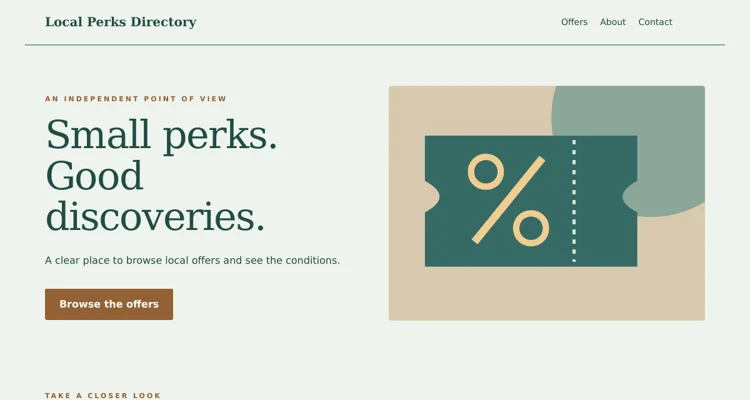
Local Perks Directory
The preview shows the desktop header and opening section. The ZIP contains the complete editable page and instructions. Save the download, keep an original copy and edit a separate version for your project. Review the finished wording and layout before use.
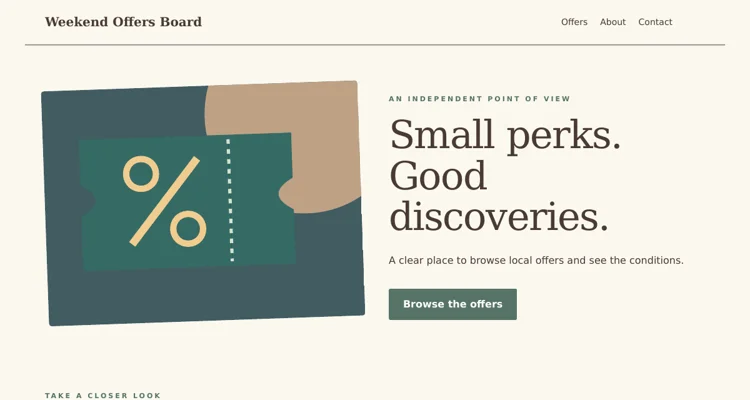
Weekend Offers Board
The preview shows the desktop header and opening section. The ZIP contains the complete editable page and instructions. Save the download, keep an original copy and edit a separate version for your project. Review the finished wording and layout before use.
Important details to customize
- Merchant identity
-
Use the actual merchant name and an authorized destination. A generic sample category is not a merchant record. Check the spelling and the landing page so readers can identify the business involved, and avoid using a logo or brand presentation in a way that suggests unsupported endorsement.
- Offer value
-
Describe the benefit precisely. A percentage, fixed discount, bundled item and limited introductory price are different offers. Explain the basis of the value and avoid combining several conditions into a headline that makes the saving look larger or more widely available than it is.
- Eligibility and exclusions
-
Put the key restrictions near the offer. Minimum spend, selected products, first-order rules and location limits can change whether a customer can use it. The detail section should clarify the terms rather than contradict an overly broad headline. Confirm the final wording with the responsible source.
- Validity period
-
Use clear dates and identify the relevant time when it matters. Do not keep a seasonal offer active indefinitely. If the merchant has not provided a fixed end date, use accurate wording and maintain a checking process rather than inventing an expiry date for visual completeness.
- Code or redemption route
-
The supplied reveal control opens a text section containing a fictional code. Replace it only with a confirmed offer and explain the actual use process. If no code is needed, change the control label so readers are not led to expect something that does not exist.
- Review and support
-
Record when the offer was checked and give readers a way to report a problem where your directory supports that process. A static template does not receive reports by itself. Use a monitored contact and review the linked merchant page when someone says the offer no longer applies.
A practical example
A cafe directory entry might state a confirmed weekday offer, the participating branch, the qualifying purchase and the end date. The expandable section can show the code and explain how to present it. If the offer does not require a code, change the summary to “View offer details.” Keep the merchant’s actual redemption route separate from the demonstration page and remove the fictional sample wording before publication.
Editing and preparation checklist
- Extract and open the template. Download the ZIP and extract it into a folder before opening the HTML file. The page includes its CSS and vector illustrations, so the supplied layout does not depend on a theme installation or an external image service. Keep an untouched copy of the download and make your changes in a separate working folder. Read the included instructions before moving files to hosting.
- Replace the example content. Update the sample brand, headings, descriptive text, dates and contact address for the actual project. Work through the topic-specific fields above rather than changing only the main heading. Search the source for the example name and address so they do not remain in the footer or page metadata. Keep factual details consistent across every section and any linked information.
- Adapt the visual material. Use your own authorized photographs or retain the original illustrations where they suit the project. Keep image proportions intact and check the crop beside the text. Update alternative text when an image changes meaning. Use the CSS color settings consistently instead of adding unrelated colors to individual elements. A restrained visual system makes the page easier to maintain and gives visitors a clearer hierarchy.
- Test the navigation and contact route. Open every navigation link and confirm it reaches the intended section. Replace the sample email address and inspect the contact link. For the coupon layouts, open the expandable detail sections and check their labels and contents. These static files do not provide a backend, so any booking, ordering, RSVP or submission service must be connected and tested separately before you describe it as operational.
- Review different screen sizes. Inspect the page in a browser at a desktop width and a narrow phone width after making changes. Long names, large photographs and added navigation items can alter wrapping. Check that the main message and action remain visible, text does not run off the edge and links can be reached with a keyboard. Review the page with the real content, not only the original sample text.
- Publish and keep an update process. Use suitable hosting for static HTML, or have a developer adapt the source to your chosen system. Confirm that the live page loads and that all contact destinations still work. Keep the editable source and approved content together so future updates are straightforward. Review time-sensitive information regularly and remove sample statements before sharing the address with customers or guests.
What a coupon website template gives you
A coupon website collects discount codes, printable vouchers and limited-time deals in one place so shoppers can find savings quickly. Whether you are building a deals blog, a local business directory with offers, or a promotions page for your own shop, the layout matters: visitors expect to scan offers fast, see expiry dates clearly and copy a code with one click. These coupon website templates give you a ready-built starting point in plain HTML and CSS, without needing a content management system or heavy frameworks.
Both download packs include the page files, a stylesheet and preview images. You can open the HTML in any browser, edit the text and styling in a code editor, and upload the finished files to standard web hosting. Because there is no database, they are ideal for small projects, prototypes, student assignments and static deal pages.
Typical sections in a coupon site layout
Header and search
A logo area, navigation and a prominent search box for stores or categories.
Featured deals
A highlighted row or slider showing the best current offers.
Coupon cards
Each card shows the store name or logo, the offer headline, a short description, the code or “Get deal” button, and an expiry date.
Categories and stores
Links or filters such as fashion, electronics, food and travel, plus a list of popular stores.
Newsletter signup
A simple form inviting visitors to receive new deals by email.
Footer
About information, contact, disclosure statement and privacy policy links.
How to compare the two templates
Open the preview images in each pack side by side and judge them against your content. Ask how many offers you will show per page, whether you need room for editorial notes about each deal, how prominent the search box is, and how the layout collapses on a phone screen. A card grid generally suits sites with many offers that visitors browse visually, while a list layout with longer descriptions suits sites that add a short review or condition note to every deal. Pick the pack whose structure is closest to your plan; restyling colors is easy, but rebuilding a layout takes much longer.
How to customize a coupon website template step by step
- Download and unzip. Keep the folder structure intact so images and CSS paths still work.
- Open the preview. Double-click index.html to view it in a browser.
- Edit branding. Replace the logo, site name and color variables in the CSS.
- Update navigation. Change menu labels and links to match your pages.
- Edit coupon cards. Duplicate a card block in the HTML and change the store, headline, code and expiry date.
- Add copy-to-clipboard. If the template includes a small script for copying codes, test it; if not, you can add one.
- Set up categories. Create separate pages or anchors for categories, or use simple filtering.
- Connect the newsletter form. Point the form to your email marketing service’s signup endpoint.
- Add legal pages. Include a privacy policy and affiliate disclosure if you earn commissions.
- Test and upload. Check the site on phone, tablet and desktop, then upload files to your host.
When a static coupon site makes sense
A static HTML template is a good fit for local business offer pages, seasonal sale microsites, student or portfolio projects, landing pages for a single promotion, and small affiliate sites updated weekly. If you plan to publish hundreds of coupons daily, allow user submissions or track clicks in detail, a content management system or custom back end will eventually be more practical. Many people start with a static template to test an idea and migrate later.
Tips for a trustworthy coupon site
- Show expiry dates clearly and remove expired offers promptly.
- Test codes before publishing whenever possible.
- Label exclusive or verified codes honestly.
- Disclose affiliate relationships near offers and in the footer.
- Keep pages fast by compressing images and limiting scripts.
- Make buttons large enough to tap easily on mobile.
- Use consistent card layouts so visitors can scan quickly.
Common mistakes to avoid
- Leaving expired coupons online. It quickly damages trust and increases bounce rates.
- Using store logos without permission. Check brand guidelines or use text names instead.
- Broken file paths. Moving files out of their folders breaks images and styles.
- No mobile testing. Many shoppers search for codes on phones while checking out.
- Misleading offer headlines. Describe deals accurately, including minimum spend or exclusions.
Worked example: a local high-street deals page
A town business association wants a simple website listing discounts from member shops during a holiday shopping month. A volunteer chooses the template whose layout best fits a grid of shop offers, changes the colors to the association’s brand, and creates 24 coupon cards, one per shop, each showing the offer, conditions and end date. Instead of online codes, most cards say “Show this page in store”.
Shops submit their offers using a short form based on a customer information sheet, and the volunteer compares offer types using a product comparison spreadsheet to avoid duplicates. The association promotes the site with posters built from grand opening flyer templates and tear-off pull-tab flyers showing the web address, and the volunteer adds a matching email signature for association emails.
Making coupon pages fast and accessible
Fast pages keep shoppers from leaving. Compress images, use modern formats where supported, and avoid large background videos. For accessibility, ensure buttons have descriptive text such as “Copy code for 20% off shoes”, use sufficient color contrast for expiry dates and small print, and make sure forms have labels. Keyboard users should be able to reach every coupon button and copy action.
Keeping content fresh
A coupon site lives or dies by freshness. Set a weekly routine to remove expired offers, add new ones and verify codes. Keep a simple spreadsheet listing each offer, its source, start date, end date and status. Update a “last checked” date on each card or page so visitors know the information is current. Seasonal pages, such as back-to-school or holiday sales, can be reused each year with updated offers.
Search visibility for deal pages
Search engines favor useful, original content over pages that simply repeat codes found elsewhere. Write short, honest descriptions of each offer, group deals by store and category, and use clear page titles such as the store name followed by “discount codes”. Avoid creating many thin pages with almost identical text. Internal links between related categories help visitors and search engines find more offers.
Writing clear offer descriptions
Every coupon card has limited space, so each word should help the shopper decide. Lead with the benefit, such as “20% off all footwear”, then add the most important condition, such as a minimum spend or excluded brands. State whether the offer is online, in store or both, and give an exact end date rather than “ends soon”. If a code works only for new customers or once per account, say so. Clear descriptions reduce frustration at checkout and make visitors more likely to return.
Structuring the site as it grows
Start with a home page, a handful of category pages and a page per major store. As offers increase, add an “Ending soon” section, a page for seasonal events and a simple archive of past promotions. Keep URLs short and descriptive, and reuse the template’s card component everywhere so the design stays consistent. Before the site becomes too large to manage by hand, consider whether a static site generator or content management system would make updates easier.
Before you launch
Run a final checklist: every link opens the right page, every code has been tested or clearly marked as unverified, expiry dates are correct, forms submit properly, and legal pages are linked in the footer. Ask a friend to try the site on their phone and note anything confusing.
Coupon website template FAQs
Do I need coding skills to use these templates?
Basic HTML and CSS knowledge helps. Editing text and images is straightforward with a code editor.
Can I add a database later?
Yes. Many people start with static HTML and later move the design into a content management system or custom app.
How do I let visitors copy coupon codes?
A small JavaScript snippet can copy the code to the clipboard when a button is clicked.
Can I use store logos?
Only where you have permission or brand guidelines allow it; otherwise use store names.
Will the templates work on mobile?
Check the preview on different screen sizes and adjust CSS breakpoints if needed.
What hosting do I need?
Any standard web hosting or static site host can serve HTML and CSS files.
Conclusion
Coupon website templates help you launch a clean, fast deals site without building every component from scratch. Compare the two layouts, customize branding and coupon cards, keep offers fresh and accurate, and test carefully on mobile before publishing. Download both HTML and CSS packs below and explore more web and marketing templates in the category archive. Start small, keep every offer accurate and grow the site as your audience grows.
Related resources
For the work around this template, you may also find Free Company Profile Templates and PDF Examples, Customer Information Sheet Templates and Examples, Memo Templates and Business Memorandum Example useful. Choose the resource that matches the next step and keep names, contact details and project information consistent between documents.
Frequently asked questions
Do the sample coupon codes work?
No. They are fictional demonstrations. Replace them with authorized, current offers and accurate conditions before publishing the page.
Does the template verify or redeem codes?
No. The expandable sections reveal text. Merchant verification, redemption and affiliate connections are not included.
Is JavaScript needed to reveal the code?
The supplied reveal sections use the native HTML details and summary elements. Their basic interaction does not depend on a JavaScript library.