
Movie poster templates provide a starting structure for a title, a visual hook and the information needed to watch the film. These two downloads offer a Nightfall thriller layout and a Horizon documentary layout, each with editable SVG artwork and a PNG image. The sample titles are fictional placeholders. Replace them, the credits and the release details with your own film information before publishing the poster.
Choose the option that is closest to an independent film announcement or a screening promotion, then work through the editing guidance below. The previews show the supplied designs, including sample wording or field labels. They help you compare the layouts before downloading; the finished result will depend on the information and adjustments you add. Keep the original download as a starting copy and save your project under a separate name.
Compare the two downloads
| Download | Format | Starting point |
|---|---|---|
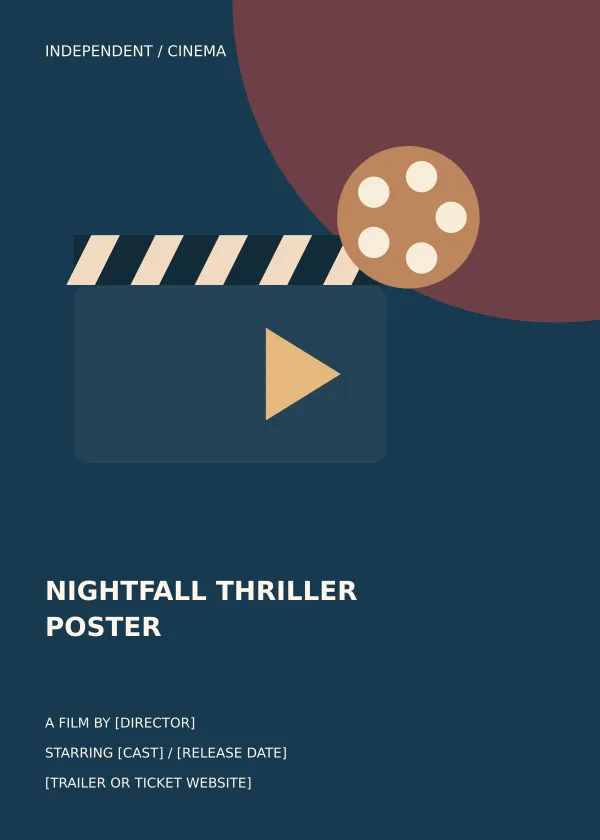
| Nightfall Thriller Poster | Editable SVG and print PNG | Option 1: compare the preview and adapt the layout to your purpose. |
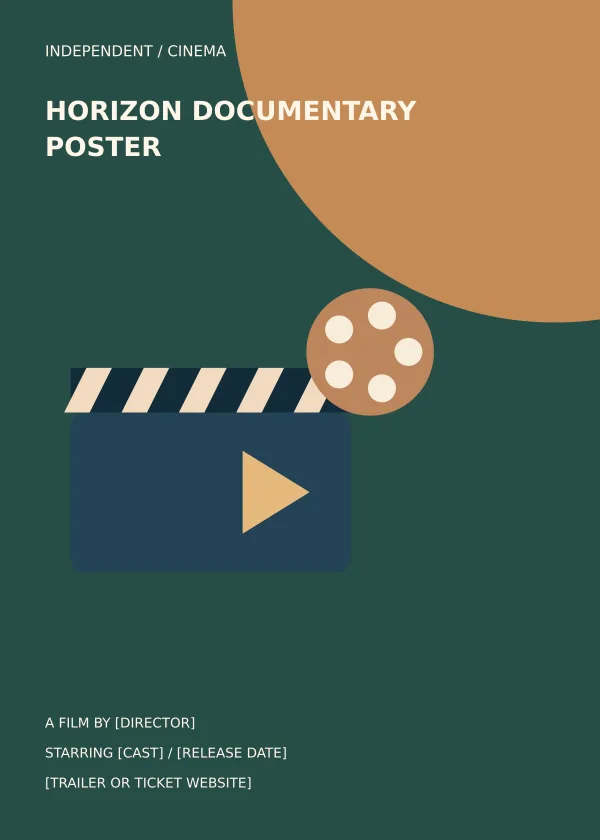
| Horizon Documentary Poster | Editable SVG and print PNG | Option 2: compare the preview and adapt the layout to your purpose. |
Decide what the poster needs to accomplish
A teaser poster can concentrate on the film title and a visual mood. A screening poster must also tell people when and where they can attend. Choose the purpose before filling the layout. The first design places its title lower in the composition, while the second introduces it near the top. Both use a cinema illustration that you can retain for a general screening or replace with original film artwork. Avoid adding unsupported awards, review quotes or festival selections simply because those elements are common on commercial movie posters.
Create a hierarchy around the title and image
The title and key visual should work together rather than compete. A dramatic title treatment may need a calmer image; a strong film still may benefit from simpler typography. Keep the tagline short and separate it from the practical screening details. Production credits can be smaller, but should remain readable in the intended output. Use your actual credited names and approved production wording. If you replace the illustration with a film still, choose an image you have permission to use and check the crop around faces, action and important visual clues.
Prepare versions for different viewing contexts
A poster on a cinema wall and a thumbnail on a phone have different viewing distances. Start with one coherent composition, then make separate crops where needed. The title should remain identifiable in a small preview, and the screening information should remain readable in the full-size version. Keep the editable source so you can change a date or venue without rebuilding the artwork. When distributing a new event version, label the file with the screening location or date to reduce the chance of sharing an obsolete announcement.
What to include and check
- Film title
-
Use the exact film title approved for the release. Check capitalization, punctuation and any subtitle against the final credits. If the poster uses a fictional sample title during editing, replace it everywhere, including the exported filename and any accompanying description.
- Tagline
-
Write a short tagline that reflects the actual film. It can suggest a question, a setting or a central conflict, but should not promise a different genre. Remove the tagline if it merely repeats the title or makes the layout harder to read.
- Key visual
-
Choose a visual that supports the story and the intended audience. The supplied cinema artwork is an editable starting point. Replace it with original illustration or an authorized still when the film needs a more specific identity, and avoid visual details that misrepresent the production.
- Cast and production credits
-
Confirm the cast and production credits with the responsible producer. Use the agreed names and order rather than guessing from an old draft. Keep the credit area legible and separate from a venue or ticket contact so viewers can identify the practical screening information quickly.
- Release or screening details
-
State a release date only when it is confirmed. For an event poster, include the screening date, start time and venue. Distinguish a single screening from a general release so people do not arrive at the wrong place or misunderstand when the film becomes available.
- Ticket or trailer contact
-
Choose the main action for the poster. A teaser may direct viewers to a trailer, while a screening announcement may need a ticket page. Test the destination before export and keep the address short enough to read or reproduce accurately from a printed copy.
A practical example
For a local documentary screening, use the film title as the main headline, add a short truthful tagline and show the venue, date and start time in one information block. A trailer address can support the promotion, while a ticket address should take priority when reservations are required. Keep production credits distinct from screening arrangements. If the same film later appears at a different venue, export a new version rather than editing the film title or reusing a poster with the old date.
Keep the film identity separate from the event
The film title, director and main artwork belong to the film identity. A venue, date and ticket contact belong to a particular screening. Separate these groups in the editable file so you can update event details without disturbing the title treatment. If the same poster promotes several screenings, use a clear list or direct readers to a current schedule. Do not make the release date look like a venue-specific start time. A viewer should be able to distinguish the film itself from the occasion on which it is being shown.
Review the credits before export
Production credits often come from several sources and may change before release. Confirm the final names, roles and order with the responsible producer. Check punctuation and spelling rather than copying an early working document. If a logo or festival mark is included, use the approved artwork and wording. Leave enough room for a credit block without reducing it to illegible decoration. A short student film may need only a modest set of credits; it does not benefit from invented production details added to resemble a commercial poster.
Check the poster at multiple distances
View the poster as a small thumbnail, at normal screen size and as a print proof. The title should remain identifiable in the thumbnail. The full-size version should make the screening information easy to read. A print proof reveals details that are difficult to judge on a bright monitor, including dark areas that merge together. For an online event listing, make a deliberate crop that preserves the title and date. Do not rely on an automatic crop that might cut off the ticket address or part of a face.
How to customize and finish the file
- Start with the source file. Download the pack for your chosen movie poster design and extract it. Keep the SVG and PNG together, but use the SVG when you need to change individual elements. Open a working copy in a vector editor that supports SVG. Confirm that the text, shapes and page size display correctly before making changes, rather than editing a screenshot of the preview.
- Replace the content first. Prepare the real information for an independent film announcement or a screening promotion before adjusting the decoration. Work through the fields described above and replace the sample wording. If a field does not apply, remove it and close the gap deliberately. Review the content as one message so an old date, example contact or unrelated heading does not remain in an otherwise updated design.
- Adjust spacing and visual balance. Use the longest real line of text to test the layout. Increase the text area or shorten the wording before making the font too small. Keep a clear difference between the headline and supporting information. If you move a decorative group, check that it does not cover essential content. Maintain proportions when resizing artwork so circles, illustrations and logos do not become stretched.
- Export for the actual destination. Choose the output dimensions for the place where the design will be used. Export a new PNG for ordinary image sharing, or follow the printer’s specified file requirements for a printed job. A source file and an export serve different purposes; retain both. Do not assume that a social platform, email client or print service will preserve your original crop and spacing automatically.
- Inspect the finished result. Open the exported file outside the editor and inspect it at normal viewing size. Check the headline, important details, contact information and edges. Ask someone unfamiliar with the project to explain what they think the design communicates. If their answer differs from the intended an independent film announcement or a screening promotion, revise the information hierarchy before distributing it. Save the approved version with a descriptive name so it is easy to identify later.
Download the two templates and view the previews
Nightfall Thriller Poster
Option 1 provides the nightfall thriller poster layout shown below. Download the Editable SVG and print PNG file, keep an untouched original and edit a copy for your own project. The preview is for comparing the supplied layout; use the download button to obtain the working file.
Horizon Documentary Poster
Option 2 provides the horizon documentary poster layout shown below. Download the Editable SVG and print PNG file, keep an untouched original and edit a copy for your own project. The preview is for comparing the supplied layout; use the download button to obtain the working file.
Related resources for the next step
Depending on your project, these related guides can support the work around this template: Shooting Schedule Templates for Film Production, Pull Tab Flyer Templates and Printing Guide, Free Sign-In Sheet Templates for Visitors and Events. Choose the resource that matches the task you need to complete, and keep information consistent when you use more than one document or design.
Frequently asked questions
Can I use my own movie stills?
Yes, provided you have permission to use them. Replace the illustration in the SVG, check the crop and retain enough contrast for the film title and screening details.
Are these layered Photoshop files?
No. The packs contain editable SVG artwork and flattened PNG images. They do not include PSD layers or smart objects.
Can the poster advertise a film festival screening?
Yes. Add the confirmed screening details and any approved festival branding. Do not add award marks or selection claims unless they have been authorized for the film.