
These purchase order formats give you 15 downloadable layouts for ordering products from a supplier: seven Word documents and eight Excel spreadsheets. Compare the previews, choose the fields you need, and download a ZIP containing the matching DOCX, XLSX or XLS file.
A purchase order, often shortened to PO, records what a buyer wants to order, including item descriptions, quantities, agreed prices and delivery details. A clear purchase order form gives the buyer and vendor a shared reference for the order; it should reflect the actual agreement and approval process.
Browse Word purchase order templates | Browse Excel purchase order formats | How to complete a PO
Choose a Word or Excel purchase order template
Choose a purchase order template in Word when document layout, wording and printing are your main priorities. Choose an Excel purchase order template when you want a spreadsheet for quantities, prices and totals. The collection includes six XLSX workbooks with existing formula cells and two legacy XLS files. A Word document is not automatically a calculation tool, and spreadsheet formulas still need checking after edits.
Every download below is a ZIP archive. Extract the file before opening it. DOCX is the Word format, XLSX is the newer Excel workbook format, and XLS is an older Excel format. Preview images show the layout; sample names, dates, product details and amounts in the files should be replaced.
Download purchase order formats in Word
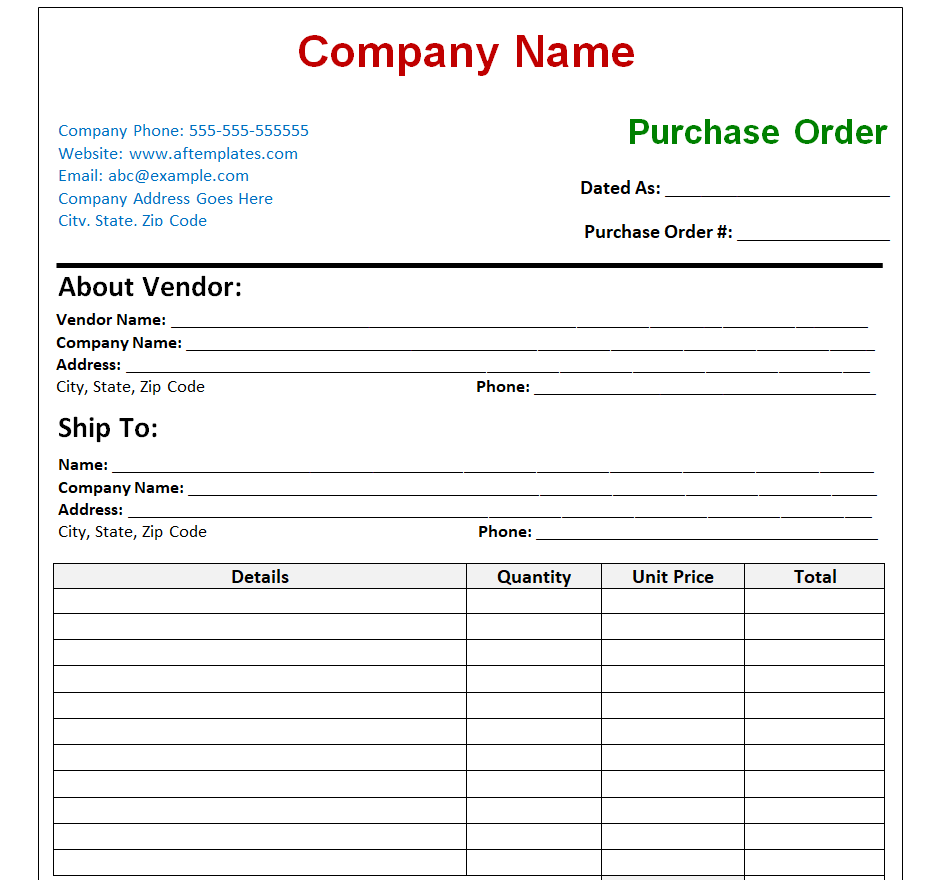
Company Purchase Order Format in Word
A general company PO form with buyer details, vendor and ship-to sections, item rows and signature space. Start here when you want a straightforward purchase order document to customize for repeat suppliers.
Download type: ZIP containing DOCX. Archive size: 41.6 KB.
Download Company Purchase Order Format in Word ZIP
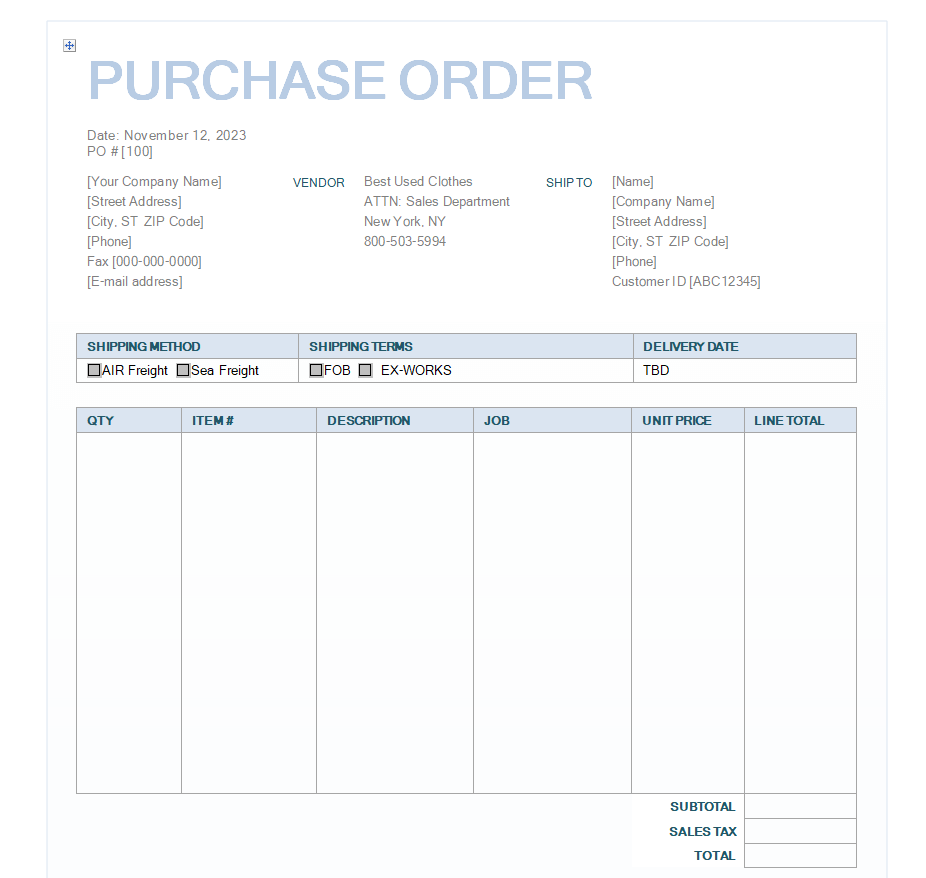
Simple Purchase Order Word Template
A simple purchase order form with vendor, ship-to, customer ID and shipping fields above an itemized table. It suits teams that prefer a familiar Word document for entering order details and printing a copy.
Download type: ZIP containing DOCX. Archive size: 21.1 KB.
Download Simple Purchase Order Word Template ZIP
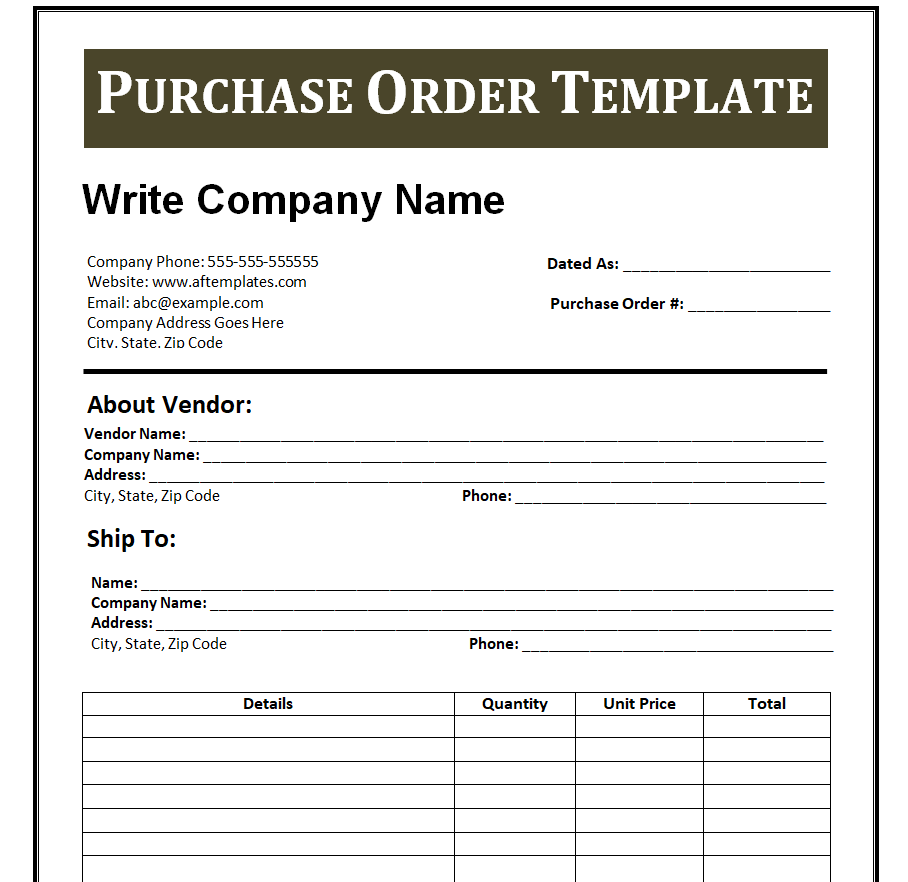
Corporate Purchase Order Template in Word
A bold heading separates the company information from supplier and delivery details. This layout provides a more formal presentation for an office purchasing process while retaining a basic item table.
Download type: ZIP containing DOCX. Archive size: 34.8 KB.
Download Corporate Purchase Order Template in Word ZIP
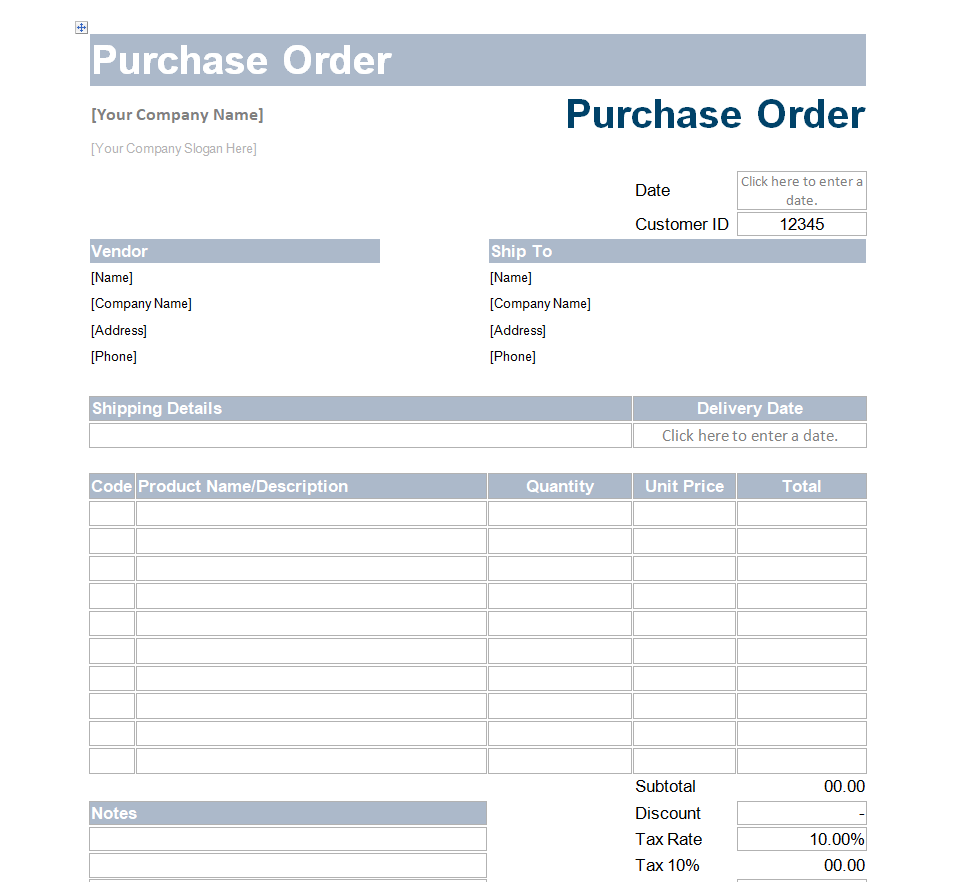
Standard Purchase Order Format in Word
A structured Word format with product codes, descriptions, quantities, unit prices and a totals area. Replace the example tax rate, discount and other costs with the figures agreed for your transaction.
Download type: ZIP containing DOCX. Archive size: 20.5 KB.
Download Standard Purchase Order Format in Word ZIP
Purchase Order Form with Shipping Details
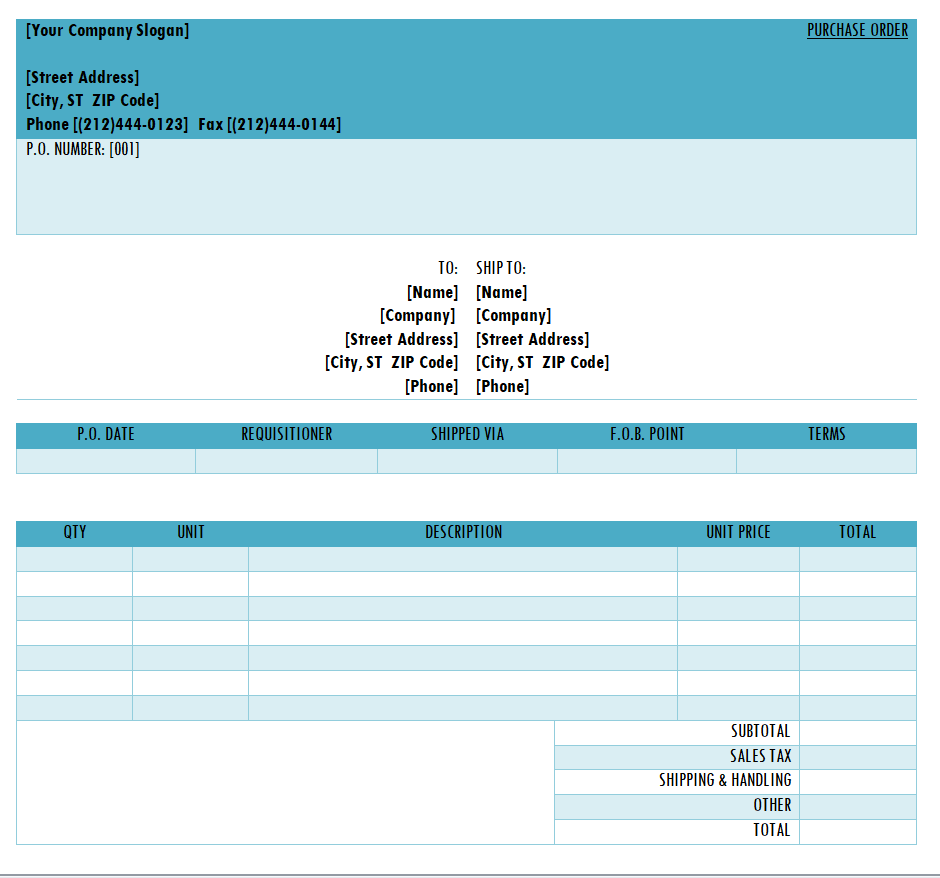
A purchase order document with a requisitioner field, shipping method, terms and separate totals for sales tax, shipping and other costs. Use the extra fields when delivery arrangements need to appear on the order.
Download type: ZIP containing DOCX. Archive size: 13.2 KB.
Download Purchase Order Form with Shipping Details ZIP
Apparel Purchase Order Form in Word
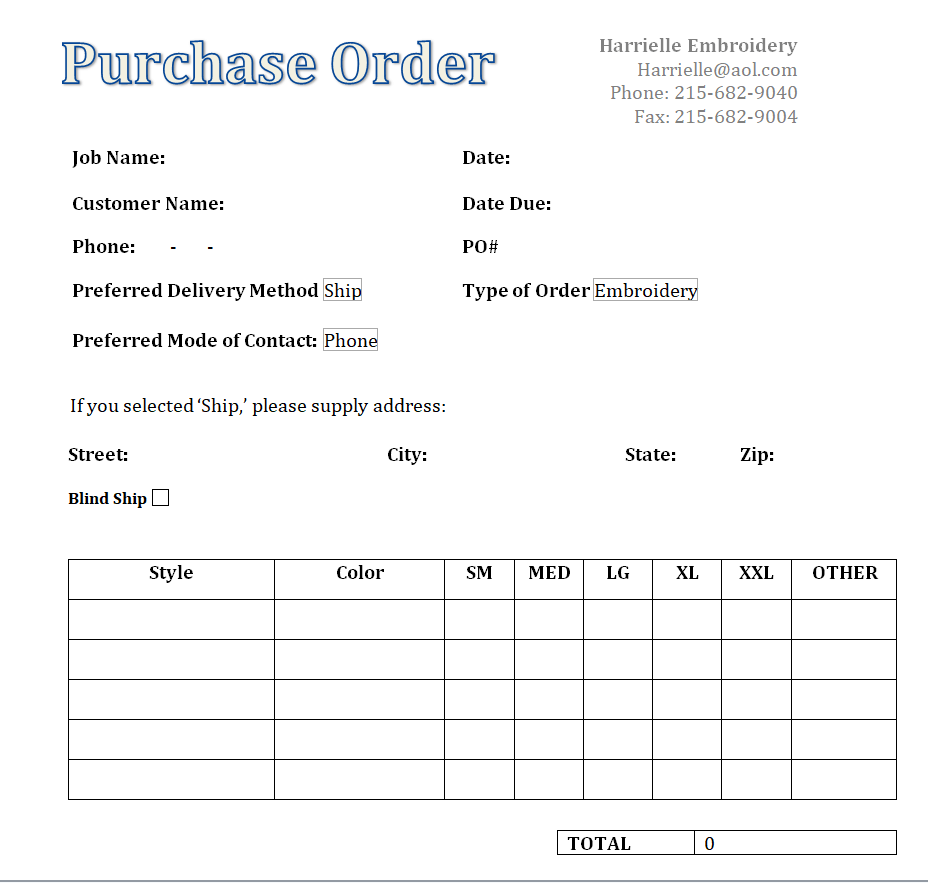
An apparel-oriented order form with style, color and size columns rather than only a generic quantity column. Review the sample business details and adapt the size headings to the garments you actually order.
Download type: ZIP containing DOCX. Archive size: 74.3 KB.
Download Apparel Purchase Order Form in Word ZIP
Project Purchase Order Template in Word
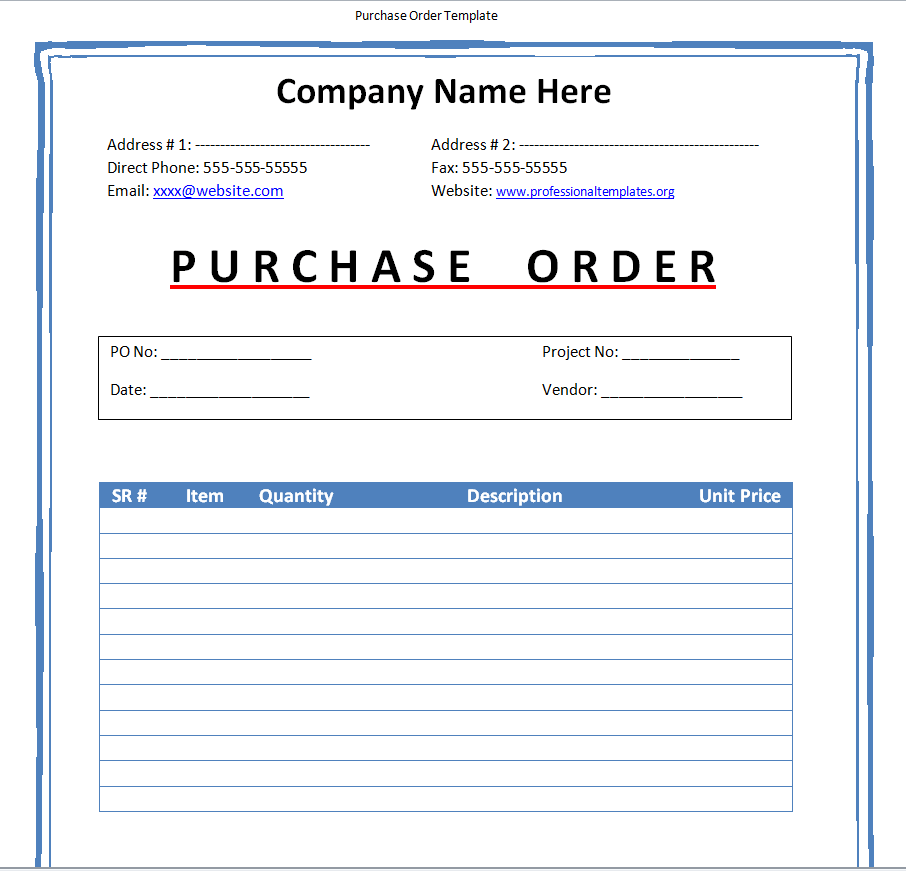
A bordered layout with PO number, project number, vendor details and item rows. The project reference helps distinguish purchases for different jobs without changing the basic purchase order structure.
Download type: ZIP containing DOCX. Archive size: 12.6 KB.
Download Project Purchase Order Template in Word ZIP
Download purchase order formats in Excel
Business Purchase Order Template in Excel
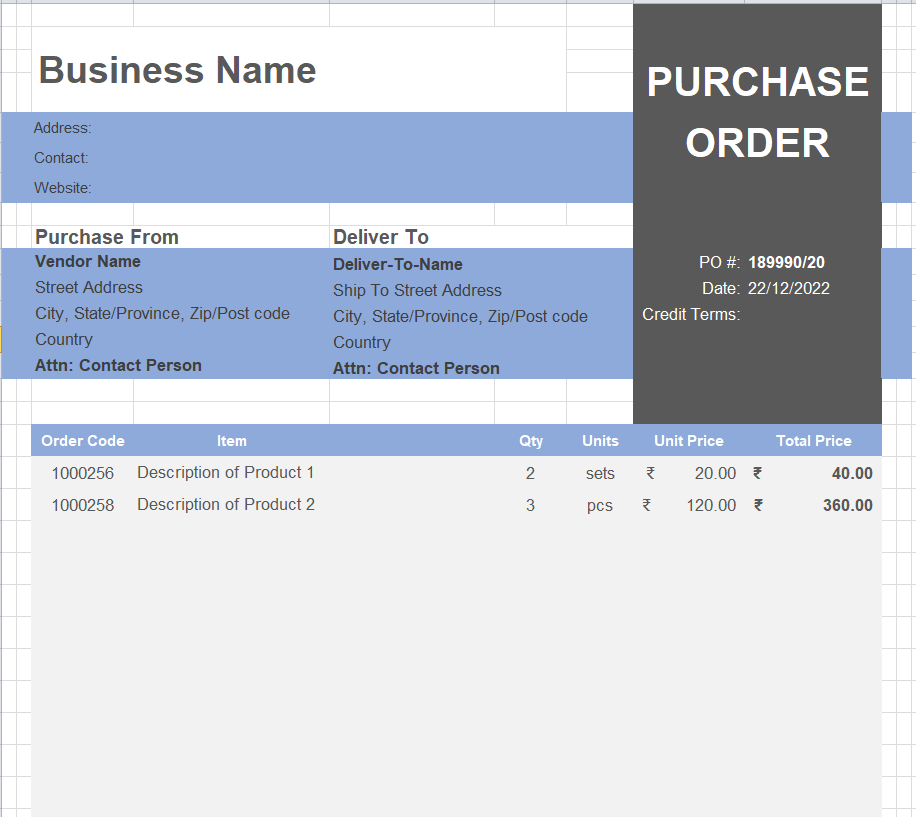
An XLSX purchase order sheet with business, vendor and ship-to information above the order lines. Existing formulas are present in the workbook; check the example quantities, prices and totals before using your own data.
Download type: ZIP containing XLSX. Archive size: 13.1 KB.
Download Business Purchase Order Template in Excel ZIP
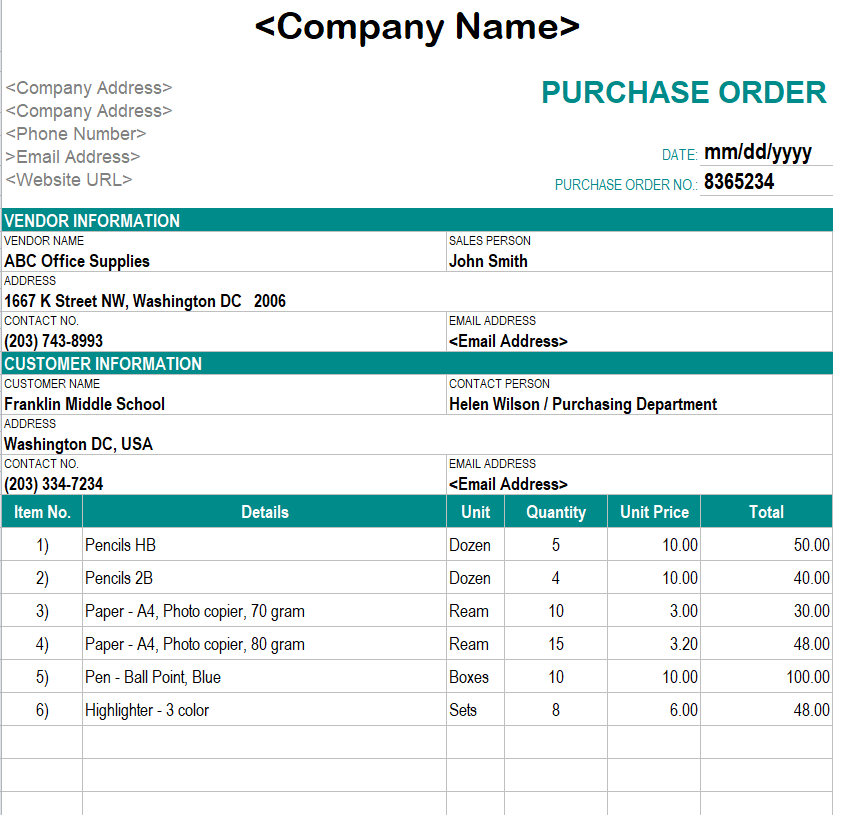
Formal Company Purchase Order Format in Excel
A formal Excel order layout with a purchase-order number, delivery instructions and an item table. Replace the populated example entries and confirm the workbook calculations after editing any rows.
Download type: ZIP containing XLSX. Archive size: 11.3 KB.
Download Formal Company Purchase Order Format in Excel ZIP
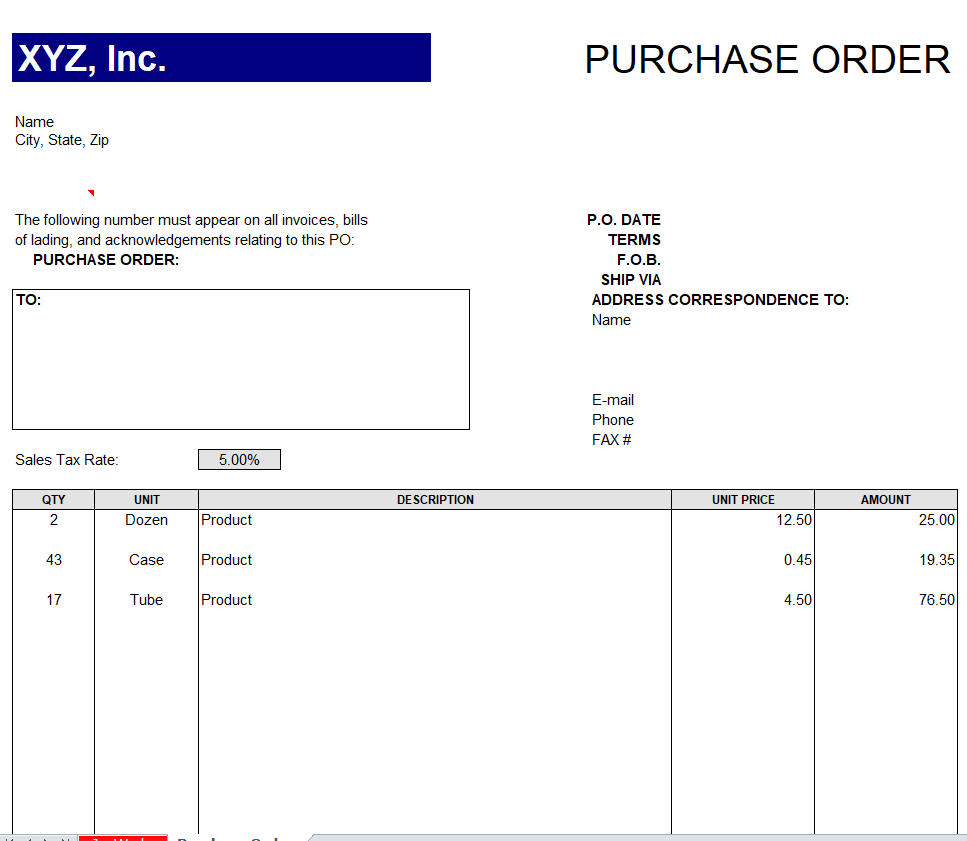
Editable Purchase Order Template in XLS
A legacy Excel purchase order form with buyer, vendor and shipping sections. Choose it when your workflow needs an XLS file, and review its layout and totals in the spreadsheet software you use.
Download type: ZIP containing XLS. Archive size: 14.1 KB.
Download Editable Purchase Order Template in XLS ZIP
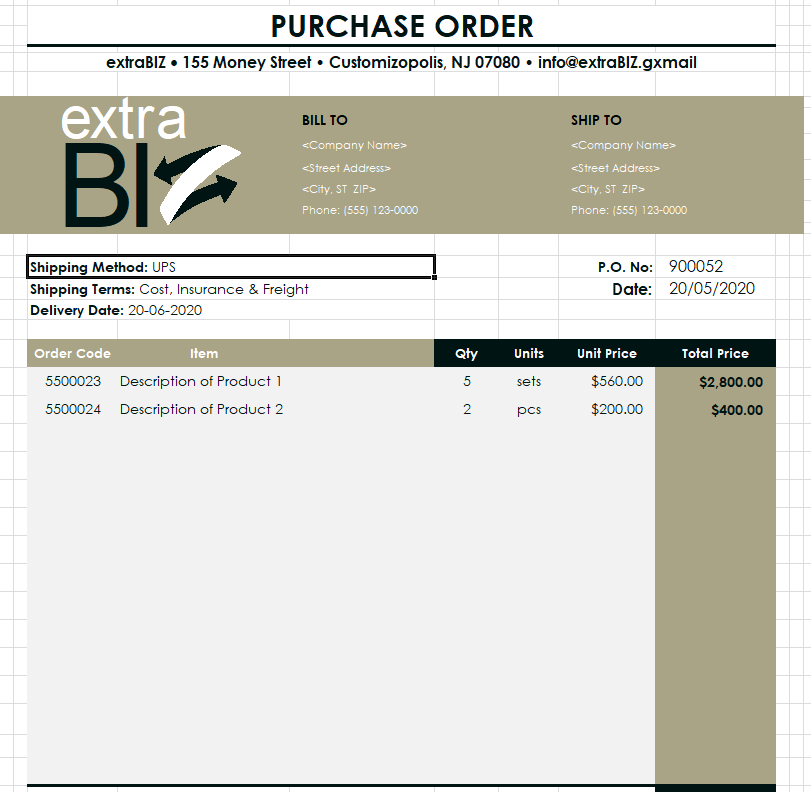
New Business Purchase Order Template in XLSX
An editable Excel workbook with company and supplier details, shipping instructions and an order table. It includes existing formulas and sample information that should be replaced before an order is sent.
Download type: ZIP containing XLSX. Archive size: 34.6 KB.
Download New Business Purchase Order Template in XLSX ZIP
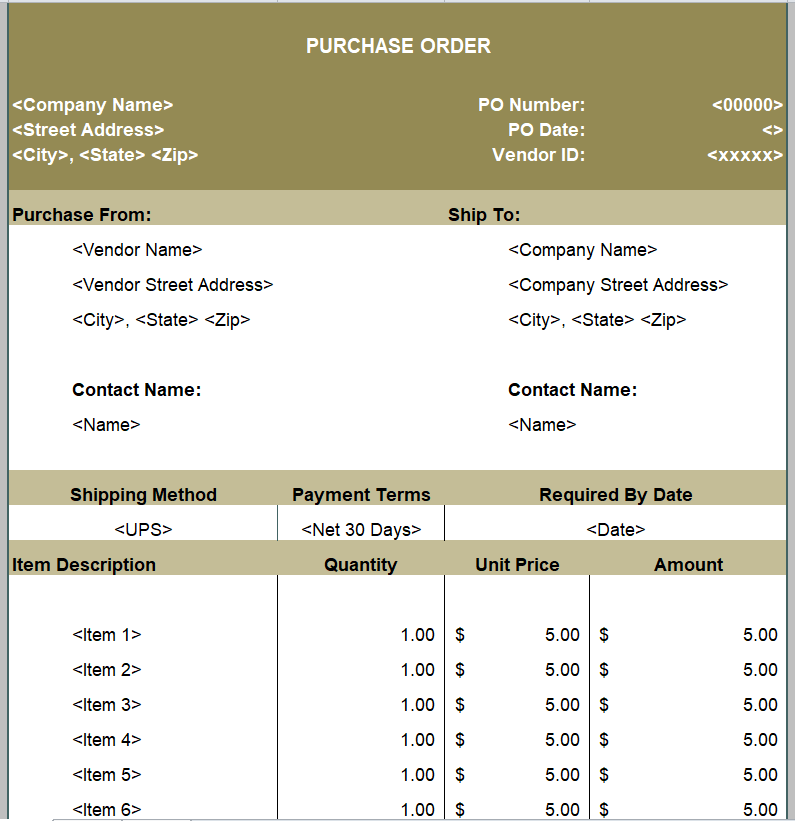
Generic Purchase Order Format in XLS
A generic XLS purchase order sheet with vendor and ship-to contact details plus shipping method, payment terms and required delivery date. Adapt the sample values to your supplier and order.
Download type: ZIP containing XLS. Archive size: 6.6 KB.
Download Generic Purchase Order Format in XLS ZIP
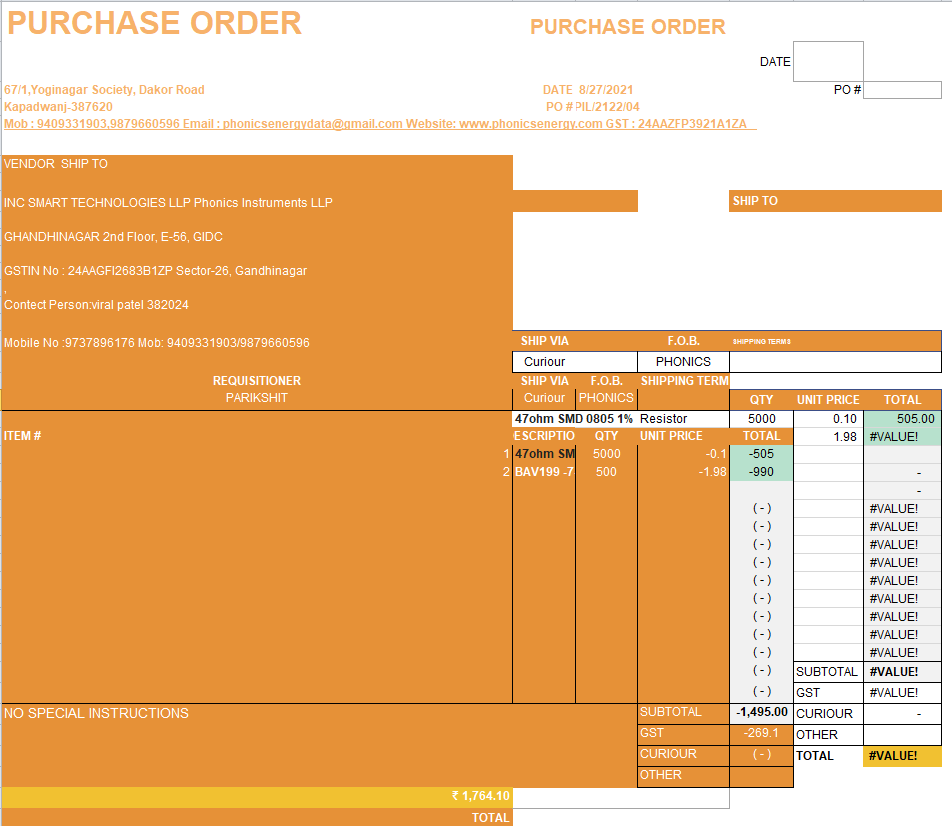
Purchase Order Spreadsheet with Cost Breakdown
An XLSX layout with item details and a visible totals area for additional order costs. It contains formula cells; review the calculation ranges and example charges when tailoring the workbook.
Download type: ZIP containing XLSX. Archive size: 26.4 KB.
Download Purchase Order Spreadsheet with Cost Breakdown ZIP
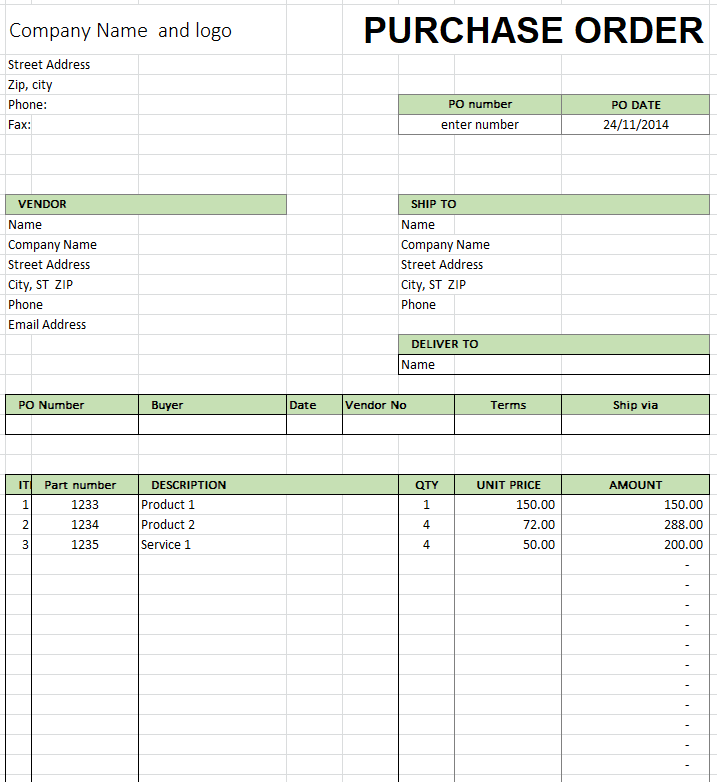
Small Business Purchase Order Template in Excel
A small business PO template with company information, vendor details, delivery information and line items. This workbook provides an editable starting point for recording recurring purchases in Excel.
Download type: ZIP containing XLSX. Archive size: 10.8 KB.
Download Small Business Purchase Order Template in Excel ZIP
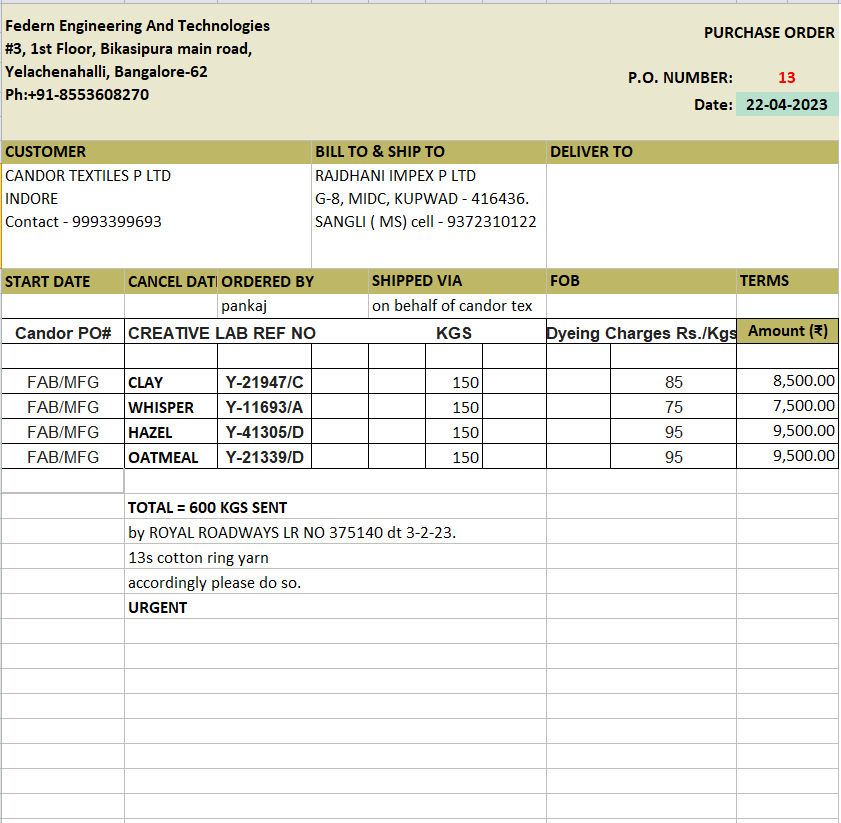
Detailed Purchase Order Example in XLSX
A detailed, populated purchase order example with customer, shipping and order information. Treat the existing business details and amounts as examples to replace, rather than as a completed order for your own supplier.
Download type: ZIP containing XLSX. Archive size: 23.4 KB.
Download Detailed Purchase Order Example in XLSX ZIP
What to include in a purchase order form
- A unique PO number, order date and the buyer contact responsible for the order.
- Supplier name, billing details and the correct ship-to address.
- Item or stock code, clear description, unit of measure, quantity and unit price.
- Line totals, the order subtotal and any agreed discount, tax, shipping or other charges.
- Requested delivery date, delivery instructions and agreed payment terms.
- The name or approval details required by your own purchasing process.
How to complete a purchase order
- Select a blank purchase order layout with enough item rows and the right file format. Save a new copy for the order.
- Replace the example company information and enter a unique PO number so the supplier can reference it.
- Enter the exact items, quantities, units and prices agreed with the vendor. Keep descriptions specific enough to identify the product.
- Check delivery and payment details, then review line totals and additional charges. If you add spreadsheet rows, check the formula ranges.
- Follow your approval process, send the completed PO to the supplier and keep a copy. Record later changes against the same order reference.
Purchase order calculation example
For 30 items at 12.50 each, the line total is 375.00. Adding an agreed delivery charge of 25.00 gives 400.00 before any other applicable charges. This example demonstrates the arithmetic only. Enter the currency and the actual charges that apply to your order, and confirm that the template produces the expected result.
Purchase order vs invoice and purchase requisition
A purchase requisition is an internal request to buy something. A purchase order communicates the buyer’s order to the supplier. An invoice is the supplier’s bill for payment. Keeping these records distinct makes it easier to compare what was requested, ordered, received and billed.
For a simpler starting point, see our blank purchase order forms. To summarize later invoices, payments and credits, use a statement of account template. Microsoft also provides a software-specific guide to creating purchase orders in Dynamics 365.
Frequently asked questions
Are these purchase order downloads Word or Excel files?
The 15 ZIP downloads contain seven DOCX documents, six XLSX workbooks and two XLS workbooks. Each preview is paired with its own archive and the file type is shown above the download button.
Can I print a blank purchase order form?
Yes. Open the extracted document or workbook, replace or remove sample entries, and check print preview. Adjust paper size, margins and spreadsheet scaling before printing a blank copy.
Do all purchase order templates calculate totals automatically?
No. The six XLSX files contain formula cells, but the Word files are document layouts. Check any calculation in the file you choose, especially after adding rows or changing discount and tax fields.
Can I change the company name and logo?
The Word and Excel files are editable in compatible software. Replace sample details and review the page layout after adding your branding. Keep any source credits that are part of the original file.