
These travel budget templates help you plan a trip before booking and track spending while you travel. Download two editable Excel files: a trip cost planner with planned-versus-actual calculations and a daily expense log for individual purchases. Each has a preview, sample entries and blank rows you can adapt to a family holiday, solo trip or business visit.
A useful travel budget separates what you expect to spend from what you have already paid. Transport and accommodation are usually the largest commitments, but meals, transfers, baggage fees, activities and small daily purchases can change the final total. Listing these costs before you leave helps you decide which choices fit your available money.
Begin with the length of the trip, the number of travelers and one budget currency. Replace the sample figures with your own estimates, and keep the itinerary beside the worksheet so every overnight stay and travel day is covered. The files below contain illustrative amounts, not current prices or exchange rates.
Download the two worksheets | Read the completion guide | Frequently asked questions
Download the two editable templates
Each button downloads an original XLSX workbook directly. Open it in compatible spreadsheet software, save a fresh copy and replace the example entries. The preview shows the supplied layout; sample people, dates and amounts are illustrations. Check formulas after extending calculation ranges.
Trip Cost Planner
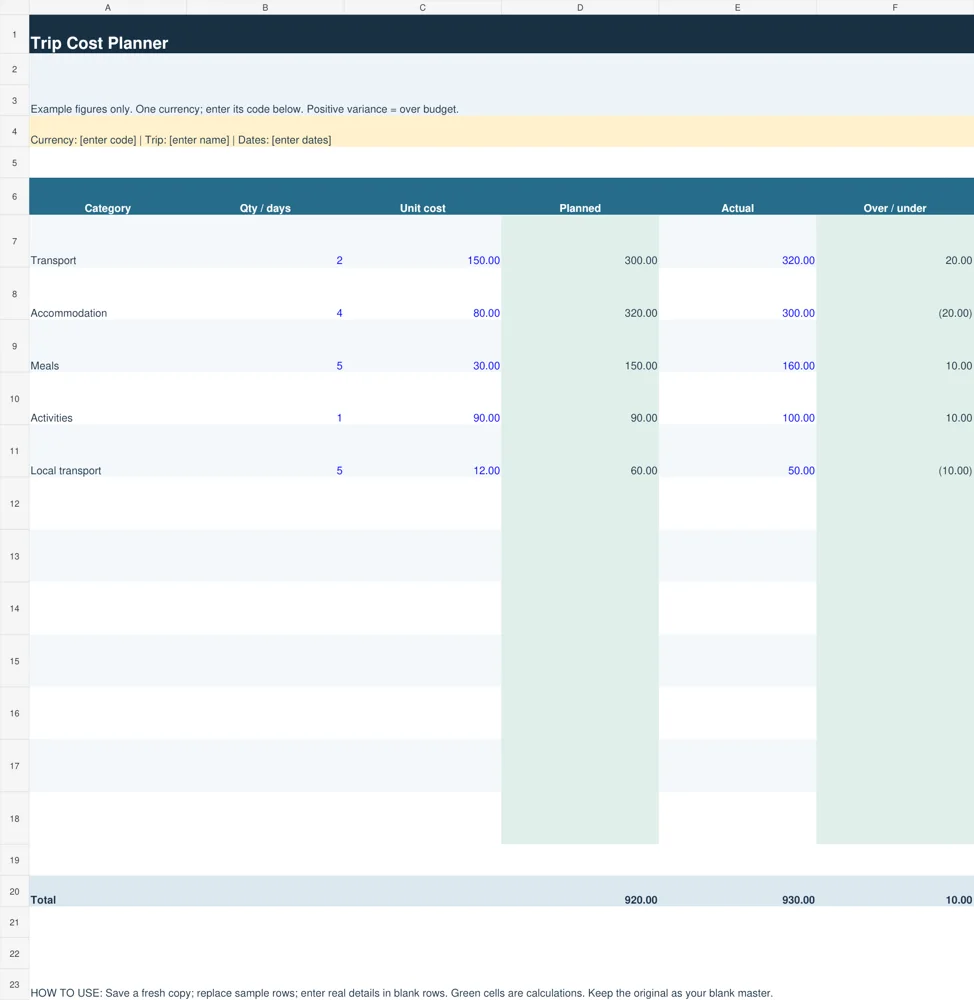
Use this planner before booking to compare category estimates with actual spending. Its prepared rows multiply quantity by unit cost and calculate actual-minus-planned variance.
Download Trip Cost Planner (XLSX)
Daily Travel Expense Log
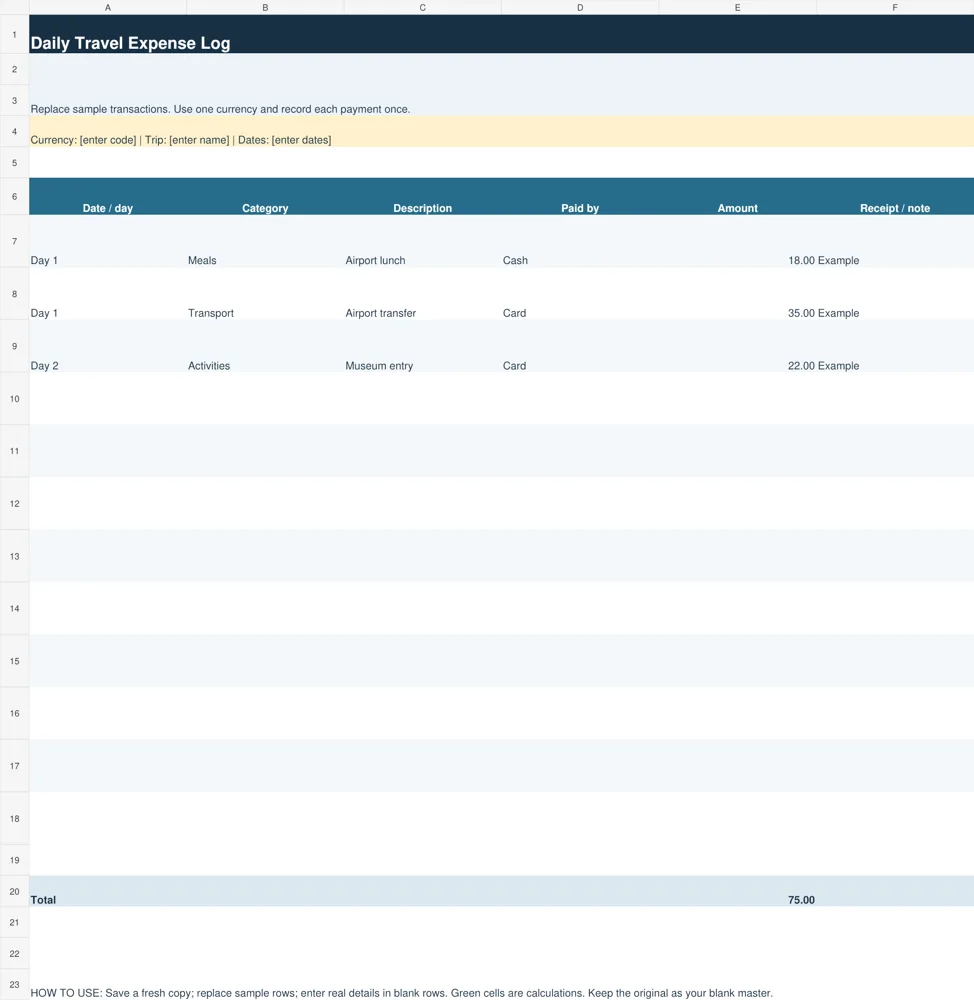
Use this log while traveling to record individual payments, descriptions and receipt notes. Its amount column totals the entered transactions.
Download Daily Travel Expense Log (XLSX)
Choose the right travel budget worksheet
The Trip Cost Planner is designed for decisions before departure. It records a category, quantity or number of days, unit cost, planned total, actual spending and the difference between actual and planned. Green cells contain calculations. Use quantities consistently: a hotel rate might apply per room per night, while an attraction ticket might apply per person.
The Daily Travel Expense Log serves a different purpose. It records the day, category, description, payment method, amount and receipt note. Use it during the trip to capture purchases that would otherwise be forgotten. At the end of each day, review the log and transfer category totals into the planner if you want to compare the overall result. The two files do not synchronize automatically.
For a short weekend, a few cost categories may be enough. A multi-city journey needs more detail because transport and hotel rates vary between stops. Add separate rows for each leg or city instead of using a single average that hides expensive parts of the trip. Always check totals after extending the existing formula ranges.
What to include in a realistic trip budget
List travel to and from the destination, including airport transfers and transport between cities. Record baggage charges, seat fees or other booking costs only when they apply to your chosen fare. For a driving trip, estimate fuel, tolls and parking separately. Avoid counting a prepaid transfer again in your local transport allowance.
For accommodation, multiply the nightly room cost by the number of nights and rooms. Check whether the quotation includes relevant fees and whether breakfast is included. Keep refundable deposits separate from expected expenses because money held temporarily is different from a charge you will ultimately pay. Note the timing of payments if the booking requires an advance.
Meals, activities, mobile connectivity, laundry and shopping belong in separate categories when they matter to your trip. A daily meal allowance is easier to adjust than one large miscellaneous amount. Keep optional purchases visible so you can reduce them if essential costs rise. Add a contingency based on the uncertainty of your own plan rather than treating one percentage as suitable for every traveler.
Insurance, visas or required documents may be relevant, but the worksheet cannot tell you which requirements apply. Enter the costs you have confirmed for your destination and circumstances. Make room for a note explaining uncertain estimates and the date you checked a quotation. A budget becomes less useful when unverified assumptions look like confirmed bookings.
Match transport and accommodation costs to your travel itinerary templates.
How to fill in the Excel travel budget template
Save a new copy with the destination and travel dates in the filename. Enter your currency code in the heading, then replace the example categories and amounts. Keep all planned and actual values in that currency. If an expense is quoted in another currency, convert it using an explicitly recorded rate and include any relevant transaction charges in your estimate.
Enter quantity and unit cost for each planned expense. The planner multiplies them to produce the planned total. Record actual spending only when you have a real amount; a blank actual cell means that amount has not been entered. The variance cell remains blank until both planned and actual figures exist. A positive difference means spending exceeded the plan.
During travel, record transactions in the daily log with enough description to recognize them later. Check receipts and card records, but distinguish a pending authorization from a final charge. If one person pays a shared bill, record the expense once in the group budget and handle reimbursements separately so the same meal does not inflate the total twice.
The total of the actual column adds amounts entered so far. It is not a forecast of all remaining costs, and it should not be compared with the full-trip plan as though every bill has already been paid. Review the categories still outstanding before concluding that the trip is under budget. This distinction is especially important early in a long trip.
Worked example: a five-day trip
Imagine two transport tickets at 150 each, four hotel nights at 80 per night, five daily meal allowances at 30, activities costing 90 in total, and local transport estimated at 12 for five days. All figures use the same example currency. The planned amounts are 300, 320, 150, 90 and 60, giving a total of 920.
If the corresponding actual figures are 320, 300, 160, 100 and 50, actual spending is 930. The overall difference is 10 over budget. The transport increase is partly offset by lower hotel and local transport costs. Reviewing category differences explains what changed; looking only at the final total would conceal that information.
This example does not include every possible expense and does not represent market rates. Add the costs relevant to your own trip, including any confirmed fees. If you add a separate emergency reserve, do not automatically treat the whole reserve as money spent. Record the actual expense when it happens, then reassess how much reserve remains available.
Organize booking tasks and preparation with our daily planner templates.
Plan shared costs and avoid common mistakes
Agree which expenses are shared before departure. A family budget may combine all costs, while friends might share accommodation but pay for their own meals and activities. Keep a clear note about the scope of the worksheet. For group travel, a separate payer and reimbursement record prevents confusion about who owes whom without changing the trip cost itself.
Common errors include confusing nights with days, applying a per-room price to each traveler, and adding both a package price and the individual services already included in it. Check each calculation against the booking terms. Also review cancellations and refunds: an expected refund should not be treated as received cash until it is confirmed and processed.
After the trip, reconcile the log with final receipts, remove duplicated entries and save a completed copy. Use the differences to improve your next estimate. Keep the blank master separate from the completed record so future trips do not inherit old amounts. A practical budget should make choices clearer, not produce a false sense that every cost is predictable.
Additional original previews and source references
The existing previews below are retained as reference examples. Source links open third-party pages or PDF references and may have their own access or licensing conditions. They are separate from the two original editable downloads above. An unavailable source is identified instead of being presented as a working download.
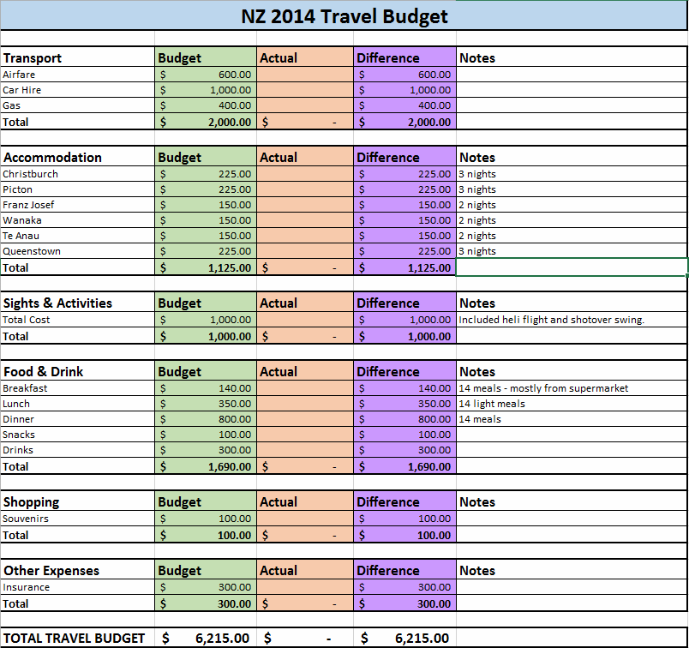
View original source 1 (external page). This is a source reference; inspect its format and access conditions there.
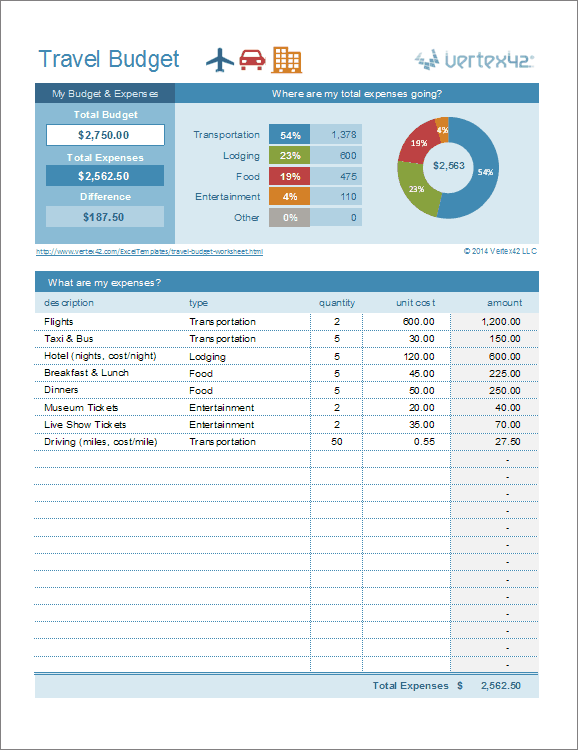
View original source 2 (external page). This is a source reference; inspect its format and access conditions there.
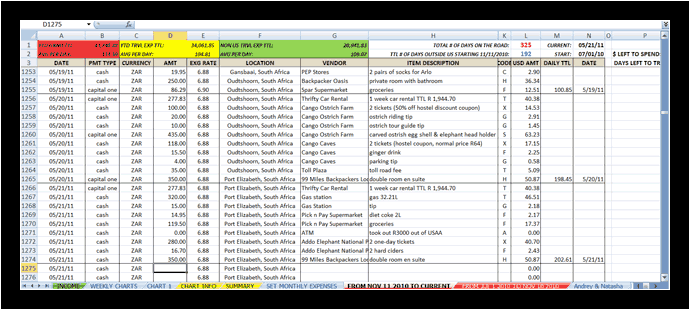
View original source 3 (external page). This is a source reference; inspect its format and access conditions there.
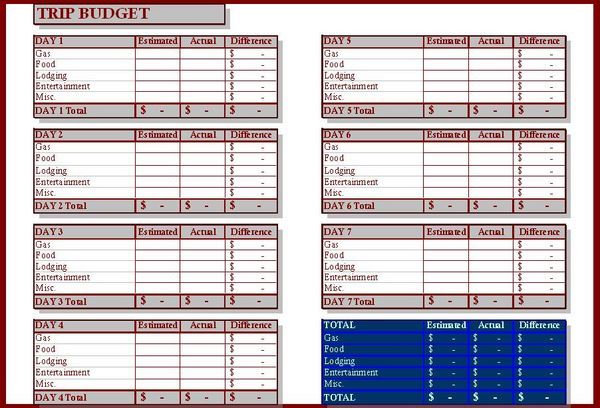
The original source for this preview could not be verified during the link check. Use the original editable downloads above for a direct file download.
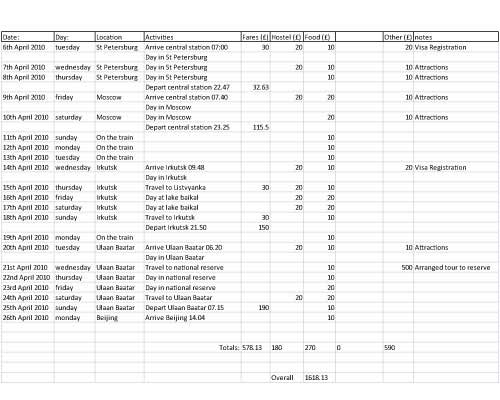
The original source for this preview could not be verified during the link check. Use the original editable downloads above for a direct file download.
Frequently asked questions
Are these travel budget templates free downloads?
The two original XLSX files on this page can be downloaded directly without a paid subscription. They contain sample data to replace and editable space for your own trip details.
Do the spreadsheets calculate totals automatically?
The planner calculates quantity times unit cost, actual-minus-planned differences and totals within its prepared rows. The expense log totals its amount column. Extend and check formula ranges if you add rows beyond those provided.
Can I use the template for a group trip?
Yes. Define whether the worksheet covers the whole group or one traveler, and use the correct number of tickets, rooms and meals. Track reimbursements separately to avoid counting shared expenses twice.
Can I use more than one currency?
Use one reporting currency in the cost columns. Convert foreign amounts using a rate you record separately and include actual fees where relevant. The files do not retrieve live exchange rates.
Can I print the budget?
Open the workbook in compatible spreadsheet software, review the print area and use landscape orientation if needed. Preview the pages before printing so the category names and amounts remain readable.
You must be logged in to post a comment.