
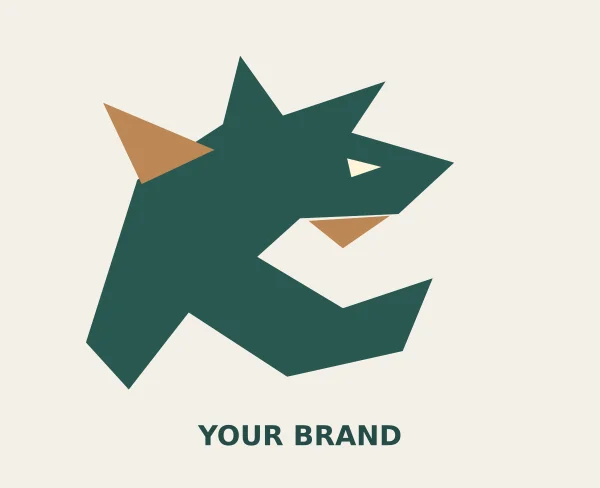
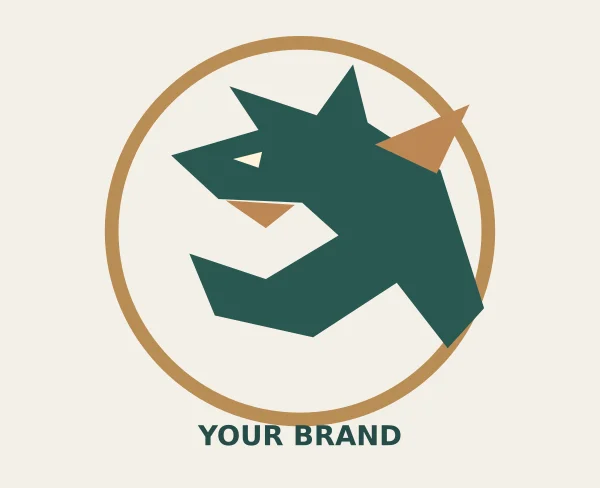
Dragon logo templates offer a visual starting point for a team, club or small brand that wants a bold creature emblem. These two original designs provide an angular dragon crest and a circular dragon emblem. Each pack includes editable SVG artwork and a transparent PNG. The sample brand text can be replaced in a vector editor. The designs are shared templates, so they do not provide an exclusive brand identity.
Choose the layout around a dragon-themed team, club or brand emblem. The two downloads use different visual arrangements, and the previews show the supplied artwork rather than a third-party design. Compare them with your actual content in mind: the amount of text, the images you can provide and the action you want the visitor or viewer to take. A suitable starting layout will need fewer compromises when you add the real information.
Compare the two template options
| Template | Files |
|---|---|
| Angular Dragon Crest | Editable SVG and transparent PNG in ZIP |
| Circular Dragon Emblem | Editable SVG and transparent PNG in ZIP |
Choose a silhouette before adding detail
A dragon can be represented through a head, a full creature or a simple emblem. These designs use angular shapes so the silhouette remains recognizable without a dense collection of scales and small lines. The crest version places the creature in an open composition, while the circular version adds a surrounding frame. Compare them at the size where you intend to use the logo. A design that looks impressive on a large screen may lose its eye, horn or jaw details on a small profile image.
Adapt the design to a real brand name
Replace the sample wordmark with the actual name and check how its length changes the balance. A short team name and a long organization name may require different spacing. Keep the icon and wordmark together as an approved arrangement rather than moving them independently each time. If the name needs a typeface not available to everyone editing the source, agree how the final artwork will be supplied. Keep an editable version before converting text to outlines for a particular production workflow.
Use vector and raster files for different jobs
The SVG retains editable shapes and can be exported at different sizes. The PNG is a flattened image with transparency, useful for placing the mark over a compatible background. Neither format guarantees that every production process will reproduce the same detail. Embroidery, small labels and one-color printing may need a simplified version. Ask the supplier about the actual size and reproduction limits, then inspect a proof. Keep important gaps open so the creature does not become an indistinct dark shape.
Keep a useful set of approved files
Once you have chosen an arrangement, keep a small organized set of outputs rather than creating a new version for every use. A transparent profile image, a horizontal website version and a one-color production file can cover different needs. Record which background each export is intended for and avoid renaming an old file as though it contains a new revision. Review the actual exported image after every change to the name or shape.
Download both options and view the previews
Angular Dragon Crest
The preview places the emblem on a light surface for visibility. The download includes editable SVG artwork and a transparent PNG. Save the download, keep an original copy and edit a separate version for your project. Review the finished wording and layout before use.
Circular Dragon Emblem
The preview places the emblem on a light surface for visibility. The download includes editable SVG artwork and a transparent PNG. Save the download, keep an original copy and edit a separate version for your project. Review the finished wording and layout before use.
Understand the limits of a shared template
Other people can download and adapt the same starting designs. A color change or different name does not automatically make a shared emblem distinctive. If you need an exclusive identity, develop the concept further and check the intended name and visual direction through the appropriate review process. Do not assume a download establishes trademark availability. The practical value of these files is editable starting artwork that helps you explore a direction before committing to a complete identity system.
Important details to customize
- Brand name
-
Use the actual approved name and check spelling before export. Review the wordmark at small size and consider how it sits beneath the dragon. A long name may need a wider arrangement or a shorter approved form rather than compressed lettering that becomes difficult to read.
- Icon proportions
-
Preserve the proportions of the creature when resizing. Stretching the icon separately in width and height can alter its expression and weaken the silhouette. Keep an untouched source copy so you can compare revisions and return to the original structure if a modification becomes difficult to manage.
- Color palette
-
Choose colors that remain useful across the intended backgrounds and outputs. A two-color version may work on a website, while a single-color version may be needed for a stamp or small print. Test the actual combinations rather than assuming the same dark green works equally well everywhere.
- Clear space
-
Leave visible space around the emblem so nearby text or a page edge does not compete with it. The circular frame needs room just as the open crest does. Judge the space at the final output size and keep the same relationship in repeated uses of the mark.
- Background and transparency
-
The PNG files include transparency. Test them on light and dark backgrounds to check the edges and contrast. Do not add a solid box unintentionally when exporting a revised version. If a background is part of a specific badge design, keep that version separate from the general transparent mark.
- Output and approval
-
Export the correct size for the destination and inspect the finished file. Keep the editable SVG alongside the approved PNG versions. For physical production, provide the supplier with the requested format and approve a proof, especially when the emblem will be embroidered, cut or reproduced very small.
A practical example
A gaming club can begin with the angular crest, replace the sample brand name and test the mark as a small profile image. A community group may prefer the circular emblem for a badge. In either case, compare a full-color version with a simplified one-color version, check the wordmark at the real display size and keep a consistent approved arrangement for repeated use.
Editing and preparation checklist
- Open an editable copy. Extract the download and keep the original SVG and PNG together. Open a copy of the SVG in a compatible vector editor. Confirm the shapes and sample wordmark display correctly before changing them. Work from that source when adjusting individual elements; the PNG is a flattened export and is not a substitute for the editable shapes.
- Replace the name and test the arrangement. Enter the approved brand name and inspect the spacing below the creature. Test a short and a long version only if both are intended uses. Keep the icon proportionate and avoid shrinking the text until it becomes unreadable. Save the approved icon-and-name arrangement so repeated uses do not gradually acquire different spacing.
- Prepare practical color versions. Test the mark in the colors you intend to use, including a single-color version where useful. Place it on light and dark backgrounds and inspect the small details. The eye, jaw and surrounding frame should remain understandable. Keep any background-specific artwork clearly named so the wrong version is not placed on a similar-colored surface.
- Export for the actual output. Choose dimensions for the real destination, such as a profile image, printed badge or website header. Export from the SVG when you need a larger image rather than enlarging a small PNG. Keep transparency enabled for an overlay. For a physical product, ask the supplier which file format and minimum detail they need.
- Review and retain the source. Open the final file outside the editor and inspect it at normal size. Check the brand spelling, contrast and edges. Keep the editable source and approved exports in one organized folder, with a short note about intended use. If you later revise the mark, update the source first and replace outdated exports deliberately.
Why dragons make strong logos
Few symbols carry as much energy as a dragon. Across many cultures, dragons stand for power, protection, wisdom, luck or fierce independence, which is why they appear on esports team crests, martial arts schools, gaming channels, tattoo studios, craft breweries, fantasy book series and tabletop gaming clubs. A dragon mark is instantly recognizable, works at small sizes when drawn as a bold silhouette, and gives a brand a sense of character that plain lettering cannot.
These dragon logo templates provide two ready-made designs supplied as scalable SVG files and transparent PNG images. The SVG versions let you change colors, resize without losing sharpness and edit shapes in vector software, while the transparent PNGs drop straight onto websites, videos, social media graphics and merchandise mockups without a white box around them.
SVG and transparent PNG: which file to use
SVG (Scalable Vector Graphics)
Vector files are made of paths rather than pixels, so they stay crisp at any size, from a favicon to a large banner. Use the SVG when you want to recolor the dragon, adjust line thickness, add your business name or prepare files for printing, embroidery or vinyl cutting. SVGs open in vector editors and many online design tools.
Transparent PNG
PNG images with transparency are ready to use immediately. Place them over photos, colored backgrounds or video overlays. They are ideal for quick social media graphics, stream overlays and presentations. Because PNGs are pixel-based, export them at the largest size you need rather than enlarging later.
How to customize a dragon logo step by step
- Preview both designs. Decide which suits your brand personality: aggressive and dynamic, or calm and elegant.
- Open the SVG. Use a vector editor and ungroup elements carefully so you can select the dragon and any text separately.
- Choose colors. Pick one to three brand colors. Test the design in a single color as well, because logos often need to print in one ink.
- Add your name. Type your brand name beside or beneath the dragon, choosing a typeface that matches the mood, such as a strong sans serif for esports or a refined serif for a tea brand.
- Balance the composition. Adjust spacing so the icon and text feel like one unit.
- Create variations. Make a full logo, an icon-only version and a horizontal layout for headers.
- Export files. Save SVG for scalable use, PNG with transparency for digital use and PDF for print suppliers.
- Test at small sizes. Check the icon as a social media avatar and favicon to make sure details do not blur.
Where dragon logos work best
- Gaming and esports teams needing bold crests for jerseys, overlays and social avatars.
- Martial arts and fitness studios that want a symbol of discipline and strength.
- Fantasy authors and game designers branding a series, world or studio.
- Restaurants, tea shops and breweries drawing on dragon symbolism for character.
- Tattoo and art studios wanting expressive, illustrative marks.
- Clubs and societies such as tabletop gaming groups or school teams.
Styles of dragon logo
Mascot style
A full-bodied dragon with expression and detail, popular in esports. It needs careful simplification for small sizes.
Silhouette or emblem
A bold, flat shape, often inside a circle or shield. It reproduces well in one color and at small sizes.
Line art
Outlined dragons with even strokes, suiting minimalist brands and engraving.
Stylized or geometric
Dragon forms built from angular shapes or curves, giving a modern tech feel.
Lettermark with dragon
The dragon wraps around or forms part of an initial, combining name and symbol.
Tips for a memorable dragon mark
- Simplify: remove fine scales and whiskers that disappear at small sizes.
- Keep a clear silhouette so the dragon is recognizable in solid black.
- Limit colors for printing and embroidery costs.
- Make sure the dragon faces into the page or toward your text, which feels more balanced.
- Check how the logo looks on both dark and light backgrounds.
- Keep the original layered SVG and save each variation with a clear file name.
Common mistakes to avoid
- Too much detail. Complex illustrations become a blur on phone screens and embroidery.
- Stretching the logo. Always scale proportionally.
- Low-resolution PNGs. Upscaling small PNGs produces jagged edges; use the SVG instead.
- Clashing typography. Overly decorative fonts compete with the dragon.
- Unchecked trademark conflicts. Before investing in branding, check that your name and mark do not closely resemble an existing brand in your field.
Worked example: a community esports team
A university esports club wants a new identity for its first league season. The committee picks the more dynamic of the two designs, recolors it in the university’s navy and gold, and adds the club name in a heavy sans serif beneath the dragon. They create three versions: a full crest for jerseys, an icon-only dragon head for avatars and a horizontal logo for streaming overlays.
The club uses the transparent PNG on its stream layout and builds a matching channel header using a YouTube banner template. Committee members add the icon to an email signature for sponsor outreach, and the treasurer orders printed jerseys after checking the crest on an A4 mockup. Other campus groups planning similar projects have adapted the approach used in gym logo templates and DJ logo templates.
Preparing your logo for print and merchandise
Printers and embroidery services usually want vector files, a list of colors and sometimes a one-color version. For embroidery, thicken thin lines and reduce small gaps, as stitches need space. For screen printing, convert gradients to solid colors. For stickers and vinyl, outline any text so fonts do not need to be installed. Always request a proof before a full order, and check colors on physical samples, since screen colors differ from ink and thread.
Building a simple brand kit
Once your dragon logo is finalized, collect the essentials in one folder: the logo variations in SVG, PNG and PDF; your color codes; fonts; and a short page explaining minimum size, clear space around the logo and backgrounds to avoid. Share this kit with anyone who designs for your brand, such as volunteers, printers or streamers. A small brand kit prevents stretched logos, wrong colors and inconsistent versions appearing across your channels.
Thinking about meaning and audience
Dragon symbolism differs between cultures. In some traditions dragons signify luck, prosperity and wisdom; in others, they represent danger or a challenge to be overcome. Consider how your audience will read the symbol. A friendly, rounded dragon may suit a children’s bookshop or family restaurant, while sharp angles and intense colors suit competitive gaming or fitness. Testing the design with a few people from your audience can reveal associations you had not considered.
Animating your dragon logo
Because the SVG is built from separate shapes, it can be animated for video intros and stream alerts. Simple effects often work best: a wing flap, a glowing eye, a short reveal of the icon followed by the name, or a subtle breathing motion. Keep animations under a few seconds so they do not delay content, and export a static version for places where motion is not supported. If you plan to animate, keep the original SVG layers named clearly, such as wing, head and tail, so motion tools can target each part.
Choosing colors with purpose
Color changes how a dragon feels. Reds and oranges suggest fire, energy and passion; greens can feel natural or mystical; blues and purples feel calm, cool or magical; black and gold feel premium and dramatic. Test two or three palettes on the same design before deciding, and check each against your existing brand materials, team kits or packaging. Make sure the chosen colors have enough contrast to remain readable when the logo is small.
Dragon logo template FAQs
Can I edit the dragon logo colors?
Yes. Open the SVG in a vector editor and change fills and strokes, or recolor the PNG in an image editor.
Which file should I send to a printer?
Send the SVG or a vector PDF exported from it, along with your color references.
Can I use the templates for a business?
Check the license terms included with the download before commercial use or trademark registration.
Will the PNG look good on a dark background?
Yes, transparency lets it sit on any background, but you may need a light-colored version for contrast.
How do I make an icon for social media?
Crop to the dragon head or emblem, center it in a square canvas and export at the platform’s recommended size.
Can I add my own text?
Yes. Add text in your editor and convert it to outlines before sending files to printers.
Conclusion
A dragon logo gives your brand instant personality and a symbol people remember. Use the SVG files to customize colors, add your name and create variations, and the transparent PNGs for fast digital use. Keep the design simple enough to work at small sizes, test it in one color, and build a small brand kit. Download both dragon logo templates above and discover more logo designs in the category archive.
Related resources
For the work around this template, you may also find Free Company Profile Templates and PDF Examples, Employee ID Card Templates and Printing Checklist, Pull Tab Flyer Templates and Printing Guide useful. Choose the resource that matches the next step and keep names, contact details and project information consistent between documents.
Frequently asked questions
Are the dragon logos exclusive?
No. They are shared starting templates available for others to use. They do not establish exclusive rights or confirm trademark availability.
Can I change the name and colors?
Yes. Edit the SVG in a compatible vector editor and export the revised artwork. Keep an editable source copy before making production-specific changes.
Do the PNG files have transparent backgrounds?
Yes. The supplied PNGs are transparent. Inspect the mark against the background you intend to use and check the edges after exporting a revised version.