
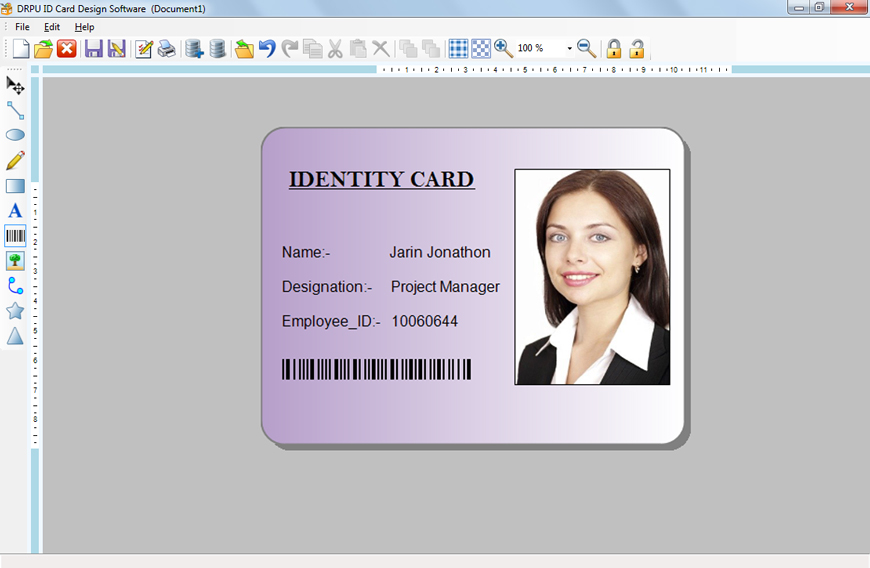
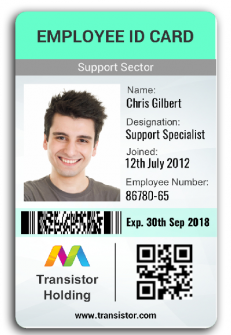
An employee ID card identifies a staff member and their organization. The templates below provide design examples for creating workplace badges. A printed card alone does not provide electronic access control or guarantee workplace security.
View the templates and existing download links below.
Choosing the right format
Choose a layout that fits your printing method and card holder. Check dimensions in the actual file rather than stretching the preview image. Include only information appropriate for display on a badge.
Details to include
- Organization name or logo and employee name
- Role or department and approved photograph
- Employee reference and validity details if needed
How to use the template
- Open the editable file in compatible software and replace sample details.
- Check photo quality, contrast and text size.
- Print a test at the intended scale and follow the organization’s issue/replacement process.
Worked example
A simple badge can show the company, employee’s name, department and photo. Personal addresses or unrelated identity numbers generally do not need to be displayed.
Download and printing notes
Check the destination and file format of each existing download before using it. Some samples link to an external resource; its availability and terms are controlled by that provider.
Download Employee ID Card Templates Free Here




Related templates
For related tasks, see Organizational Chart Templates and Editing Guide and Job Application Form Templates and Field Guide.
You must be logged in to post a comment.