
Start with the qualifications and availability the vacancy requires. Use the same core fields across applicants so answers are easy to compare.
Job Application Forms:
job application

Job Application Form Printable

Job Application Form Word

Employment Application Form
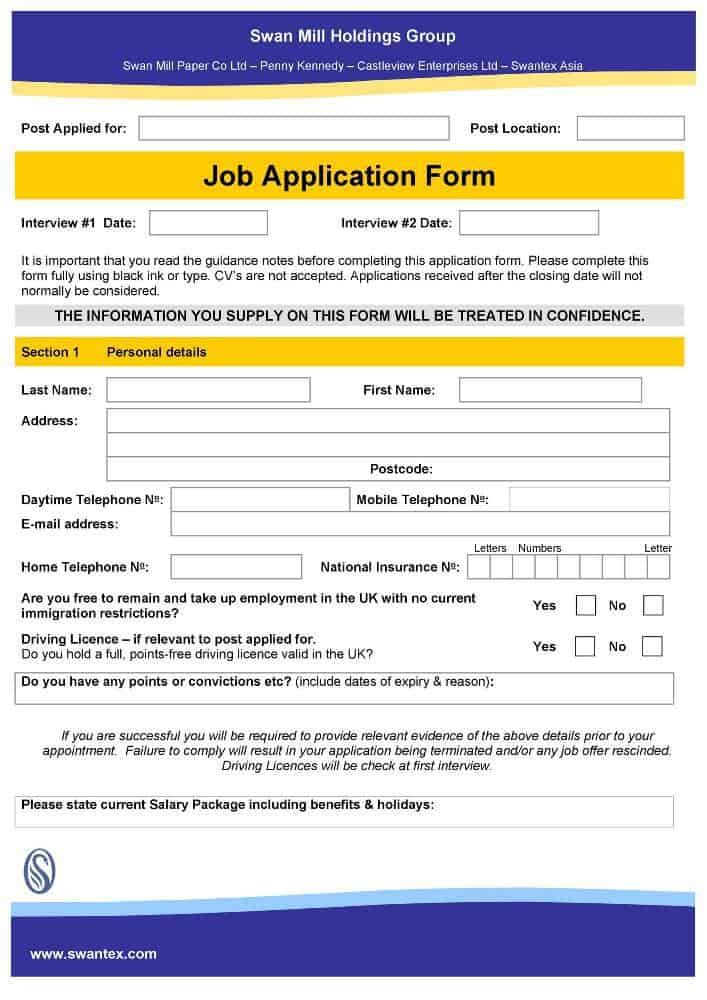
Job Application Form Sample

employment application template eeeee

employment application

employment application

employment application template hhhhh

employment application
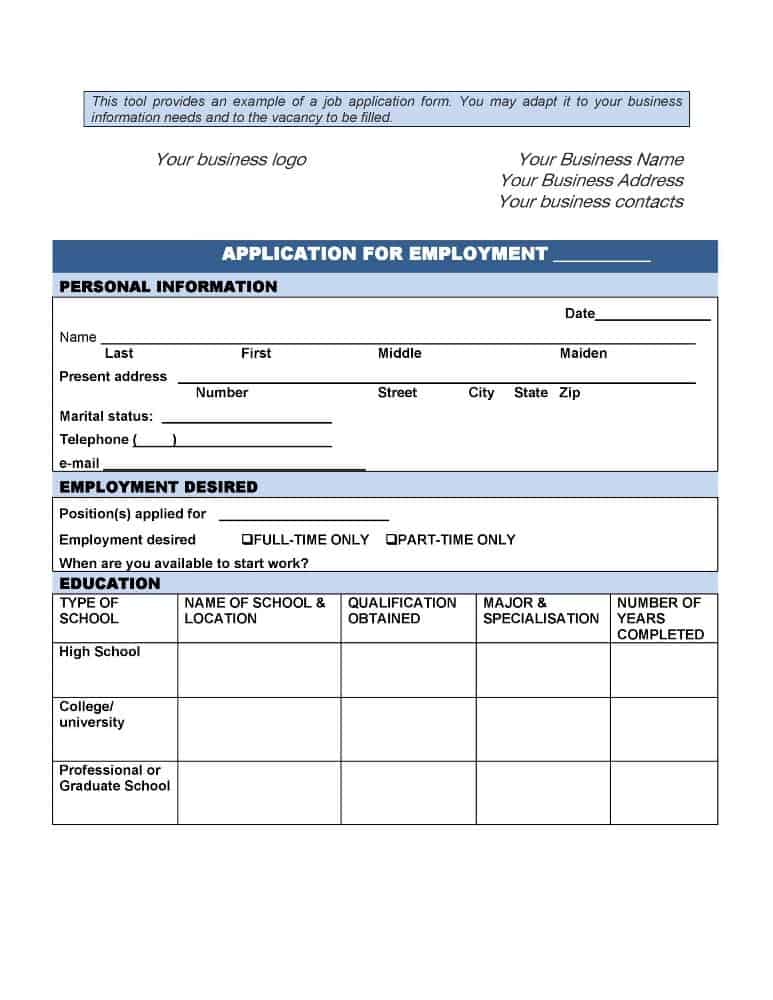
employment application template jjjjjjj

employment application template kkkkkk

Fields to include for this vacancy
Start with job-related information rather than requiring every personal field appearing in a sample. Religion, marital status, sex, photographs and identity numbers are not universally appropriate recruitment questions. Check whether any additional information is necessary and lawfully collected.
Details to include
- Applicant contact details and position applied for
- Relevant qualifications, training and work experience
- Availability and other role-related questions where appropriate
How to use the template
- Define the selection criteria before designing the form.
- Use clear instructions and allow enough space for relevant experience.
- Protect completed applications and follow a consistent review process.
Worked example
For an administrative vacancy, ask about relevant software skills and work experience. Avoid unrelated personal questions that do not help assess the stated role.
Download and printing notes
The existing links include DOCX, DOC files. DOCX files use the Word document format. DOC files use the Word document format. Check editability, software compatibility and any formulas in the actual file before relying on them.
Why employers use a job application form
CVs and resumes come in every shape and length. One applicant writes three pages, another a single paragraph; one lists dates by year, another by month; one includes references, another does not. A job application form solves that problem by asking every candidate the same questions in the same order. Hiring managers can compare applicants fairly, and HR has the information needed for screening, interviews and, eventually, personnel records.
Application forms are especially common in retail, hospitality, healthcare, security, education, local government and any organization that hires many people for similar roles.
Benefits for employers and applicants
- Consistency: every applicant answers the same questions.
- Fairness: structured information makes it easier to assess candidates on job-related criteria.
- Completeness: required details, such as right-to-work confirmation or availability, are not left out.
- Speed: shortlisters know where to find each answer.
- Accessibility: applicants without a polished CV can still present their experience.
Field guide: sections of a job application form
Position details
Job title applied for, reference number, preferred location and how the applicant heard about the vacancy.
Personal and contact details
Full name, address, phone and email. Keep this section limited to what is needed to contact the applicant.
Eligibility to work
A question confirming the applicant has the right to work in the country, following local law on how and when to ask.
Availability
Start date, full-time or part-time preference, shift patterns and any days the applicant cannot work.
Education and qualifications
Schools, colleges, qualifications, dates and grades, plus professional certifications and licences.
Employment history
Employer, job title, dates, main duties, reason for leaving and permission to contact. Ask for an explanation of gaps only where relevant and in a neutral way.
Skills
Languages, computer skills, driving licence, equipment experience and other job-related abilities.
Supporting statement
Space for the applicant to explain why they want the role and how they meet the requirements.
References
Names and contact details of two referees, usually including the most recent employer.
Declaration and signature
A statement that the information is true, with signature and date, and a note on how personal data will be used.
Fields to avoid or handle carefully
Many countries restrict questions about age, marital status, religion, ethnicity, disability, pregnancy or criminal records at the application stage. If you collect equal-opportunities data, put it on a separate, optional monitoring sheet that is not seen by the shortlisting panel. Check local employment law before finalizing your form.
How to set up and use your form step by step
- Write or update the job description and person specification.
- Choose a template close to your needs and remove irrelevant fields.
- Add job-specific questions, such as “Do you hold a forklift licence?”
- Add a short privacy notice explaining how application data is stored and for how long.
- Publish the form with the job advert as a Word or PDF file, or recreate it as an online form.
- Set a closing date and a clear return address or email.
- Shortlist using a scoring sheet based on the person specification.
- Store forms securely and delete unsuccessful applications after your retention period.
Advice for applicants filling in a form
- Read the job description first and match your answers to its requirements.
- Fill in every section; write “Not applicable” rather than leaving blanks.
- Use the supporting statement to give specific examples, not general claims.
- Make sure dates match your CV and certificates.
- Ask referees for permission before listing them.
- Keep a copy of the completed form for interview preparation.
Types of job application forms
General employment application
Suitable for most entry-level and mid-level roles.
Part-time and seasonal application
Focuses on availability and shift preferences.
Internship or student application
Emphasizes education, coursework and interests.
Volunteer application
Shorter, with emphasis on availability, interests and references.
Role-specific forms
For drivers, healthcare workers or security staff, with licence and certification fields.
Common mistakes employers make
- Asking unnecessary personal questions that may breach discrimination law.
- Forms that are too long for simple roles, which discourages good applicants.
- No closing date, leading to applications trickling in for months.
- Inconsistent scoring, which undermines the fairness the form was meant to deliver.
- Poor storage, leaving completed forms in unlocked drawers.
Worked example: hiring seasonal café staff
A café chain needs ten seasonal staff for the summer. HR adapts a part-time application template: it keeps contact details, right-to-work confirmation and education, and adds an availability grid showing morning, afternoon and evening shifts for each weekday. A role question asks about food hygiene training, and the supporting statement asks applicants to describe a time they handled a busy period or difficult customer.
Applicants return forms by email within two weeks. The hiring manager scores each form against four criteria from the person specification: customer service experience, availability, teamwork and food hygiene awareness. Twenty applicants are invited to short interviews. New hires later complete a customer information sheet-style personnel form and receive employee ID cards; shift attendance is tracked on an attendance sheet.
Paper vs online application forms
Online forms reduce handwriting problems, check required fields automatically and feed data straight into a spreadsheet or applicant tracking system. Paper or Word forms remain useful where applicants may not have reliable internet access, for walk-in recruitment days, or for small employers who hire only a few times a year. Offering both options can widen the pool of applicants, as long as both versions ask exactly the same questions.
Scoring applications fairly
Before reading any forms, decide which criteria matter and how many points each is worth. For example, score customer service experience, availability and relevant training from 0 to 3 each. Have two people score independently and compare results. This reduces the influence of handwriting, presentation or personal impressions and creates a record that shows how shortlisting decisions were made.
Making the form accessible
Some applicants use screen readers, have limited literacy in the form’s language or cannot easily print and scan documents. Use clear headings, plain words and fields large enough to type in. Offer the form in Word as well as PDF, avoid locking fields that applicants need to edit, and include a contact name for anyone who needs the form in another format or wants help completing it. Accessible forms widen your applicant pool and reduce the risk of excluding capable candidates.
Job application form FAQs
Is a job application form better than a CV?
Neither is always better. Forms improve consistency; CVs let candidates present themselves freely. Some employers ask for both.
Can I ask about criminal convictions?
Rules vary widely. Some jurisdictions restrict when and how you can ask. Check local law.
How long should a job application form be?
Two to four pages is typical for most roles; shorter for volunteer or casual work.
Should the form ask for salary history?
Some places restrict salary history questions. Asking for salary expectations is generally safer.
How long should employers keep forms?
Follow your data retention policy and local law; many organizations keep unsuccessful applications for six to twelve months.
Can applicants submit forms by email?
Yes. Ask for a PDF or Word file and a typed name if a handwritten signature is impractical.
Conclusion
A well-designed job application form helps employers compare candidates fairly and helps applicants present the right information. Ask only job-related questions, explain how data is used and score applications consistently. Download a template above, and find related forms such as biodata formats in the templates category.
Related templates
For related tasks, see Biodata Forms and Personal Information Format Guide and Character Certificate Templates, Samples and Guide.