
Download 12 editable salary slip, payslip, salary sheet and salary certificate templates in Excel and Word. Start with a U.S. hourly or salaried pay stub, choose a California or New York wage statement, or use the payroll register and salary letters for different jobs. The collection also includes layouts for the UK, Ontario, Australia and a French payroll review worksheet.
U.S. pay stubs · Salary sheets · International payslips · Salary certificates
U.S. Pay Stub and Wage Statement Templates
U.S. Hourly Pay Stub
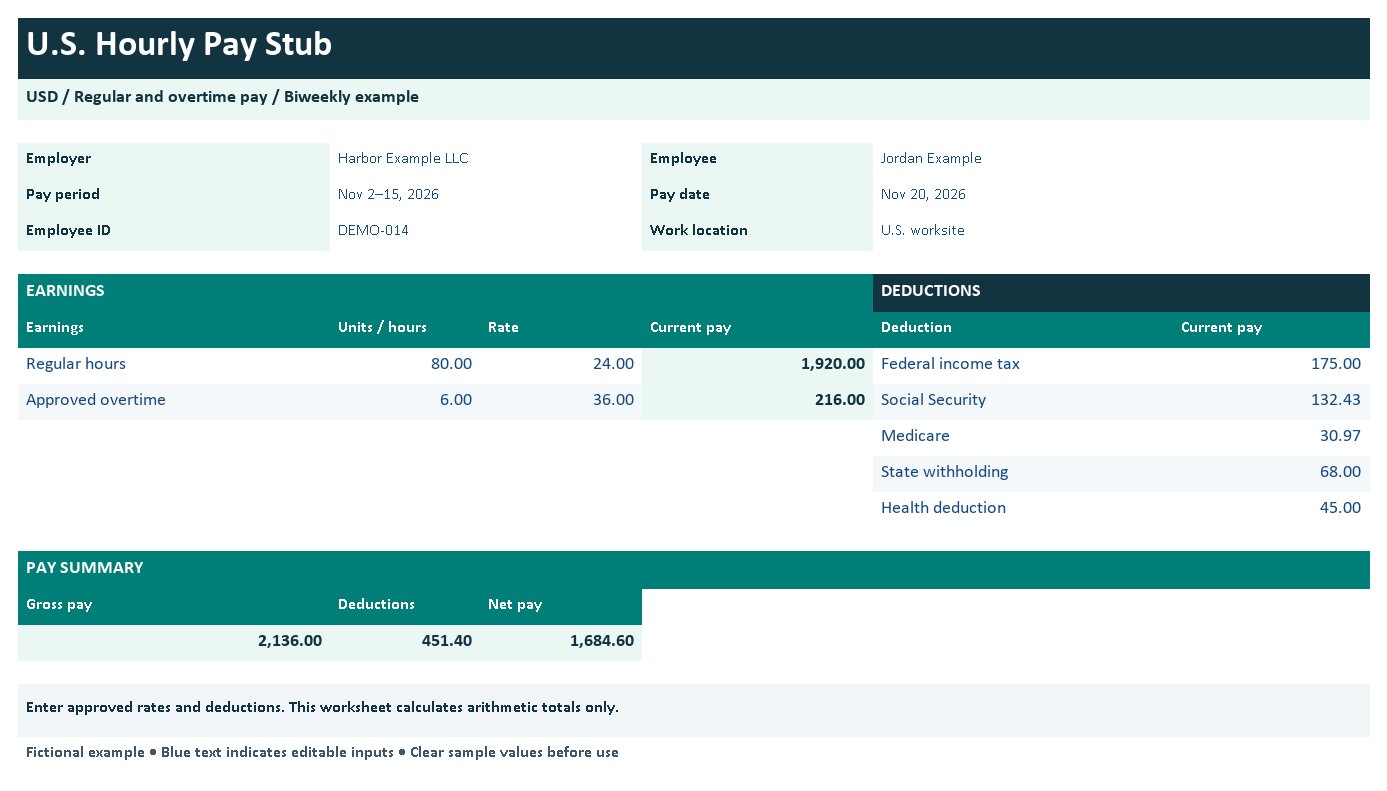
Enter approved regular and overtime hours and rates, then reconcile gross pay, deductions and net pay.
U.S. Salaried Payslip with YTD
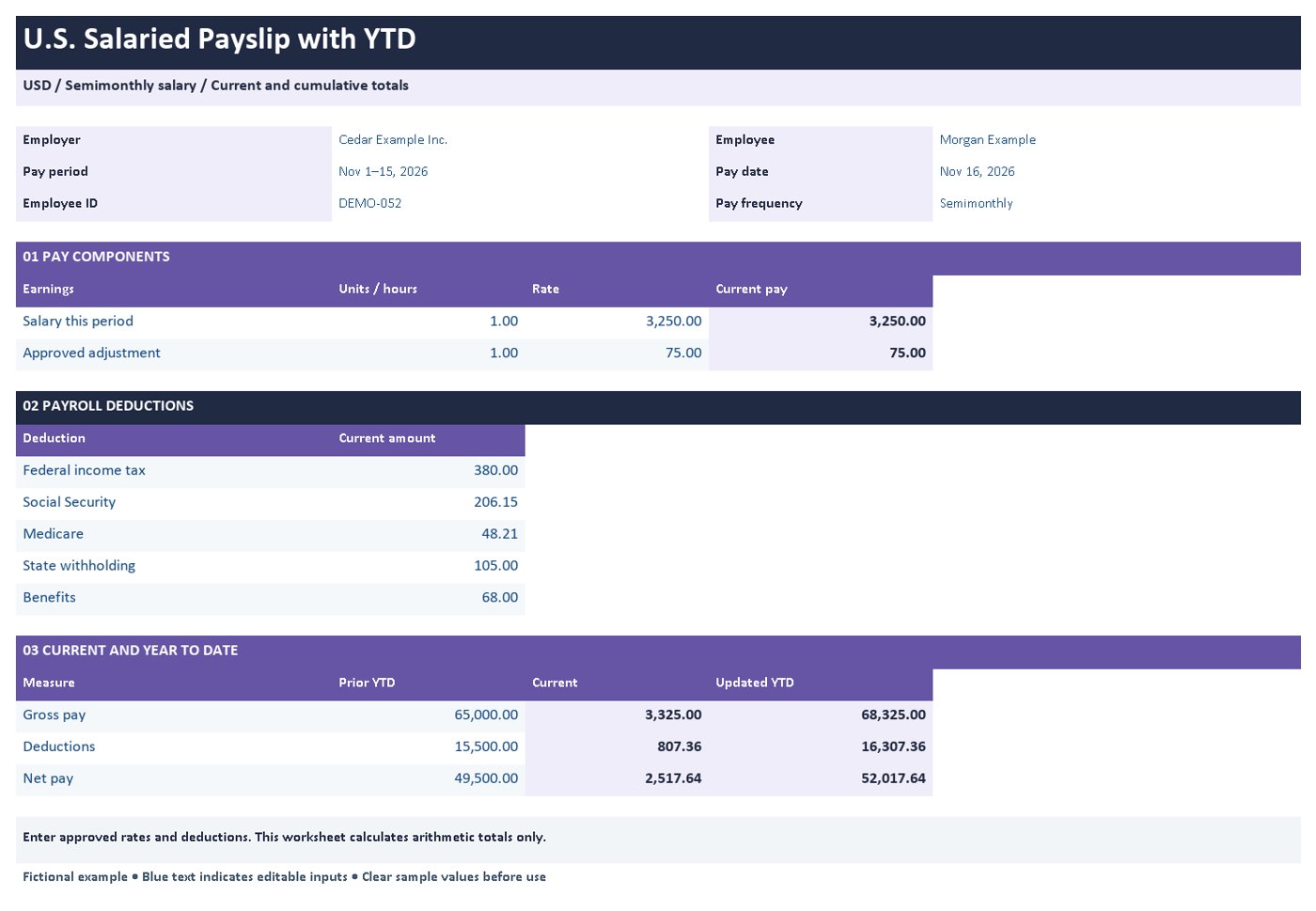
Shows the current pay period beside year-to-date gross, deductions and net. Start from the prior payroll totals.
California Itemized Wage Statement
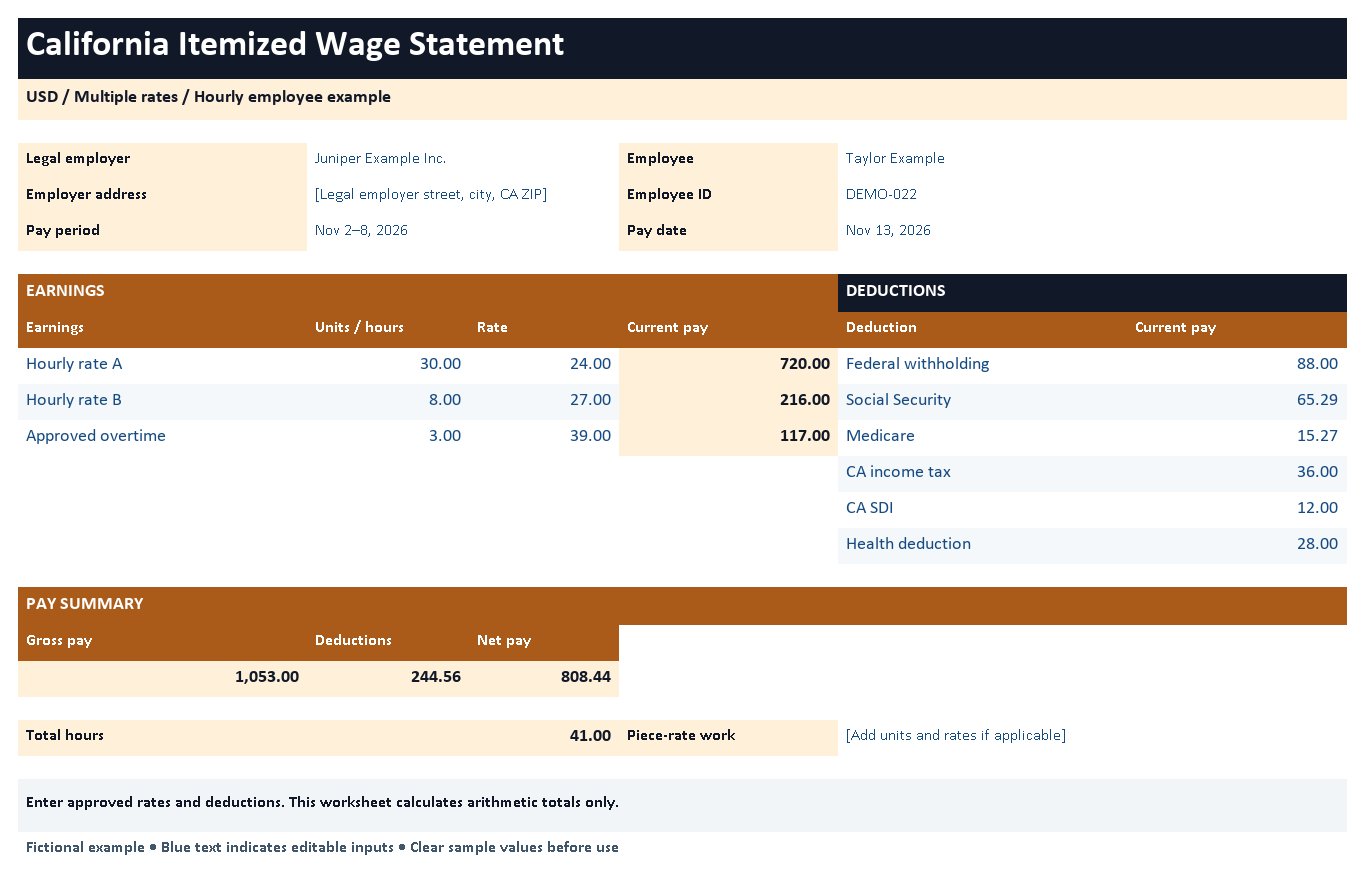
Records hours at each applicable rate, itemized deductions and the legal employer address. Tailor it to the applicable California wage-statement rules.
New York Hourly Wage Statement
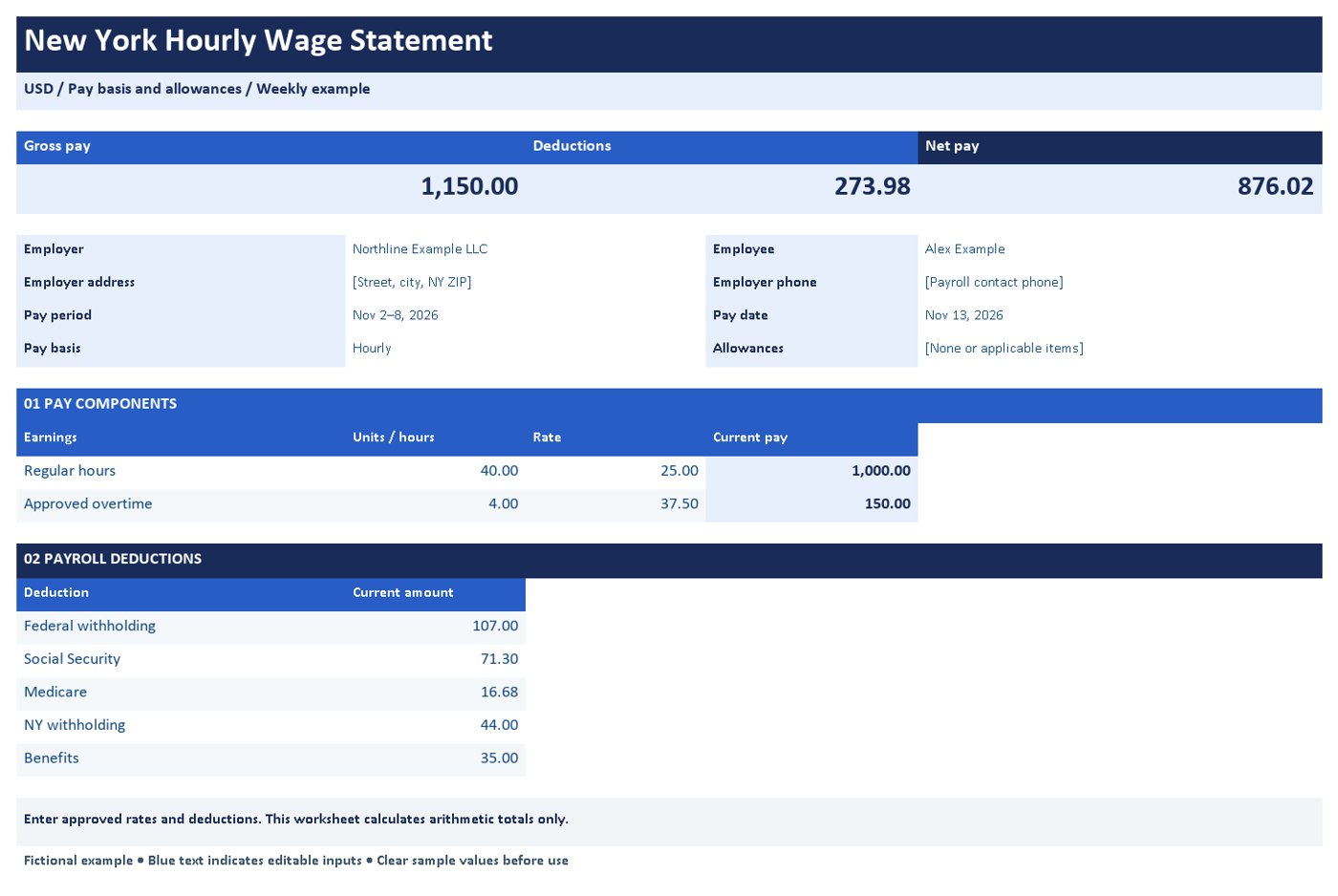
Shows the pay basis, employer contact details, regular and overtime rates and hours, and a field for allowances.
Excel Salary Sheet and Payroll Register Templates
U.S. Payroll Register
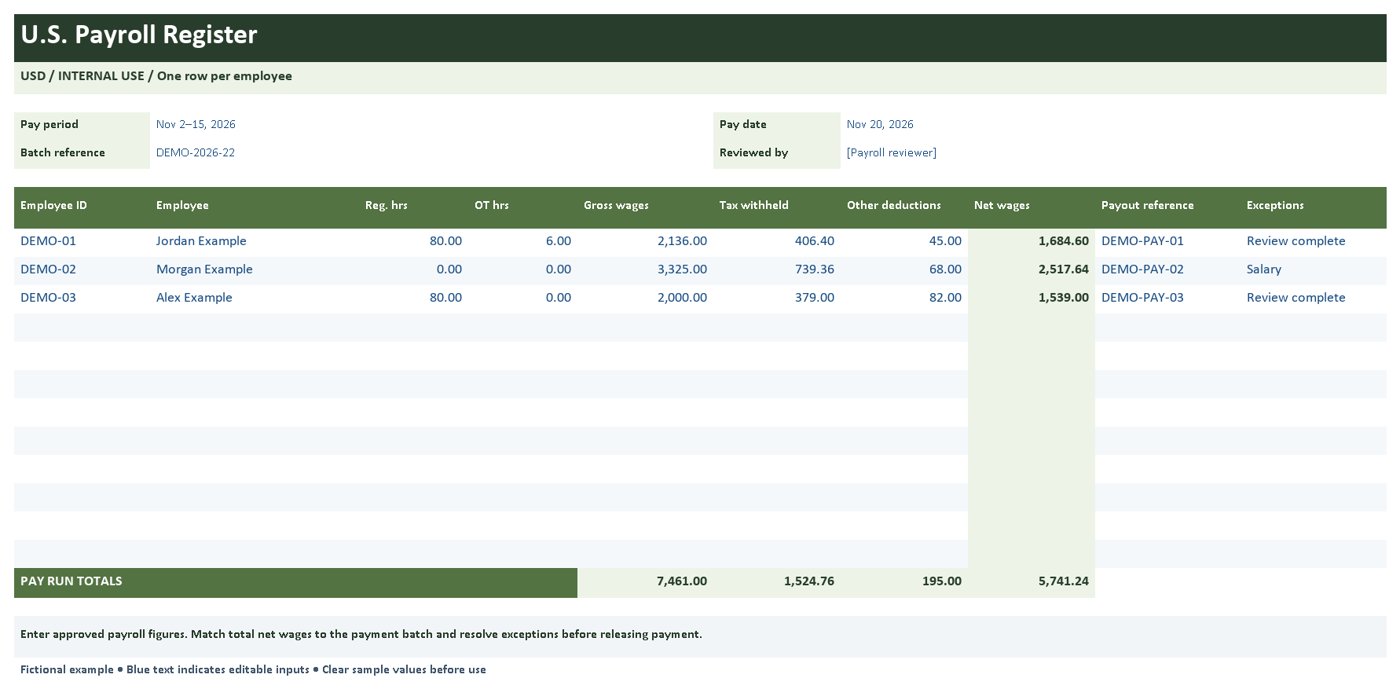
An internal salary sheet with one line per employee, net-pay formulas, batch totals and an exceptions column.
France Payroll Reconciliation
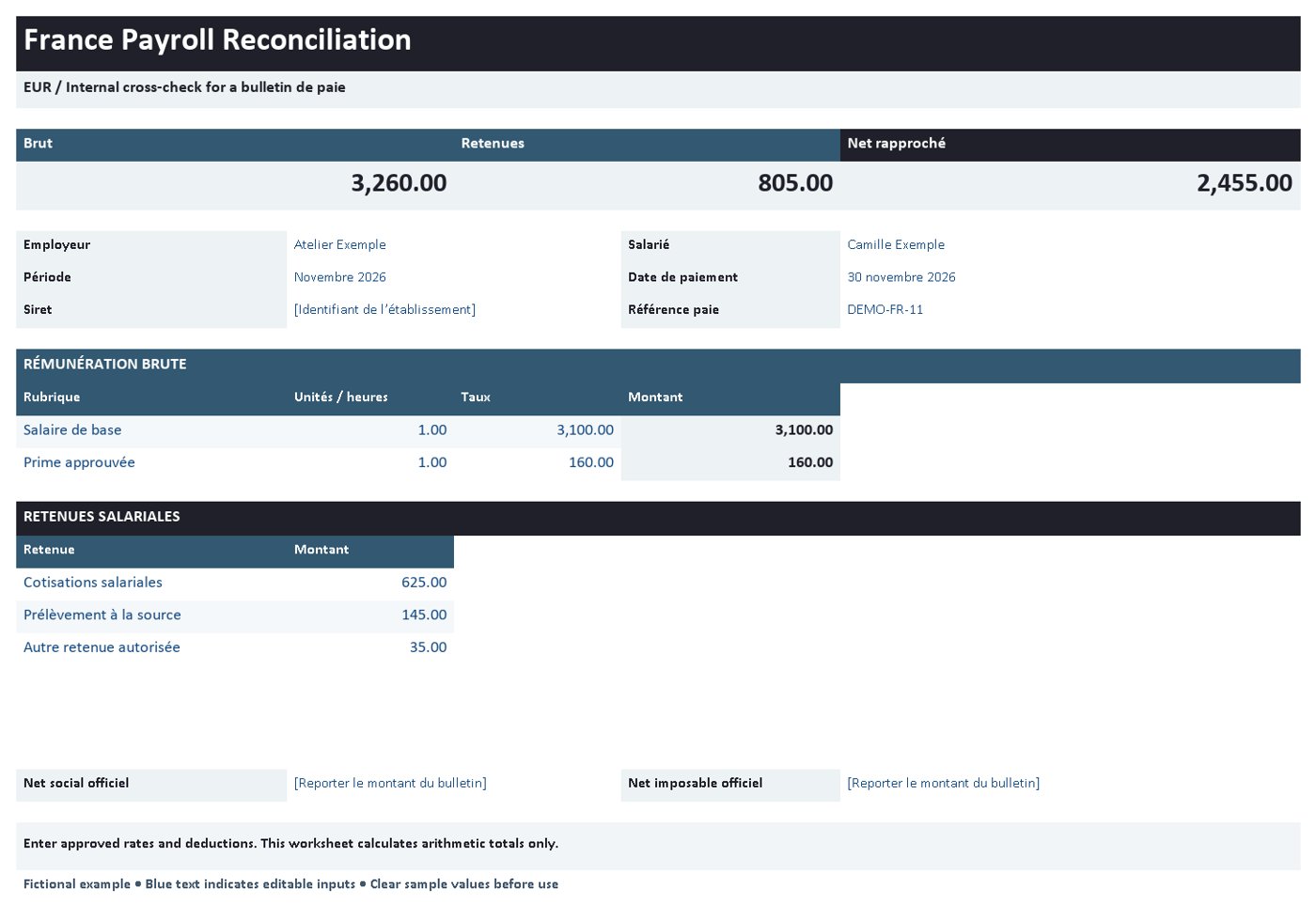
An internal EUR worksheet for reconciling gross pay, employee deductions and withholding against the official French bulletin de paie.
Payslip Templates for the UK, Ontario and Australia
UK Hourly Payslip
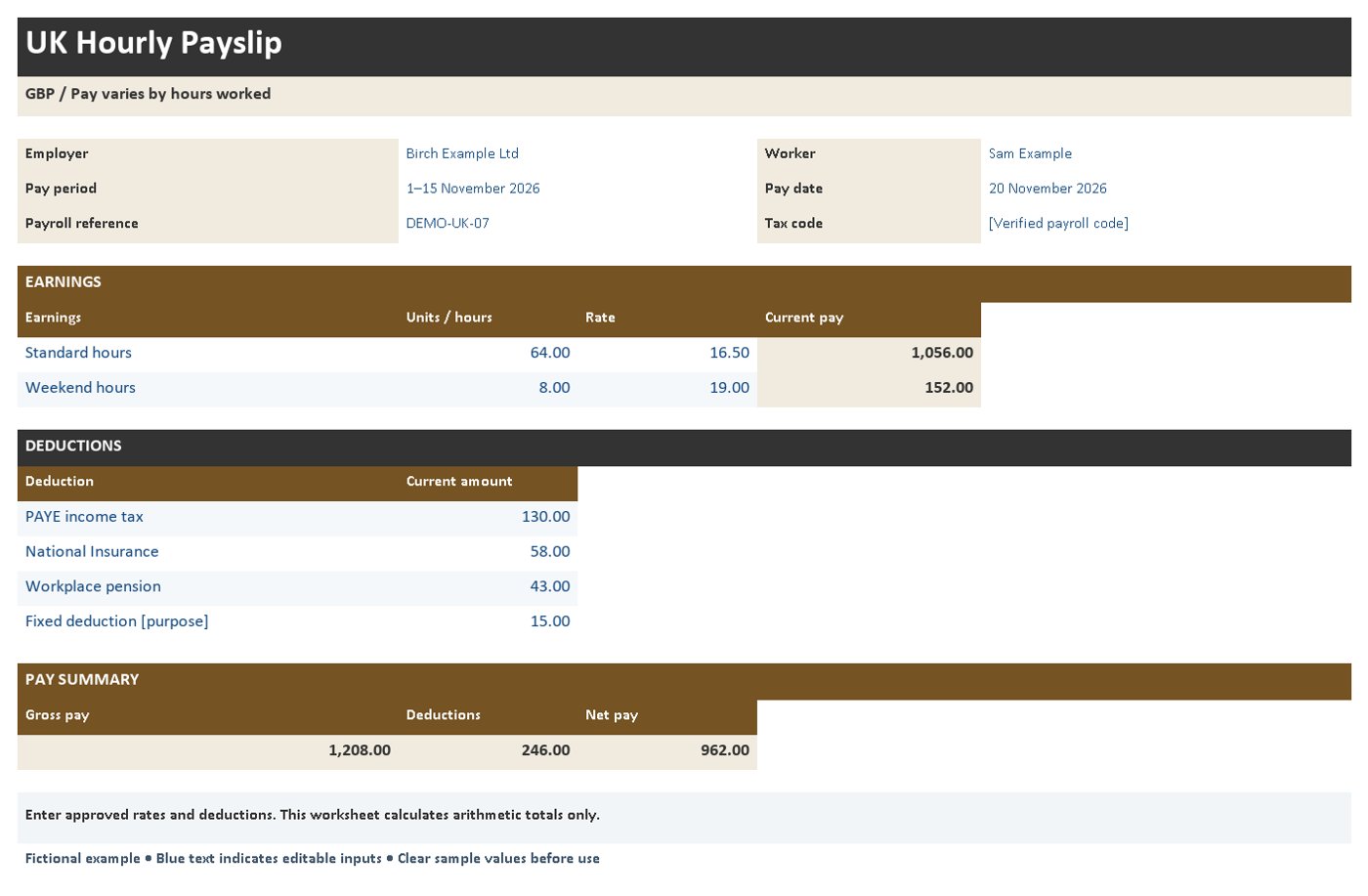
Shows hours where pay varies with time worked, gross and net earnings, and PAYE, National Insurance and pension lines.
Ontario Wage Statement
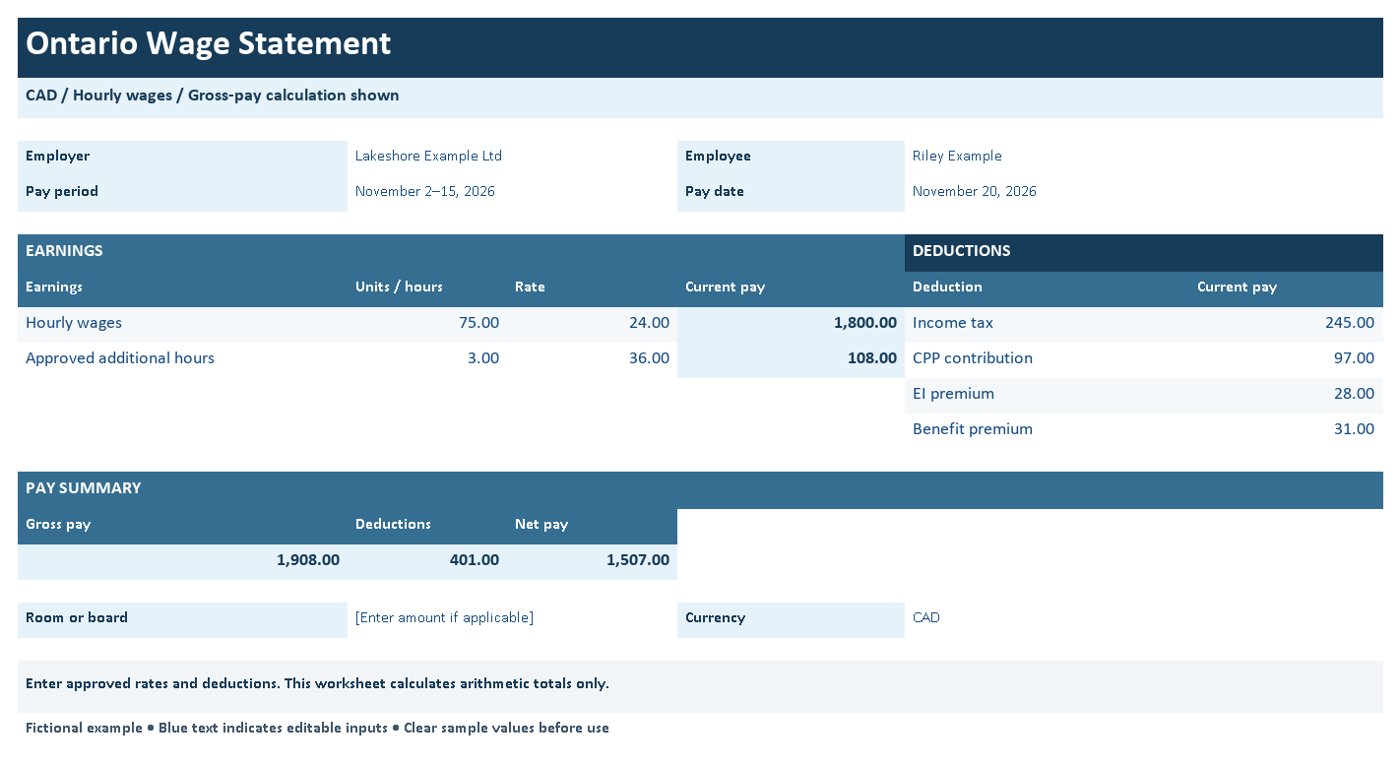
Lists the wage rate, work units, gross calculation and the purpose and amount of each deduction. Includes a room or board field.
Australian Pay Slip
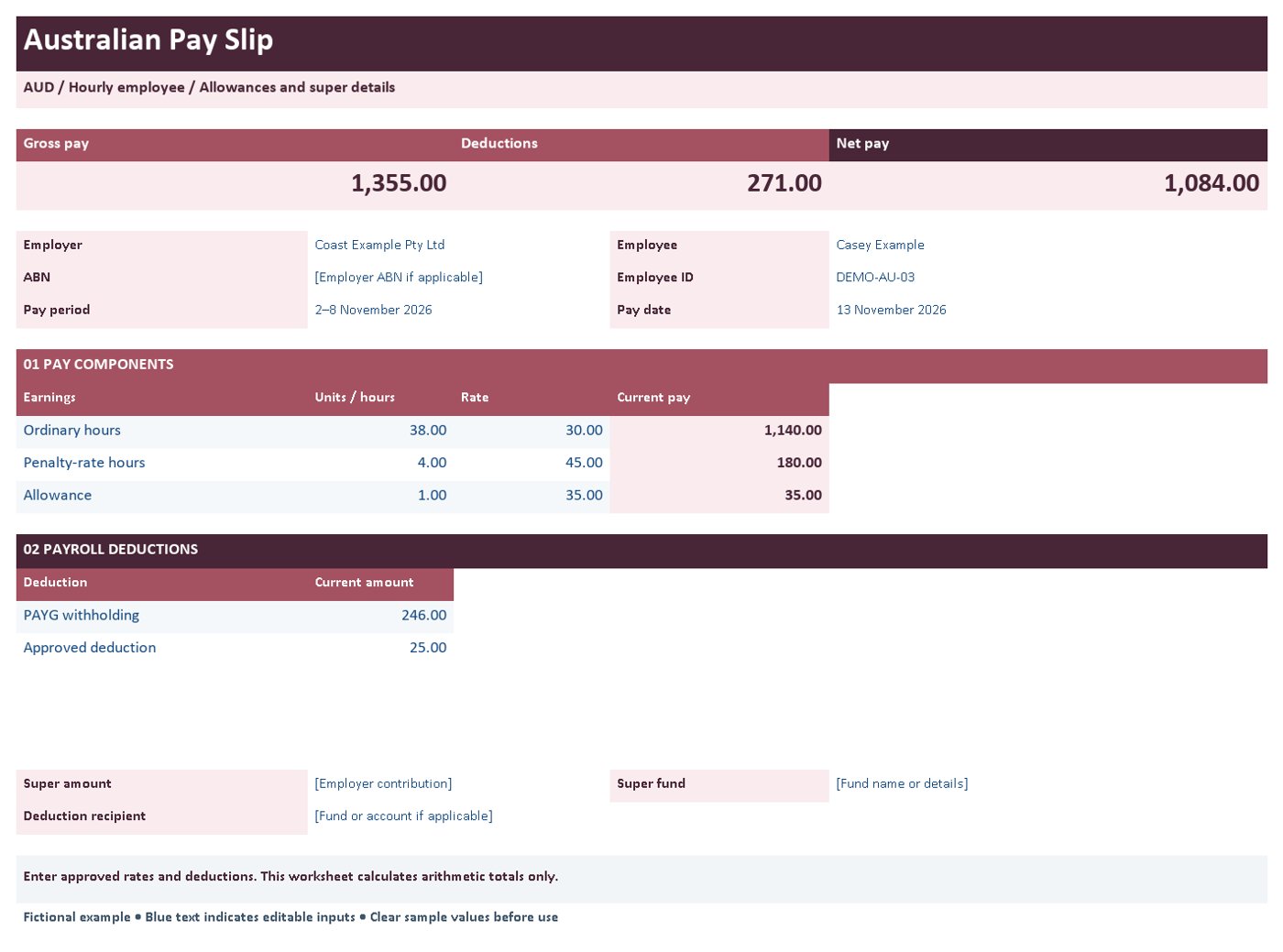
Separates ordinary and penalty-rate pay, allowances and withholding. Records the employer super contribution separately from take-home pay.
Salary Certificate and Pay Verification Templates in Word
Salary Certificate
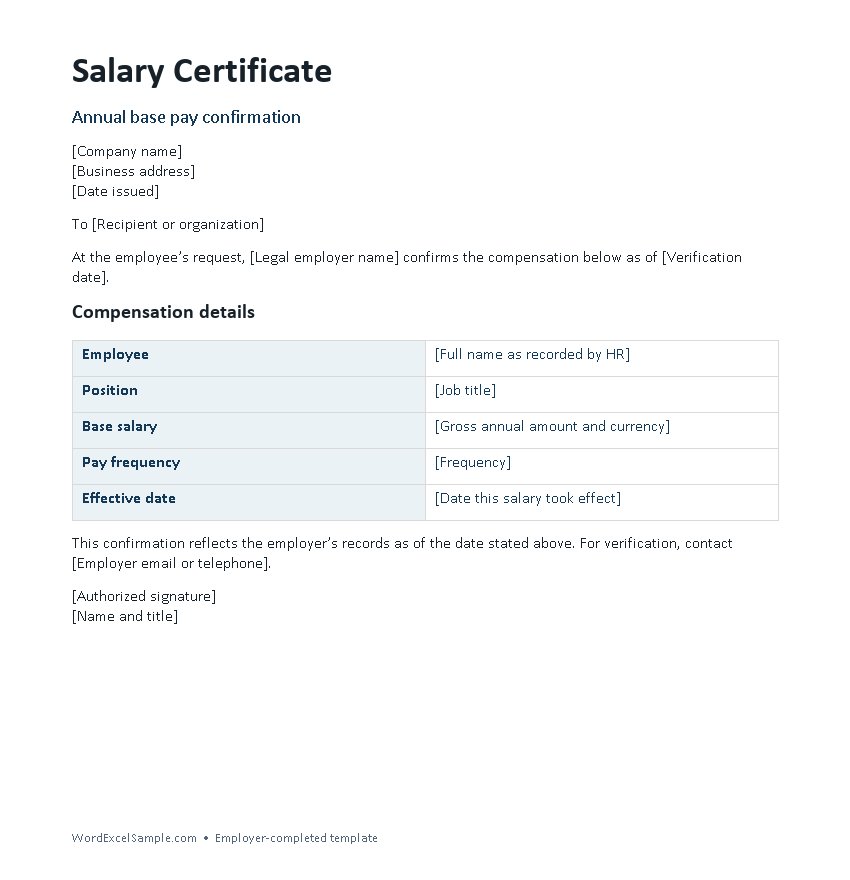
A formal employer-issued salary certificate confirming annual base pay, currency, frequency and the effective date.
Income Verification Letter
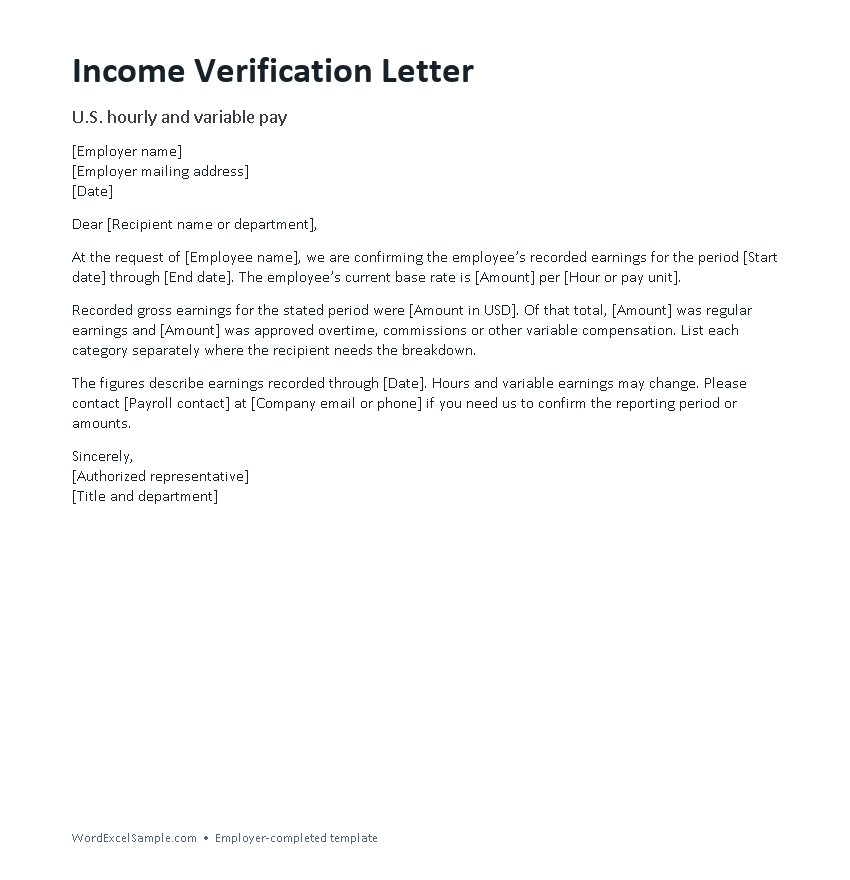
A letter for hourly or variable-income workers that confirms actual earnings for a defined period and separates variable compensation.
Employment and Pay Confirmation
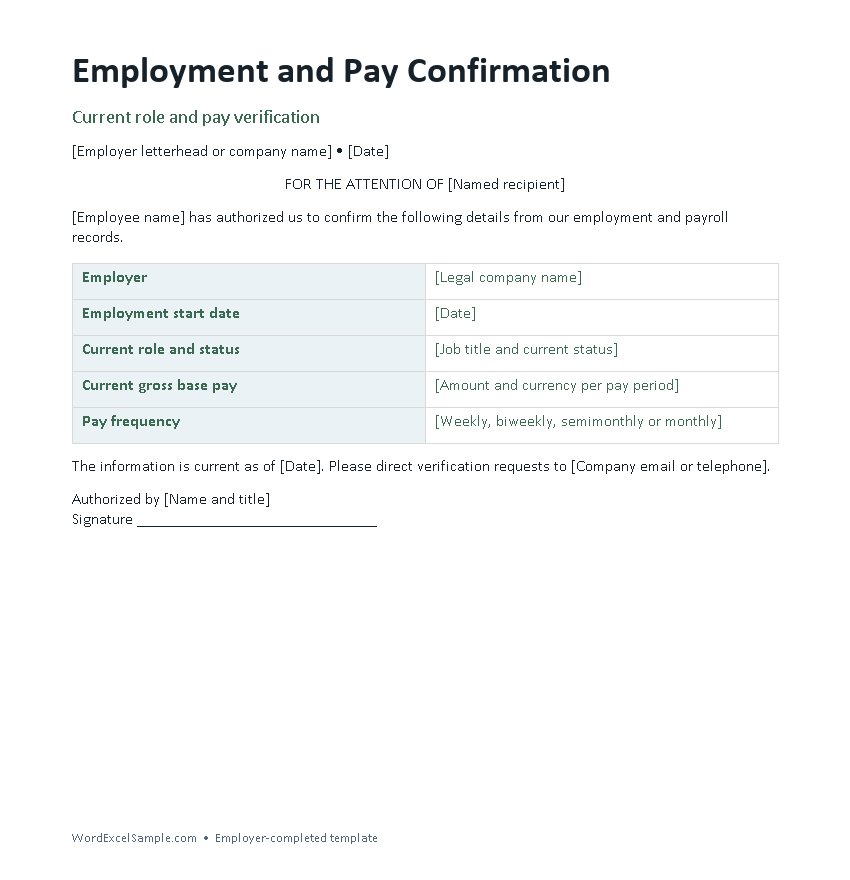
A compact verification letter for a named recipient. Confirms current employment details, base pay and pay frequency.
Which payroll template should you use?
A pay stub answers a question about a single payday. A payroll register helps an employer check a whole pay run. A salary certificate answers an outside party’s question about compensation as of a certain date. Start with the document that answers the question and share only the details that recipient needs.
| Document | Typical reader | What it shows |
|---|---|---|
| Pay stub, payslip or salary slip | The employee | One pay period, earnings, deductions and take-home pay |
| Salary sheet or payroll register | Payroll and accounting | Employee-by-employee amounts, pay run totals and exceptions |
| Salary certificate or income verification letter | A named recipient | Compensation the employer can confirm for a specified date or period |
In U.S. workplaces, people commonly ask for a pay stub or wage statement. In the UK and Australia, “payslip” or “pay slip” is common. The names overlap, but the fields and rules vary by jurisdiction. A template that prints neatly can still be missing a field your employer needs.
What to put on a U.S. pay stub
Start with the employer, employee, dates covered and date paid. Give each type of earnings its own line. For an hourly employee, enter the approved hours and the corresponding rate. For a salaried employee, enter the actual gross salary for that pay period and show any adjustment on a separate line. The employee should be able to see which entries drove the total without having to ask how you arrived at it.
List deductions by type and bring the statement down to net pay. Add year-to-date fields only if you can reconcile them to the prior payroll run. If the payment was corrected, keep a record of what changed and which pay periods were affected before issuing a replacement statement. Use an internal employee ID wherever it meets the applicable requirement and restrict access to completed statements.
The U.S. Department of Labor’s FLSA guidance distinguishes federal wage-and-hour recordkeeping from providing an employee with a pay stub. State rules can impose their own wage statement requirements. Check the rules for the location and work arrangement rather than applying a single template to every employee.
California itemized wage statements
The California worksheet has separate lines for hours at different rates, a total-hours formula, pay-period dates, the legal employer’s address and itemized deductions. It is designed around hourly pay. If the employee is paid by piece rate or works through a temporary services employer, additional details may apply. Check California Labor Code Section 226 before issuing a statement and confirm what the applicable rules require for that worker.
New York hourly wage statements
The New York layout places the pay basis, employer address and phone, pay-period dates and applicable allowances alongside regular and overtime hours and rates. The summary shows gross wages, deductions and net. If you pay by piece rate or claim supplements under special rules, review the additional requirements and adapt the statement. A notice of pay rate given at hiring serves a different purpose from a wage statement supplied with a payment. See New York Labor Law Section 195.
Worked example with hourly pay and overtime
Suppose the approved record shows 80 regular hours at $24 and six overtime hours at $36. The worksheet multiplies each pair separately, producing $1,920 regular pay and $216 overtime pay. Gross pay is $2,136. With total entered deductions of $451.40, the worksheet shows $1,684.60 net. These deductions are illustrative amounts, so another worker with the same gross might take home a different amount.
For a biweekly pay period, determine overtime from the applicable workweeks and rules before entering the hours. A two-week total can conceal overtime in one week. Bonuses, different rates in the same week and state-specific rules can affect the correct rate. The U.S. Department of Labor overtime fact sheet explains the federal baseline. The Excel template takes the approved rate as an input.
Payslip templates outside the U.S.
Start with the local layout when it matches the employee and jurisdiction. Changing the currency on a U.S. stub won’t supply local terminology, required fields or employer identifiers. The international workbooks use separate examples so you can see what changes from one payroll system to another.
- United Kingdom. The hourly payslip shows gross and net earnings, changing deductions such as PAYE and National Insurance, and hours when pay varies with time worked. Explain fixed deductions where required and check the timing rules in GOV.UK’s payslip guidance.
- Ontario, Canada. The wage statement provides space for the pay period, wage rate, gross calculation, deduction amounts and purposes, and net wages. There is a field for amounts paid in respect of room or board where applicable. Consult Ontario’s payment-of-wages guide for the requirements and timing. Other provinces may use different rules.
- Australia. The pay slip uses AUD and includes the employer ABN field and separate information for superannuation, withholding and allowances. Enter the employer super contribution in its own field so it remains separate from deductions that reduce the employee’s net pay. Check the Fair Work Ombudsman’s pay slip guidance for the required details and exceptions.
- France. The EUR workbook is an internal reconciliation sheet for reviewing a payroll run against the official bulletin de paie. It records the gross amount and entered deductions, with separate placeholders for net social and net imposable from the official statement. Use approved payroll output to issue the official payslip, which has prescribed information. See Service Public’s fiche de paie guidance.
How to use the Excel salary sheet
- Set the period and batch reference. Keep pay-period dates distinct from the actual payment date. Save a separate workbook for each approved pay run so later edits do not change the prior record.
- Enter authorized inputs. Use approved earnings, withholding and deductions from your payroll records. Where you enter hours in the register, use the same units for everyone and keep the source timesheets with the run. An attendance sheet can help track presence, but use approved time records for the hours you actually pay.
- Check net pay against the payment batch. Compare totals before releasing payment. If they differ, reconcile employee by employee and record the reason. A corrected amount should tie back to the underlying statement.
- Share the employee statement separately. Send each person only their own information. Keep the full salary sheet in a restricted location because it contains the entire group’s payroll.
A useful exception note is specific. “Retro pay for Oct 16–31, reviewed Nov 18” helps the next reviewer follow the amount. “Adjusted” gives them very little to work with. Use the payout reference to tie each row to the payment record without storing a full bank account number in the spreadsheet.
How to prepare a salary certificate
Ask the recipient what they need confirmed and obtain the employee’s authorization through your usual process. Use the annual salary certificate for current gross annual base pay. Use the variable-income letter if the recipient needs actual gross earnings over a defined period. For a quick confirmation of employment and current pay, use the shorter employment and pay letter.
State the currency, basis and effective date. “USD 78,000 gross annual base salary as of November 15” gives the reader more context than “earns $78,000.” For hourly or variable compensation, use a dated figure from payroll and distinguish recurring base pay from actual overtime, commissions or bonuses. Avoid making promises about future income. An authorized employer representative can sign and supply a verifiable company contact.
Frequently asked questions
Can I edit all 12 templates?
Yes. Nine files are editable Excel workbooks and three are editable Word documents. Excel formulas calculate line amounts, totals or running YTD amounts where indicated. JPG previews show the layout. Download the XLSX or DOCX under the preview to make changes. Each Word template also has a ZIP option containing the same DOCX.
How do I clear the sample data without removing formulas?
Save a copy and replace the sample values in the blue input cells. Keep the formula cells in place. Enter a small test case and compare gross, deductions and net against a known result before using the worksheet for a real pay period.
Is a salary certificate the same as a payslip?
A payslip explains a particular payment. A salary certificate confirms compensation or employment information as of a date or over a stated period. Some recipients ask for both because each answers a different question.
Can one payroll template cover every U.S. state?
Use the general U.S. pay stub as a starting layout. Check the applicable state, industry and arrangement before issuing it. The California and New York files illustrate how required details can change between jurisdictions.
How do I handle reimbursements and employer contributions?
Check how your approved payroll record treats each amount. Show a reimbursement or employer-paid contribution separately when appropriate so it is easy to distinguish from wages and employee deductions. Reconcile the figures to the records before handing out the statement.
You must be logged in to post a comment.