
Use these inventory database templates and planning worksheets to organize item records, stock quantities and the structure of a small inventory system. This page provides two original Excel downloads: an inventory stock register and a database planning sheet. They serve different purposes, and neither download is an Access database application.
The stock register helps you calculate opening quantity plus receipts minus issues for each item. The planning sheet identifies tables, fields, keys and validation rules before you build a relational database. Together they make it easier to define what your inventory records should contain without promising automatic purchasing, barcode integration or multi-user control.
Begin with the items you actually handle, the locations where they are kept and the transactions you need to trace. A clear stock code and a consistent unit of measure matter more than a complicated layout. Replace the sample entries and test your recording process with a small set of real items before moving your whole stock list.
Download the two worksheets | Read the completion guide | Frequently asked questions
Download the two editable templates
Each button downloads an original XLSX workbook directly. Open it in compatible spreadsheet software, save a fresh copy and replace the example entries. The preview shows the supplied layout; sample people, dates and amounts are illustrations. Check formulas after extending calculation ranges.
Inventory Stock Register
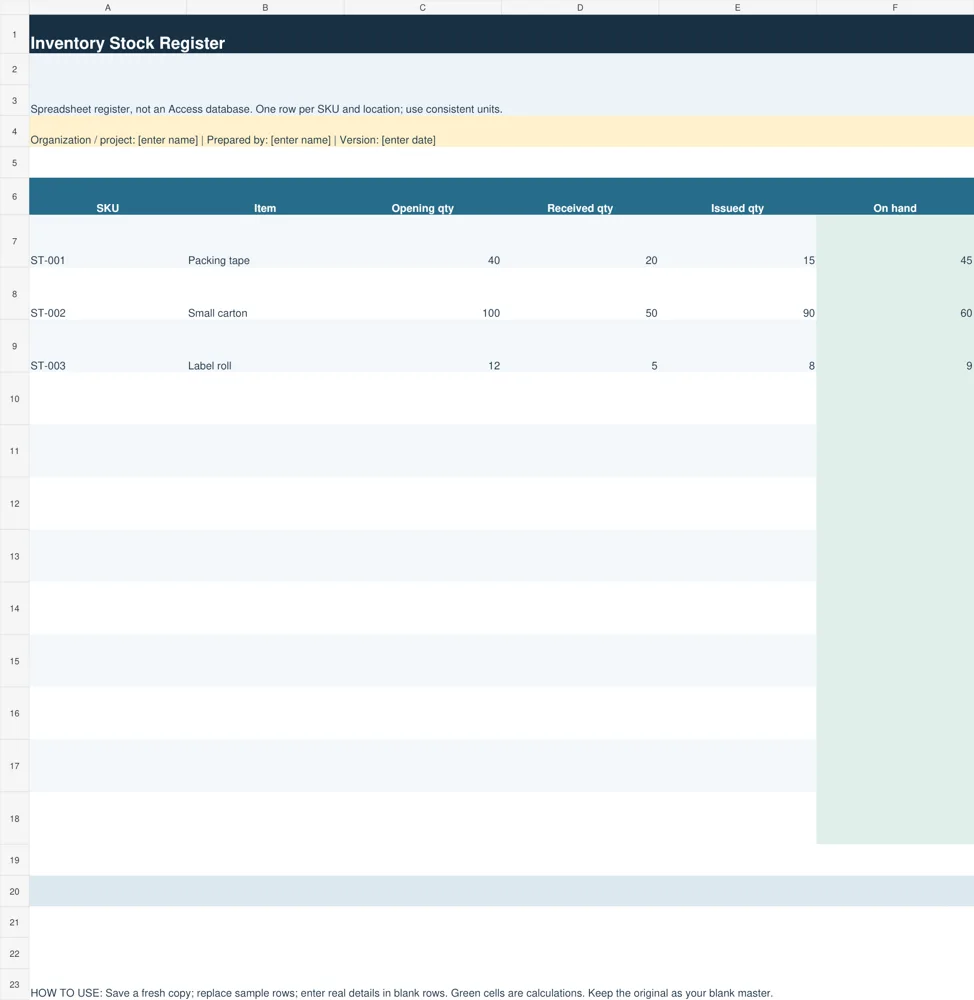
Use this stock register to calculate opening stock plus receipts minus issues for a defined period. It is an editable spreadsheet, not an Access application.
Download Inventory Stock Register (XLSX)
Inventory Database Planning Sheet
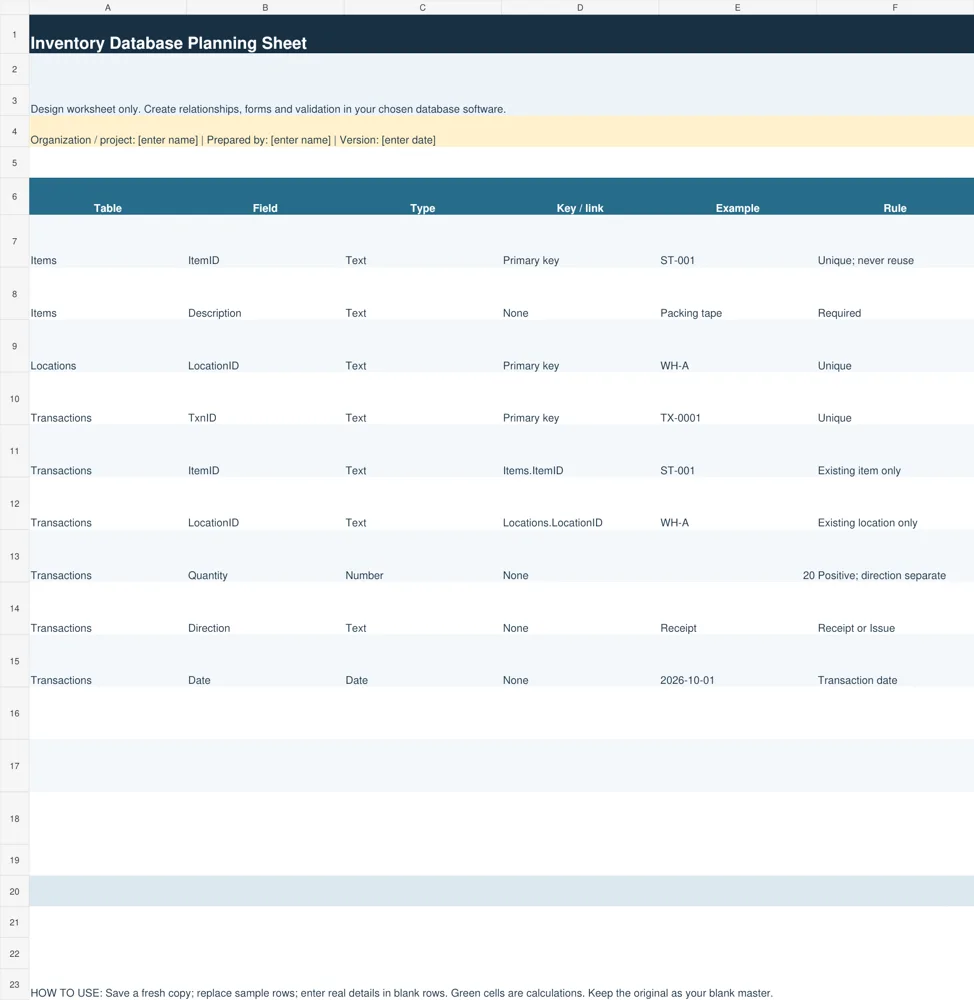
Use this design planner to specify item, location and transaction fields, keys and rules before building a database. The relationships are planning notes, not enforced spreadsheet relationships.
Download Inventory Database Planning Sheet (XLSX)
Choose a stock register or a database design worksheet
The Inventory Stock Register is a practical spreadsheet for a small, controlled list. It contains SKU, item name, opening quantity, received quantity, issued quantity and calculated quantity on hand. A row represents one stock record for the period you define. The workbook is suitable for reviewing balances, but it does not maintain a separate transaction history by itself.
The Inventory Database Planning Sheet is for designing a future system. Its columns record the table name, field name, proposed type, key or relationship, example value and validation rule. Sample rows show Items, Locations and Transactions. Use it to discuss the design with the person implementing the database and to decide which records must link together.
Choose the register when a single person maintains a modest stock list and you can reconcile changes regularly. Consider a database or suitable inventory application when you need simultaneous users, detailed movement history, permission controls or reliable links between locations and items. The planning worksheet supports that decision; it does not turn Excel into a fully controlled database.
Essential fields for an inventory database
Give each item a stable identifier such as ST-001. Do not rely on a description alone because names can change and similar items can have nearly identical wording. Preserve leading zeros in identifiers by storing them as text. A description should help a person recognize the item, while the identifier provides the consistent reference used by transactions.
Store locations with their own identifiers when stock exists in more than one place. A shelf, room or warehouse can then be referenced consistently rather than typed differently by each user. If an item appears in several locations, its total stock must be derived from those location records without duplicating the same quantity in a separate summary input.
A transaction record needs its own identifier, item reference, location reference, date, quantity and direction. A receipt increases stock and an issue reduces it. Returns, transfers and adjustments require explicitly agreed rules. For example, a transfer should show stock leaving one location and entering another, while leaving the overall quantity unchanged.
Additional fields may include supplier reference, reorder level, unit of measure, batch number or expiry date where relevant. Do not add fields merely because another business uses them. Decide who enters each value, how it is validated and what decision it supports. Avoid mixing unit counts and monetary values in the same field.
Record supplier details consistently with our vendor registration forms.
How the stock balance calculation works
The register calculates on-hand quantity as opening quantity plus received quantity minus issued quantity. In the sample packing-tape row, opening stock is 40, receipts are 20 and issues are 15. The resulting quantity is 45. The calculation is straightforward, but its accuracy depends on recording every movement consistently within the chosen period.
Use opening balances from a confirmed count or a reconciled closing balance. Receipts should represent goods actually received under your process, rather than every outstanding purchase order. Issues should represent goods removed from available stock. A purchase commitment, a delivery and an invoice are related records, but they are not interchangeable evidence of quantity on hand.
If the calculated balance becomes negative, the cell is highlighted for review. Investigate missing receipts, duplicate issues, incorrect units or transactions assigned to the wrong item. Do not simply replace the negative result with zero; doing so conceals the discrepancy. A correction should have a clear reason and supporting record.
Blank SKU rows remain without a calculated stock figure. When adding records beyond the prepared rows, copy the balance formula and review its references. The sample sheet uses a single item row rather than a transaction ledger, so retain a separate movement record if you need to explain exactly how received and issued totals were derived.
Design keys and relationships before importing data
For a relational design, the Items table holds one record per item and the Locations table holds one record per location. Transactions refer to those identifiers instead of storing a separate copy of the item details every time. This arrangement reduces inconsistent names and lets the same item appear in many transactions without changing its identity.
A primary key must uniquely identify a record. A referenced item or location should exist before a transaction uses it. Write these rules on the planning sheet, then implement and test them in the chosen software. Merely naming a column ItemID does not enforce a relationship. The spreadsheet describes the rule; the database must actually apply it.
Prepare incoming data by removing duplicates, standardizing units and separating identifiers from descriptions. Keep a copy of the original source file and document any changes made during cleanup. Import a small trial batch first, compare record counts and quantities, then review how invalid identifiers and missing required fields are handled.
Test cases should include a normal receipt, an issue, a correction, an unknown item and a repeated transaction identifier. If you use multiple locations, also test a transfer. Check that the system rejects or flags records that violate your intended rules rather than silently accepting values that make stock reports misleading.
Document orders separately from received stock using blank purchase order forms.
Maintain inventory records and reconcile physical stock
Assign responsibility for recording receipts and issues at the time they occur. Delaying entries until the end of a busy week makes it harder to trace missing paperwork. Use a consistent cutoff for each reporting period and retain references to delivery notes or other evidence so a balance can be checked later.
Physical stock counts provide an independent check of recorded quantities. Compare the count with the recorded balance, investigate differences and document authorized adjustments. A spreadsheet formula can calculate a balance correctly while the underlying inputs are incomplete. Reconciliation addresses that gap; an attractive dashboard alone cannot.
Keep the working file in an agreed location, control who edits it and maintain recoverable backups. If several people need to edit stock movements, establish a process that prevents conflicting copies. A database design should also account for permissions, change history and recovery, with details appropriate to the chosen software and the business.
When reviewing stock, distinguish available units from items reserved, damaged or awaiting inspection. If these distinctions matter to operations, record them explicitly rather than assuming every on-hand unit can be sold. Keep reorder decisions tied to current usage and lead times instead of applying one arbitrary threshold to all items.
Use the two downloads together
Start by testing the stock register with three to five items and a clearly defined period. Verify the opening balances, enter the movement totals and compare the results with a physical count. This reveals how your business describes items and which additional fields are truly needed before you spend time on a larger database design.
Next, fill in the planning worksheet with your actual tables and rules. Mark which fields are mandatory, identify their source and specify the person responsible for maintaining them. Review the plan with the users who receive and issue goods. Their everyday workflow often exposes exceptions that a simple list of field names would miss.
Keep these files as starting points and adapt them to your process. The local downloads are editable worksheets with examples; legacy third-party previews below, where available, are reference material and are not represented as original database files. Confirm the format and access conditions of an external resource before choosing it for implementation.
Reconcile supplier billing records with statement of account templates.
Additional original previews and source references
The existing previews below are retained as reference examples. Source links open third-party pages or PDF references and may have their own access or licensing conditions. They are separate from the two original editable downloads above. An unavailable source is identified instead of being presented as a working download.
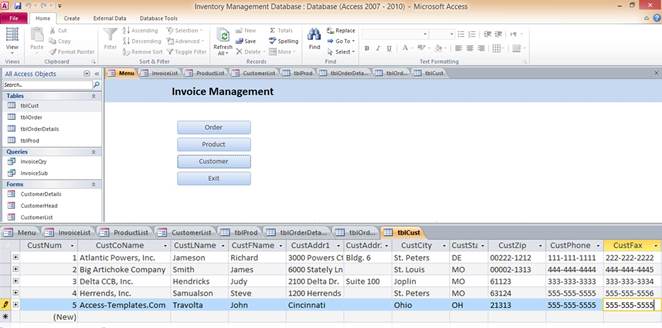
View original source 1 (external page). This is a source reference; inspect its format and access conditions there.
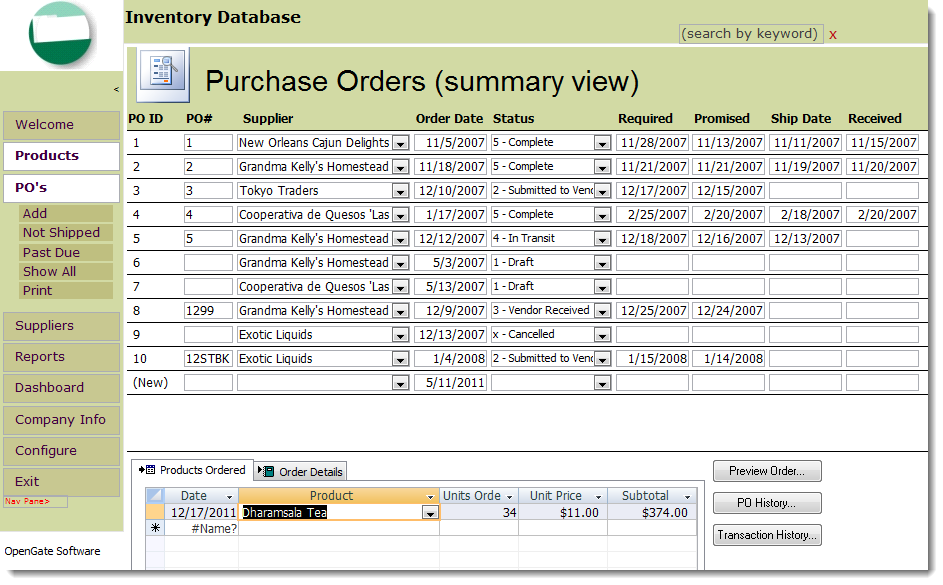
View original source 2 (external page). This is a source reference; inspect its format and access conditions there.
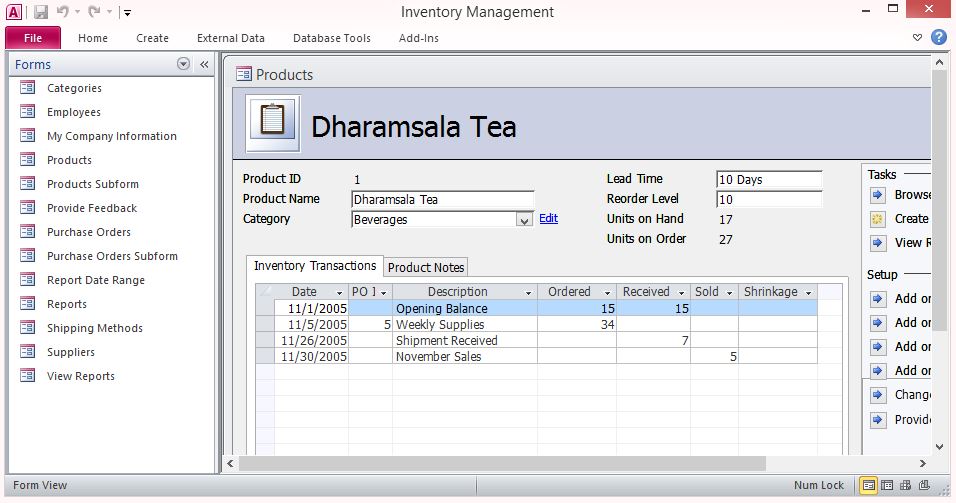
View original source 3 (external page). This is a source reference; inspect its format and access conditions there.
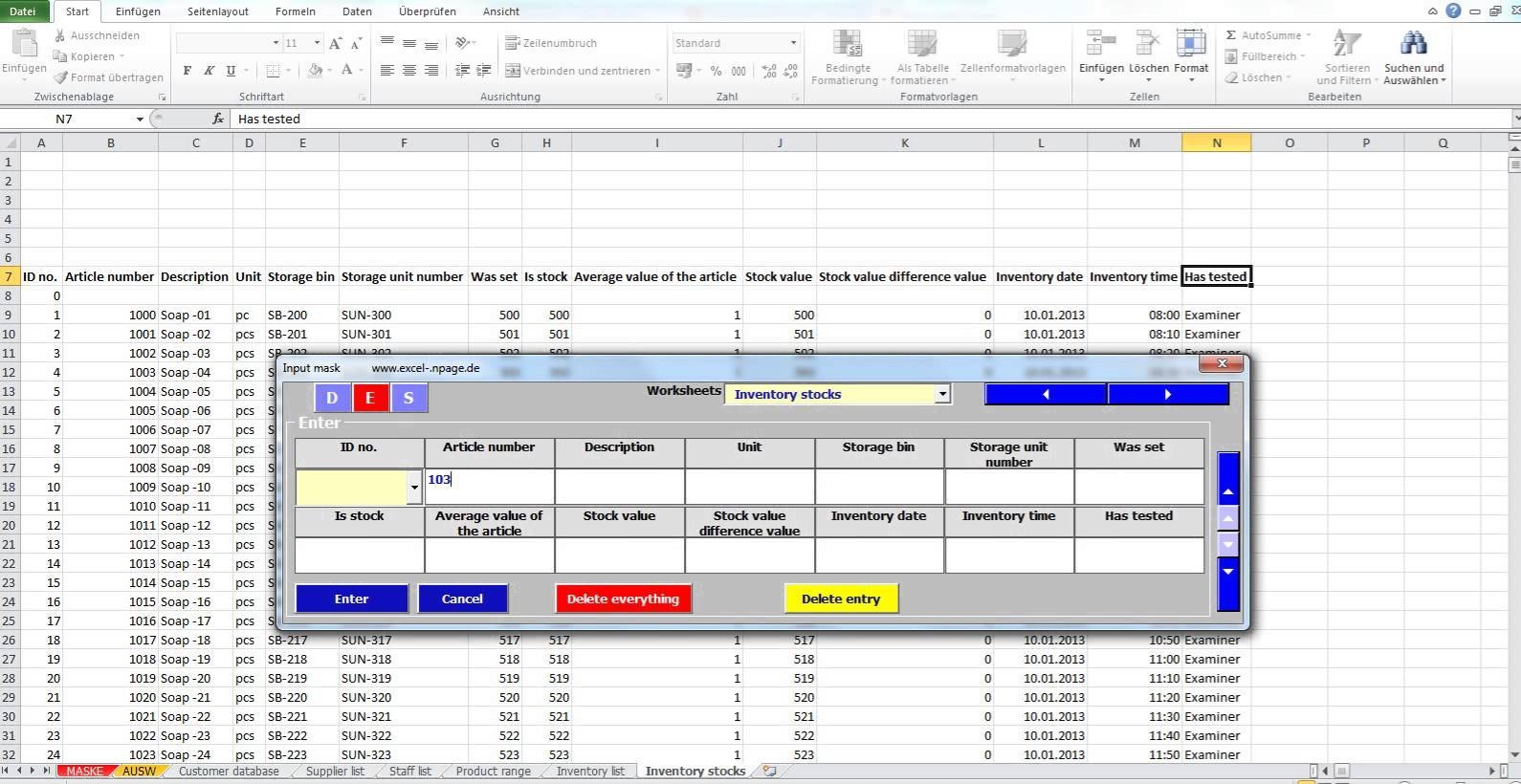
This original preview did not have a linked downloadable file. The direct editable downloads above provide usable alternatives.
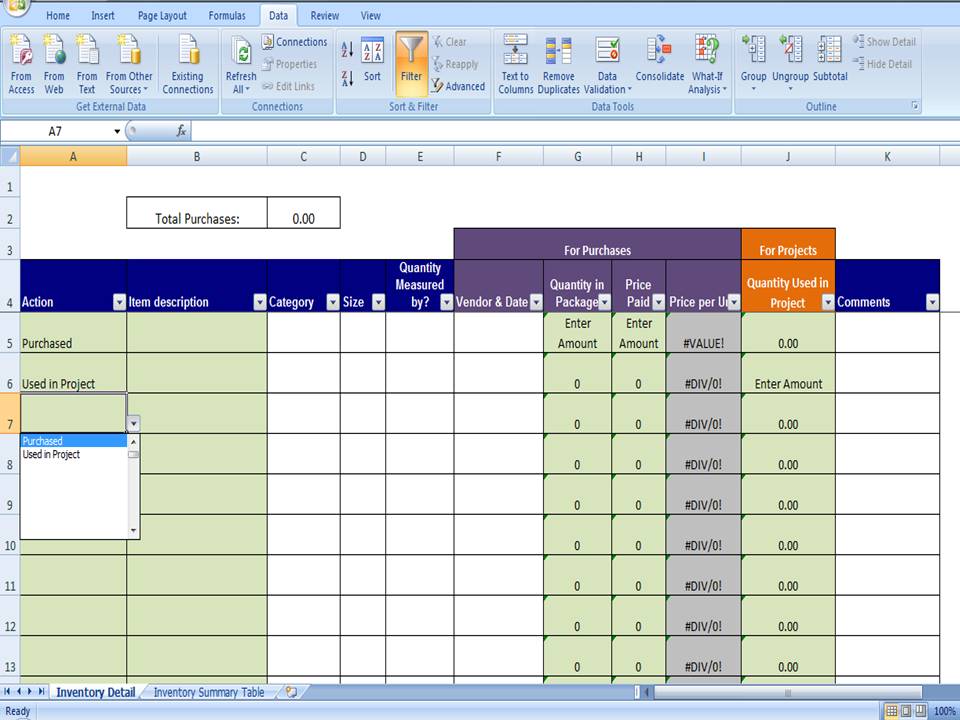
The original source for this preview could not be verified during the link check. Use the original editable downloads above for a direct file download.
Frequently asked questions
Is the inventory download an Access database?
No. The two original downloads are XLSX worksheets: a stock register and a database design planner. The planner helps specify tables and relationships to implement separately in suitable database software.
How does the register calculate stock?
For each item row, on hand equals opening quantity plus received quantity minus issued quantity. Use consistent units and a defined recording period. The sheet does not automatically import transaction data.
Can I track several warehouses?
You can adapt the stock register with an explicit location field and separate item-location records. The planning sheet includes a Locations table concept. Transfers and totals require a defined process so quantities are not duplicated.
Why is a stock balance negative?
It can reflect missing receipts, duplicated issues, incorrect units or other recording problems. Investigate the source records and document a correction rather than replacing the result with zero.
Can Excel replace an inventory database?
A carefully maintained spreadsheet may suit a small single-user workflow. Requirements such as concurrent users, detailed history and enforced relationships need additional controls or an appropriate application.
You must be logged in to post a comment.