
Put the sessions with fixed deadlines on the calendar first, such as onboarding before a new starter’s first shift. Then fit the refreshers and workshops around instructor availability. Use the PDF layouts below to plan dates, rooms and attendance.
Choose a training calendar template
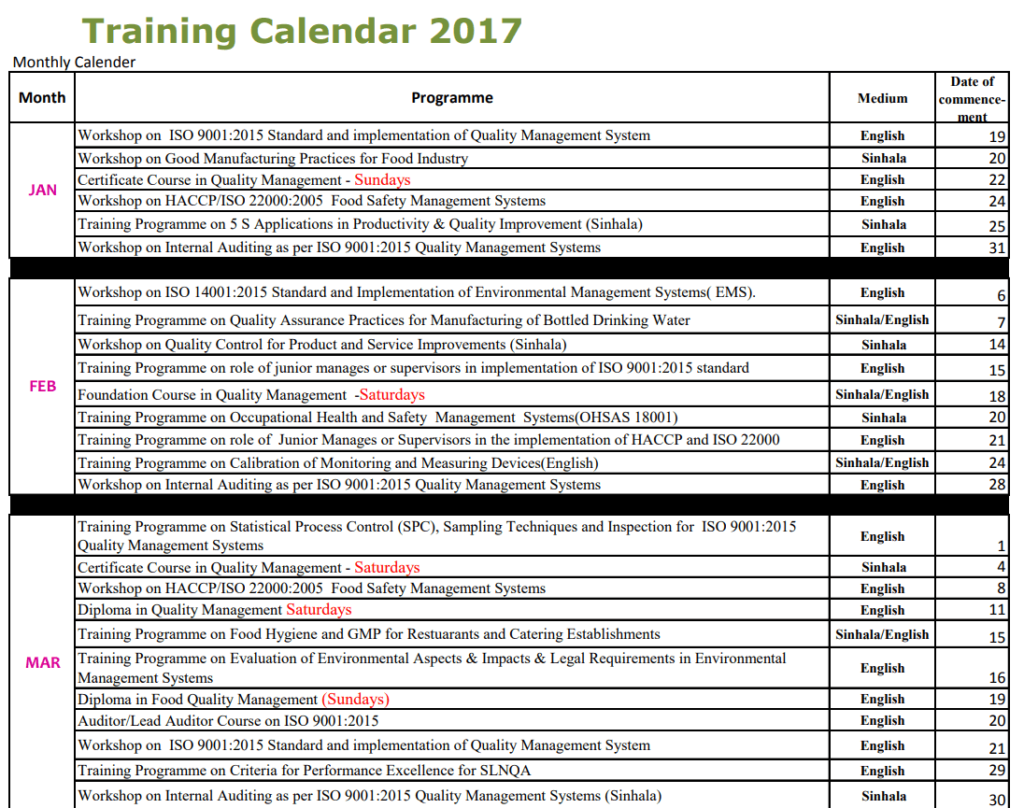
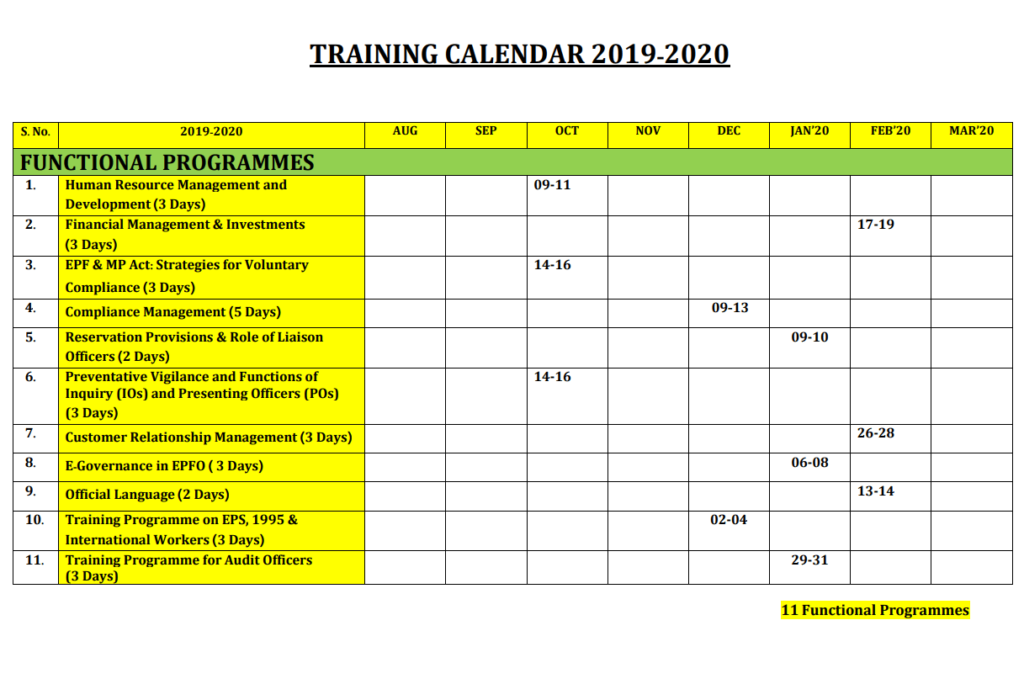
Use a monthly calendar to communicate dates and a schedule table when each session needs an instructor, audience, room or link. An annual view helps plan recurring sessions and resource demand. Keep a more detailed roster or completion record if the organizer needs evidence that someone attended or passed.
What to include
- Session and objective Use a recognizable title and state the skill or topic covered. Distinguish a briefing from a course that requires practice.
- Date and duration Give a start and end time or time block. Allow time between sessions if participants need to change locations or shifts.
- Instructor and resources Identify the organizer, venue or joining instructions and any materials participants need.
- Audience and prerequisites List who should attend, how many places are available and what participants should complete first.
Check staffing as well as classroom or meeting availability. If several people work the same shift, stagger their sessions so the team can still cover its daily work. Block time for setup and practice, and distinguish sessions a participant must attend in sequence from sessions offered at several times. For an annual calendar, review dates before each month starts and confirm which sessions require registration. A shared schedule is easier to maintain when there is one owner and a clear way to notify participants when an instructor or venue changes.
Worked example
An onboarding team plans a Monday orientation, a Wednesday equipment demonstration and a Friday practice session. The calendar makes the order clear. The coordinator keeps a separate attendance record and reserves the next week’s practice slot for people who could not attend.
Compare the available layouts
The collection includes Monthly Training Calendar Template (PDF), Quarterly Training Calendar PDF Template (PDF), and Free Printable Training Calendar Sample PDF (PDF). Compare the previews for the fields and page layout you need before opening the ZIP package. Check the file extension on the extracted file so you know which application to use.
Below Are FREE Training Calendar Templates
Monthly Training Calendar Template
File Size: 251 KB

Simple Training Calendar Template PDF
File Size: 692 KB
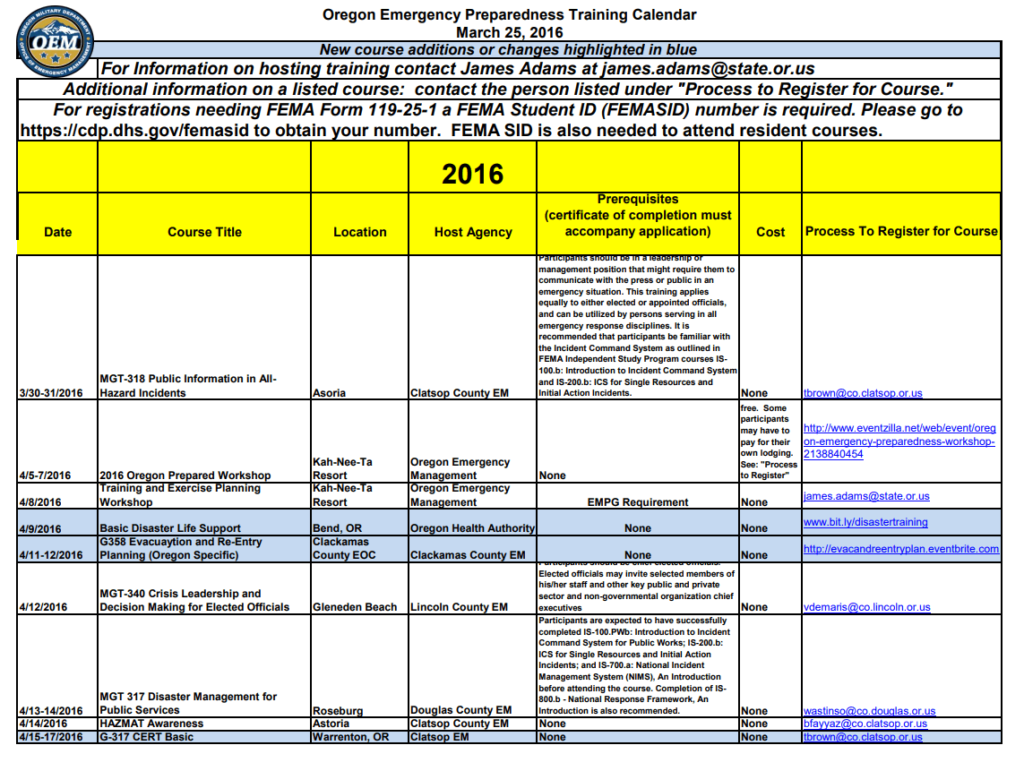
Emergency Training Calendar Template
File Size: 36 KB
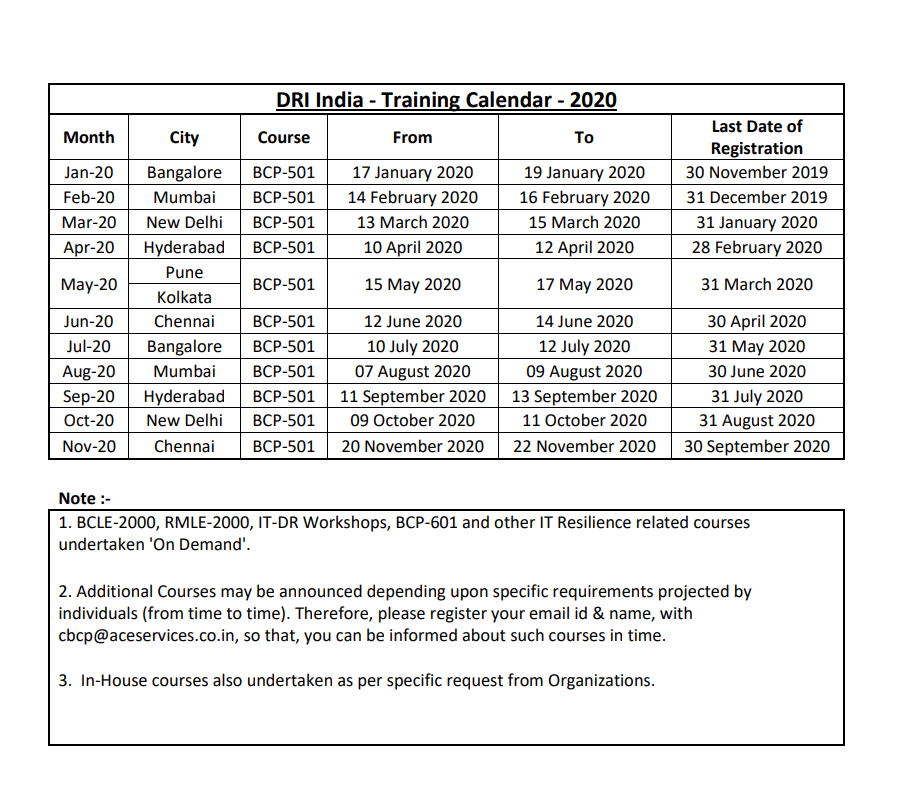
Basic Training Calendar Format Template
File Size: 108 KB
Upcoming Annual Training Calendar PDF Template
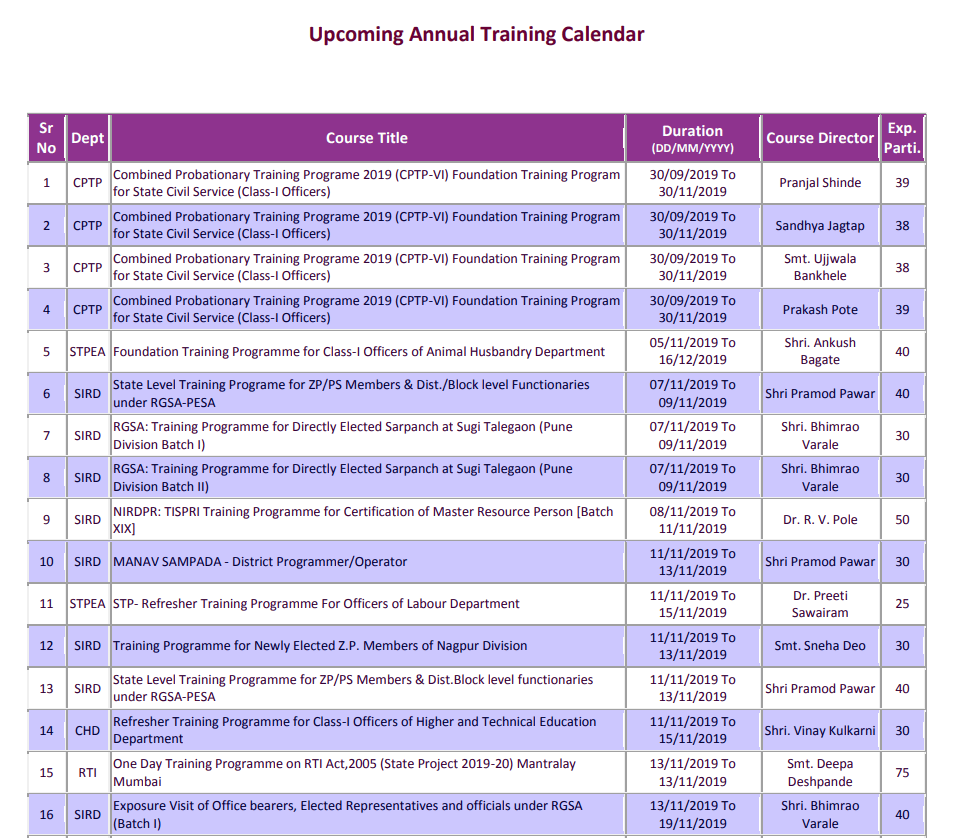
File Size: 477 KB
Standard Training Calendar PDF Template
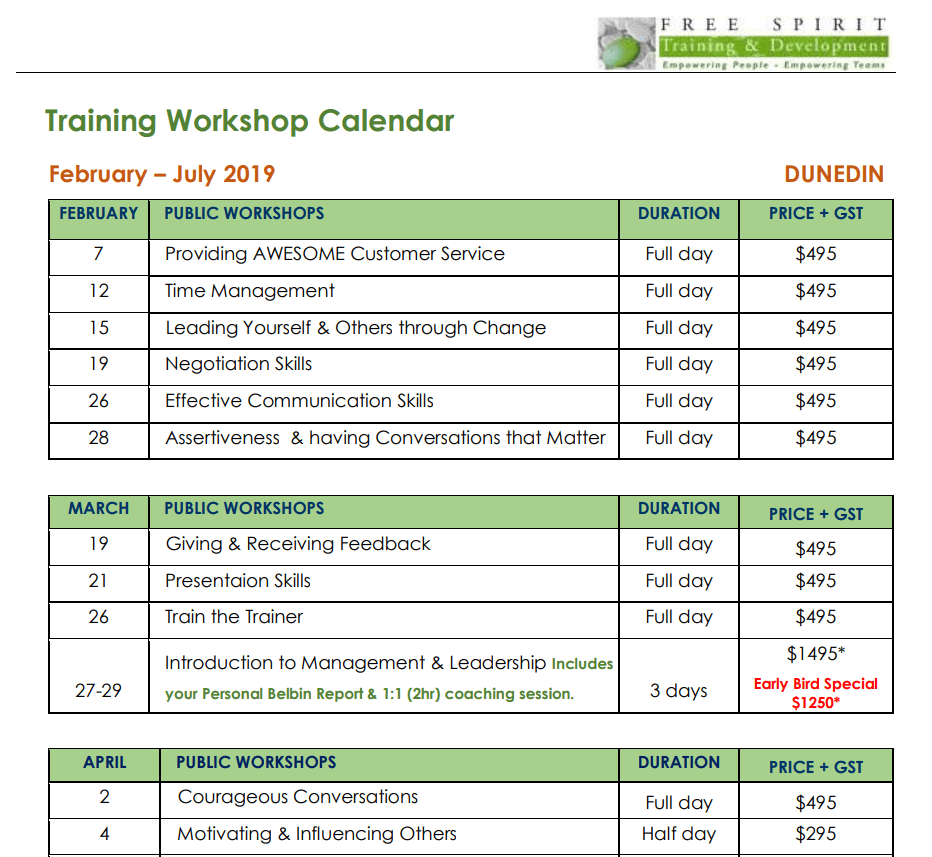
File Size: 154 KB
Professional Training Calendar Sample PDF
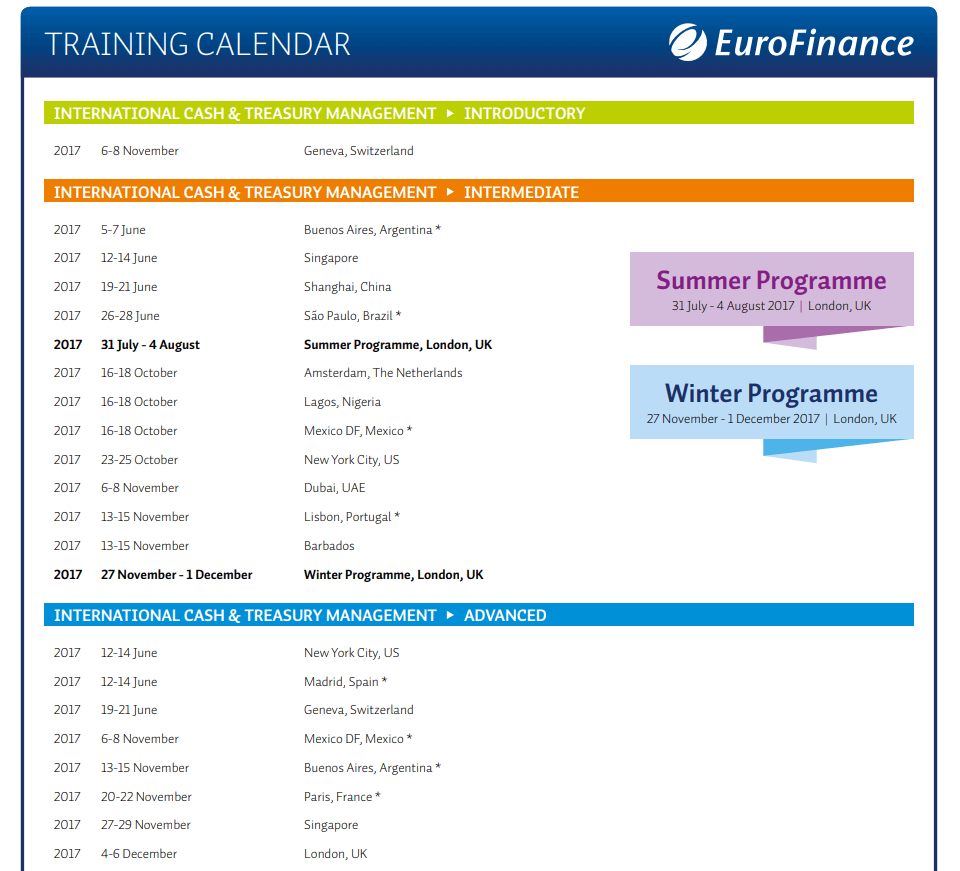
File Size: 23 KB
Corporate Training Calendar Template
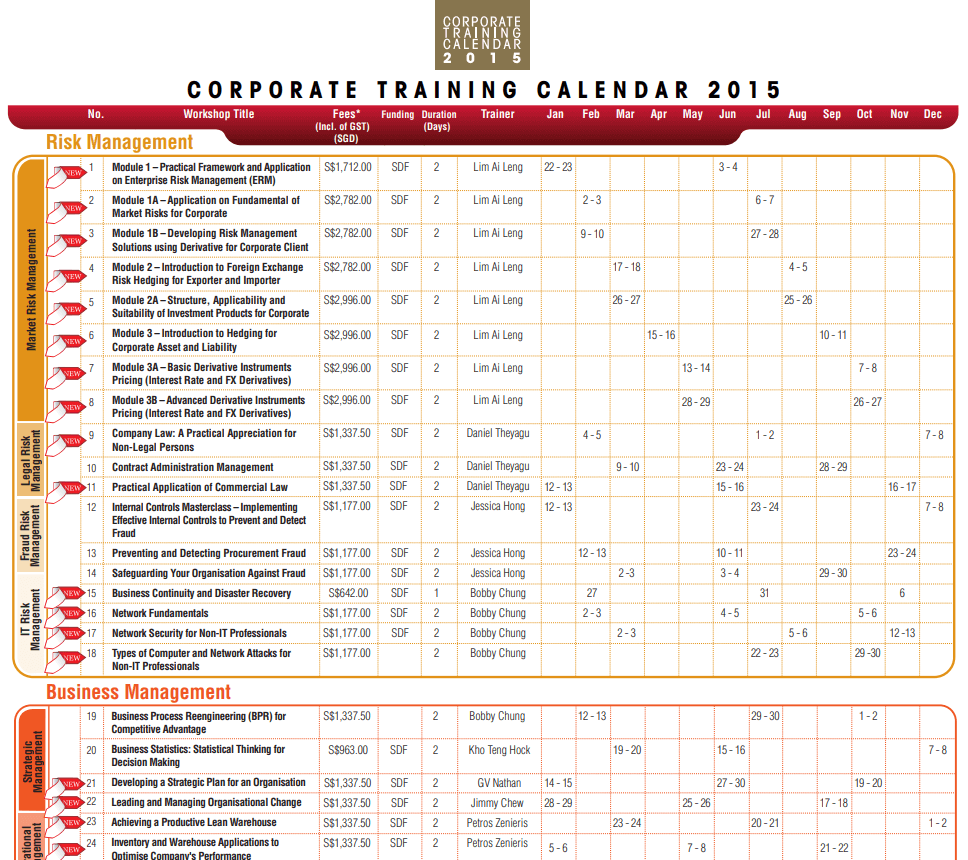
File Size: 612 KB
Free Download Training Calendar PDF Template
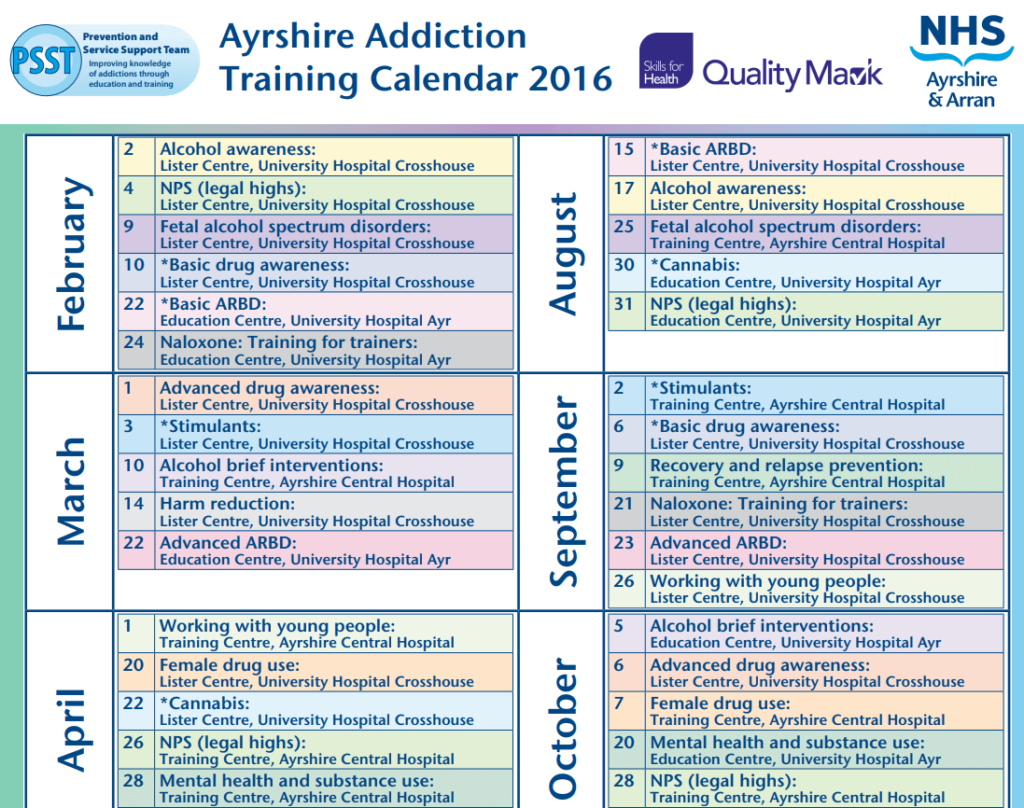
File Size: 104 KB
Quarterly Training Calendar PDF Template
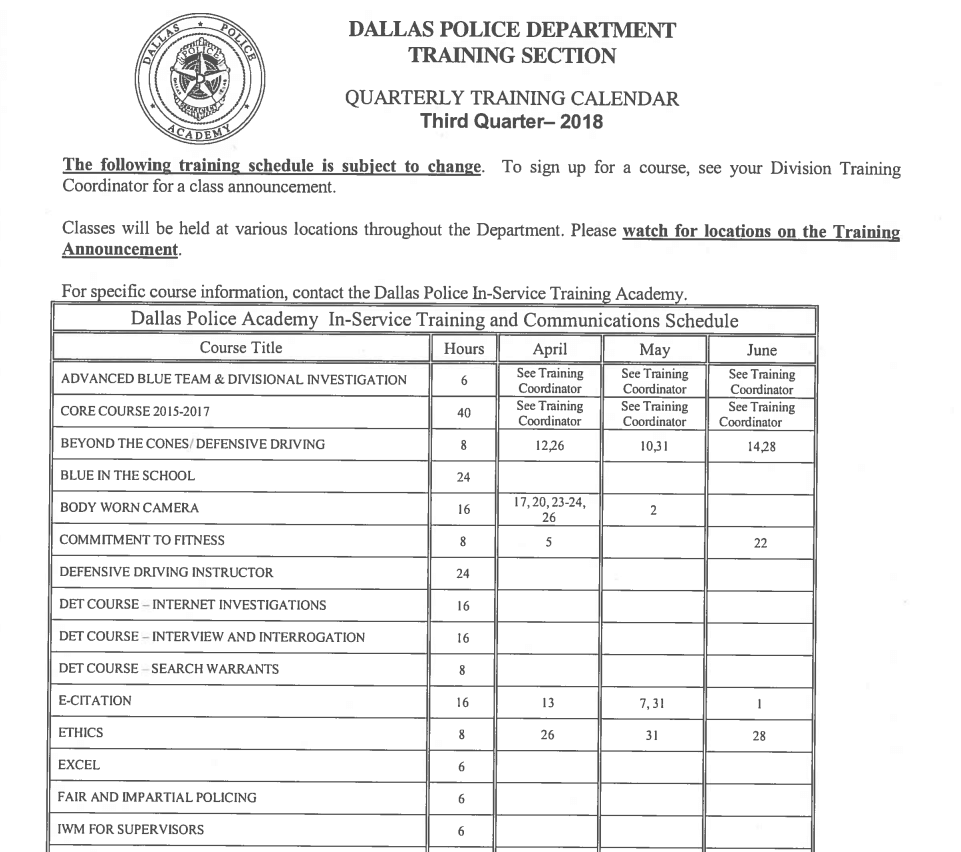
File Size: 51 KB
Special Training Calendar Sample PDF
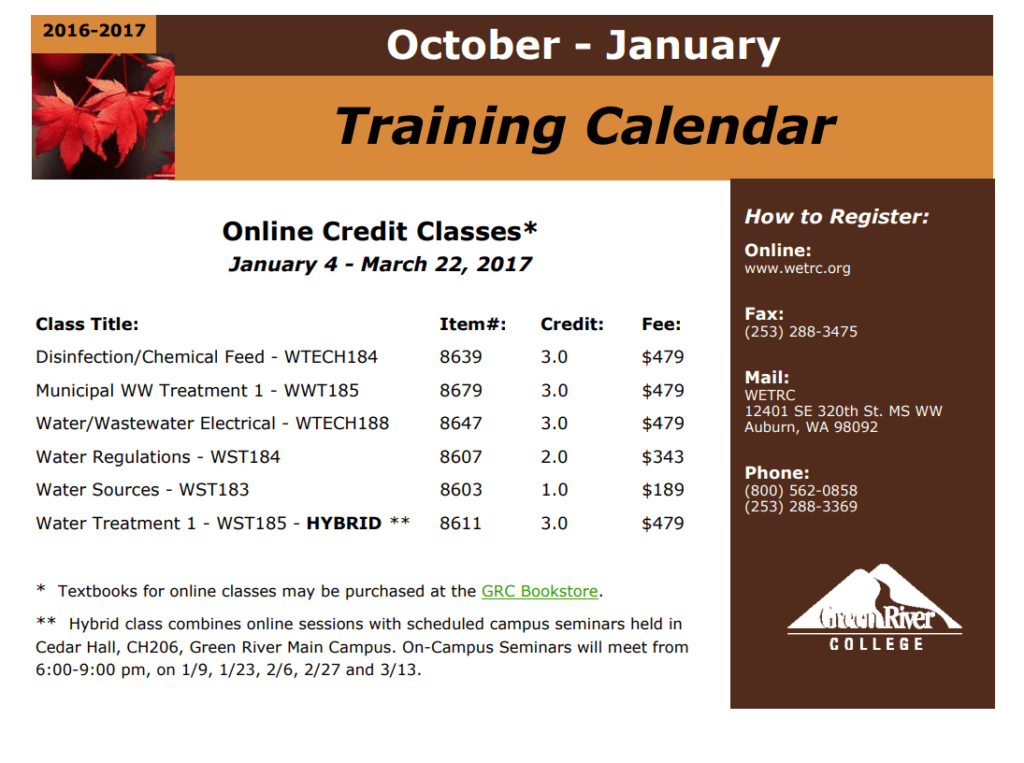
File Size: 38 KB
Official Training Calendar Template
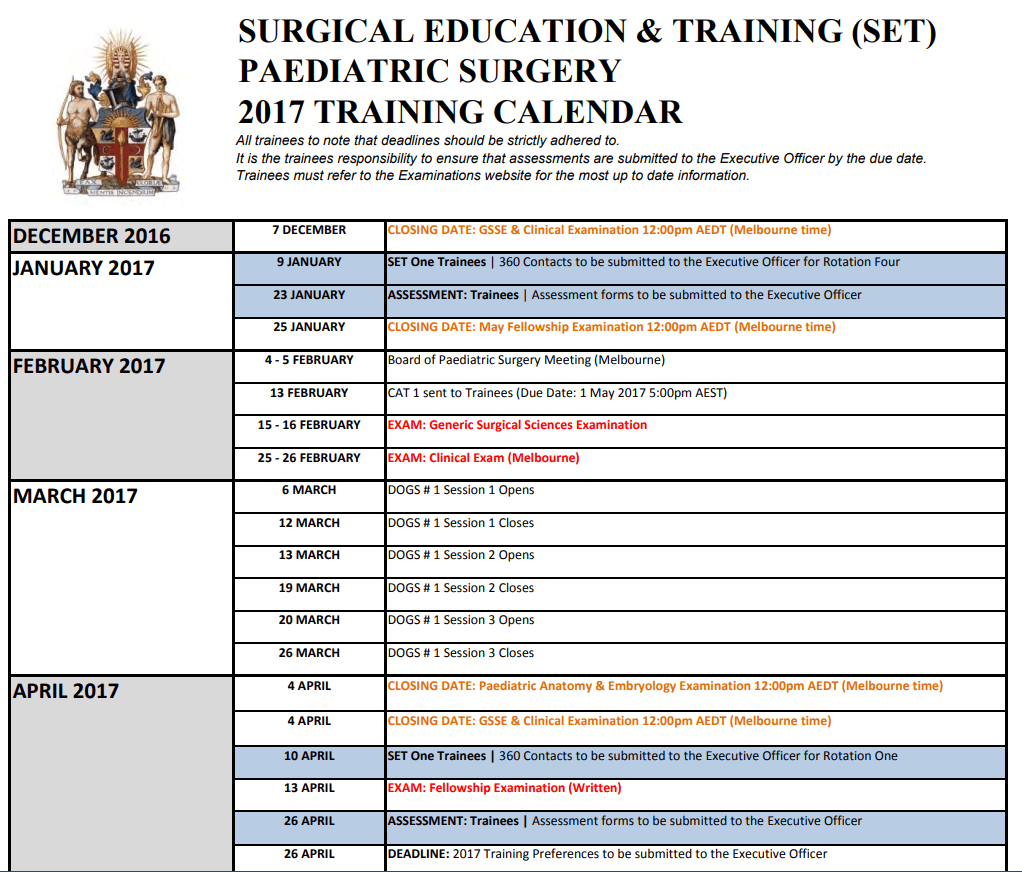
File Size: 478 KB
Yearly Training Calendar PDF Template
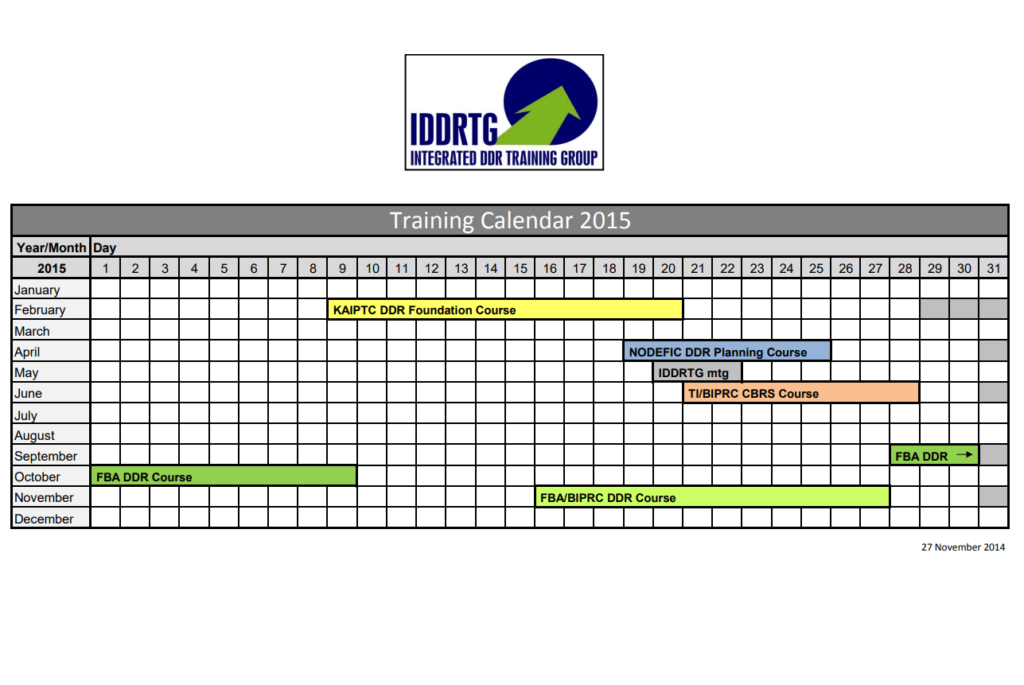
File Size: 113 KB
Interactive Training Calendar Template for the Year
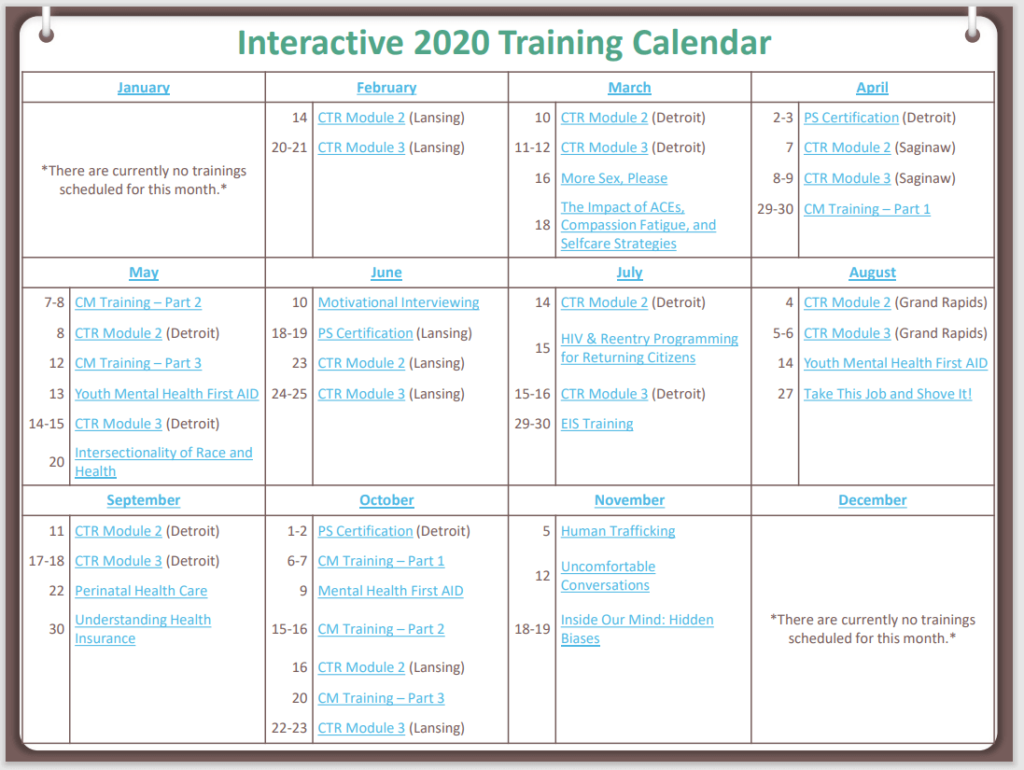
File Size: 305 KB
Simple Design Training Calendar Template
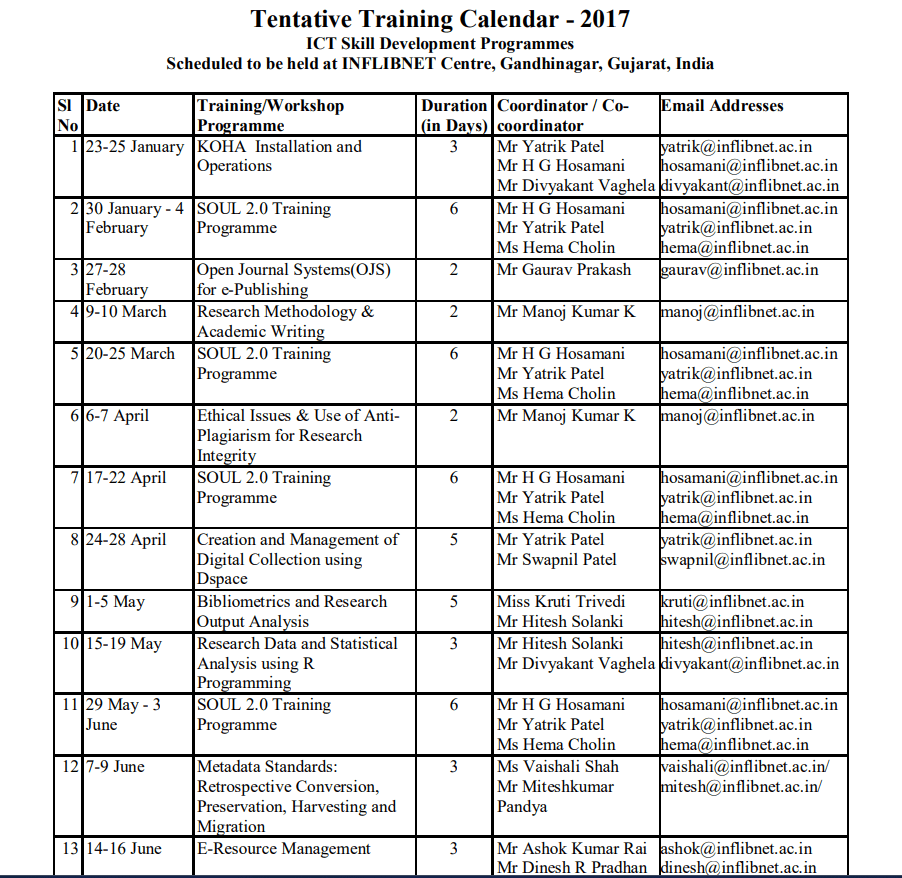
File Size: 616 KB
Volunteer Shelter Training Program Calendar PDF Example
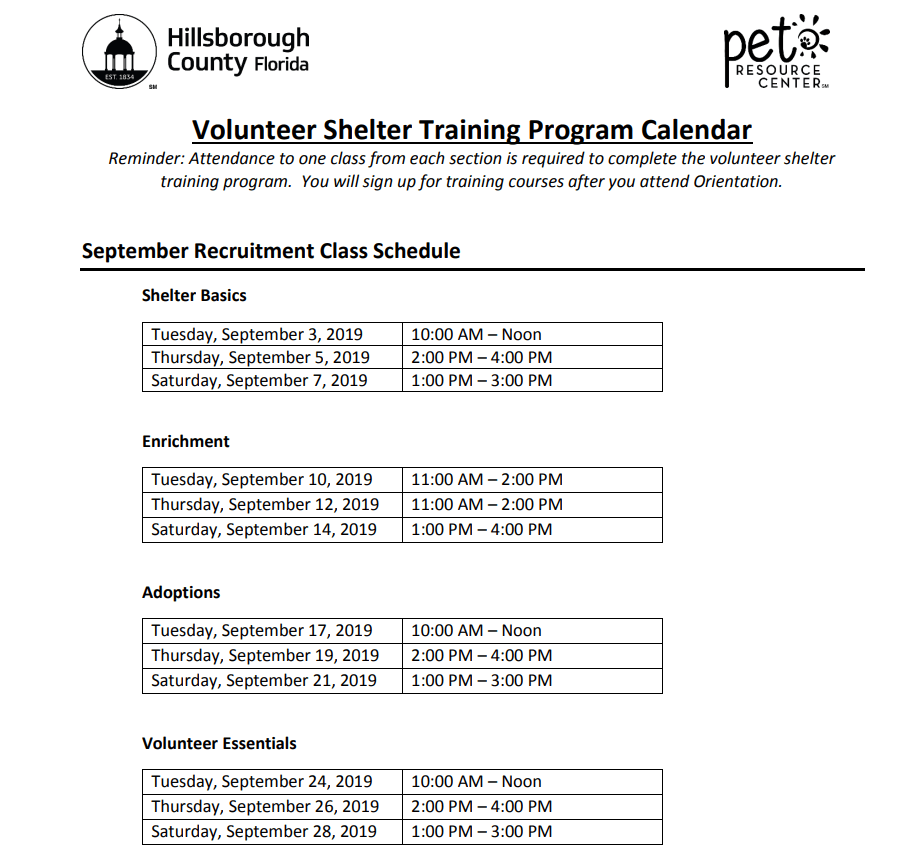
File Size: 269 KB
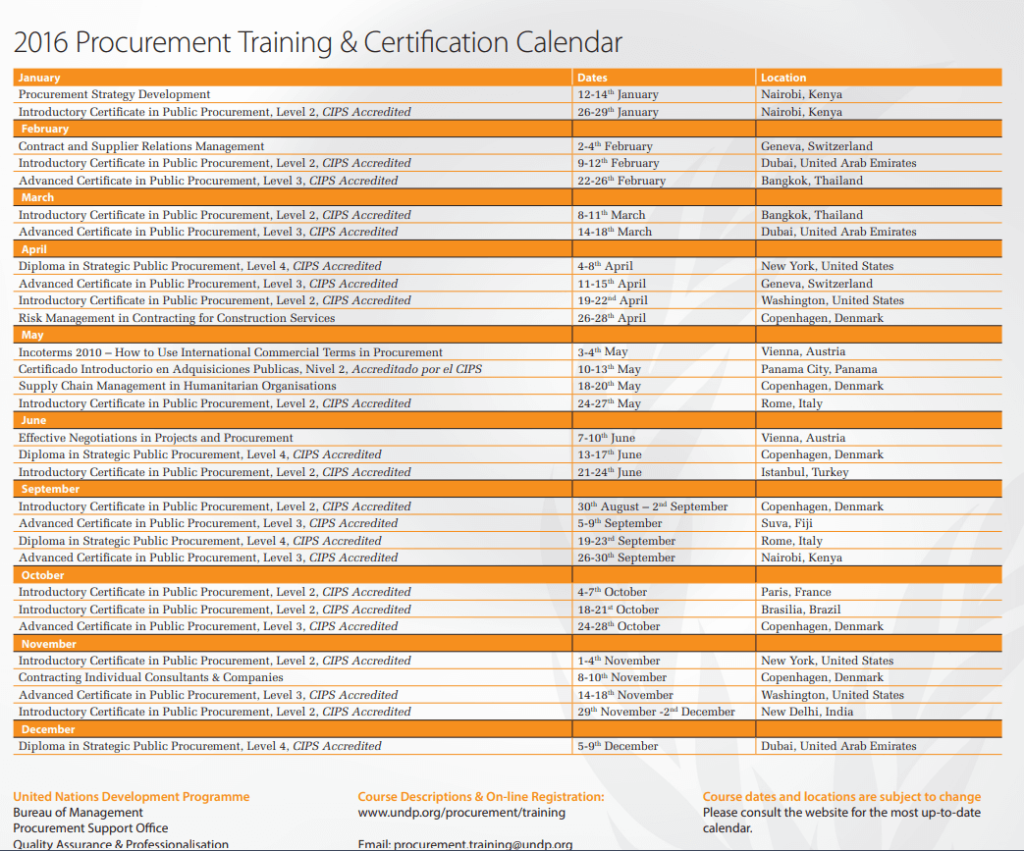
Procurement Training & Certification Calendar Template
File Size: 794 KB
Annual Training Calendar PDF Template

File Size: 02 MB
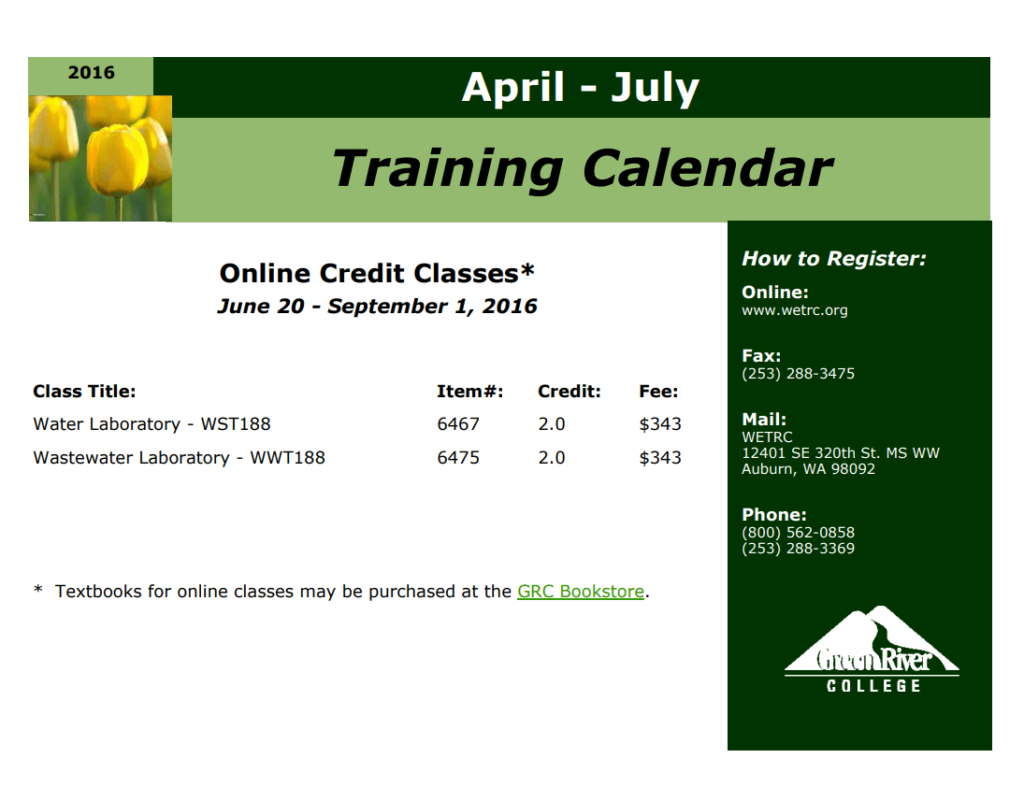
Free Printable Training Calendar Sample PDF
File Size: 31 KB
How to use and customize the template
- List learning needs and identify the dates or milestones they support.
- Check availability with instructors, venues and the teams releasing participants.
- Publish the schedule with prerequisites and a named contact for changes.
- Record attendance or completion in the appropriate system and update upcoming sessions as needed.
Keep attendance and completion records
A calendar shows when training is planned. Keep attendance, assessment and completion records separately so a scheduled session is never mistaken for a completed one.
Related resources
See also Free Daily Planner Templates and Scheduling Example and Attendance Sheet Templates for Students and Employees.
Frequently asked questions
What should a training calendar include?
Include session names, dates, times, audience, instructors and locations. Add prerequisites and registration instructions where they matter.
What is the difference between a training calendar and a training plan?
The plan defines learning objectives and methods. The calendar shows when sessions take place and who needs to be there.
How can I use a calendar for recurring training?
Place recurring sessions in the annual view first, then update monthly details and track completion separately.
You must be logged in to post a comment.